
v0.2.0 Release Notes
Release Date: 2026-01-31 Version Type: Feature Update Stability: Stable
Version Overview
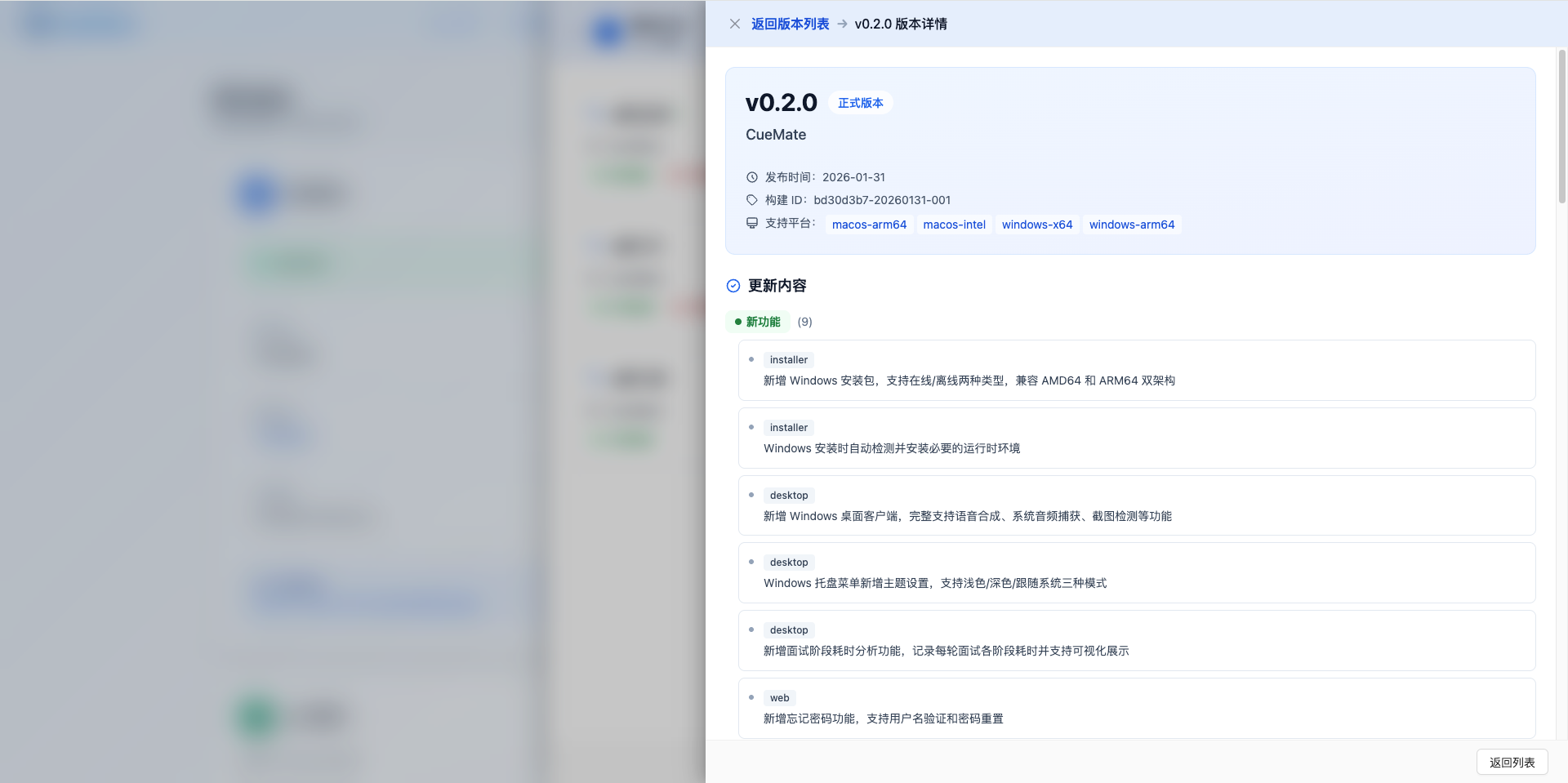
CueMate v0.2.0 is a major feature update that introduces Windows platform support. This version provides complete Windows installation packages and desktop client, supporting both online/offline installation types, compatible with AMD64 and ARM64 architectures. Additionally, new features include interview stage timing analysis, password reset functionality, and various bug fixes.
New Features
1. feat(installer): New Windows installation packages with online/offline types, supporting AMD64 and ARM64 architectures
v0.2.0 introduces Windows platform installation packages for the first time, with full feature parity with macOS:
| Type | Size | Features | Use Case |
|---|---|---|---|
| Offline | ~4.5GB | Includes all Docker images and voice models, ready to use | Unstable network, limited bandwidth, corporate intranet |
| Online | ~700MB | Pulls images from network during installation | Stable network, quick package download needed |
Supports AMD64 (Intel/AMD processors) and ARM64 (Qualcomm Snapdragon and other ARM processors) dual architectures, covering mainstream Windows devices.
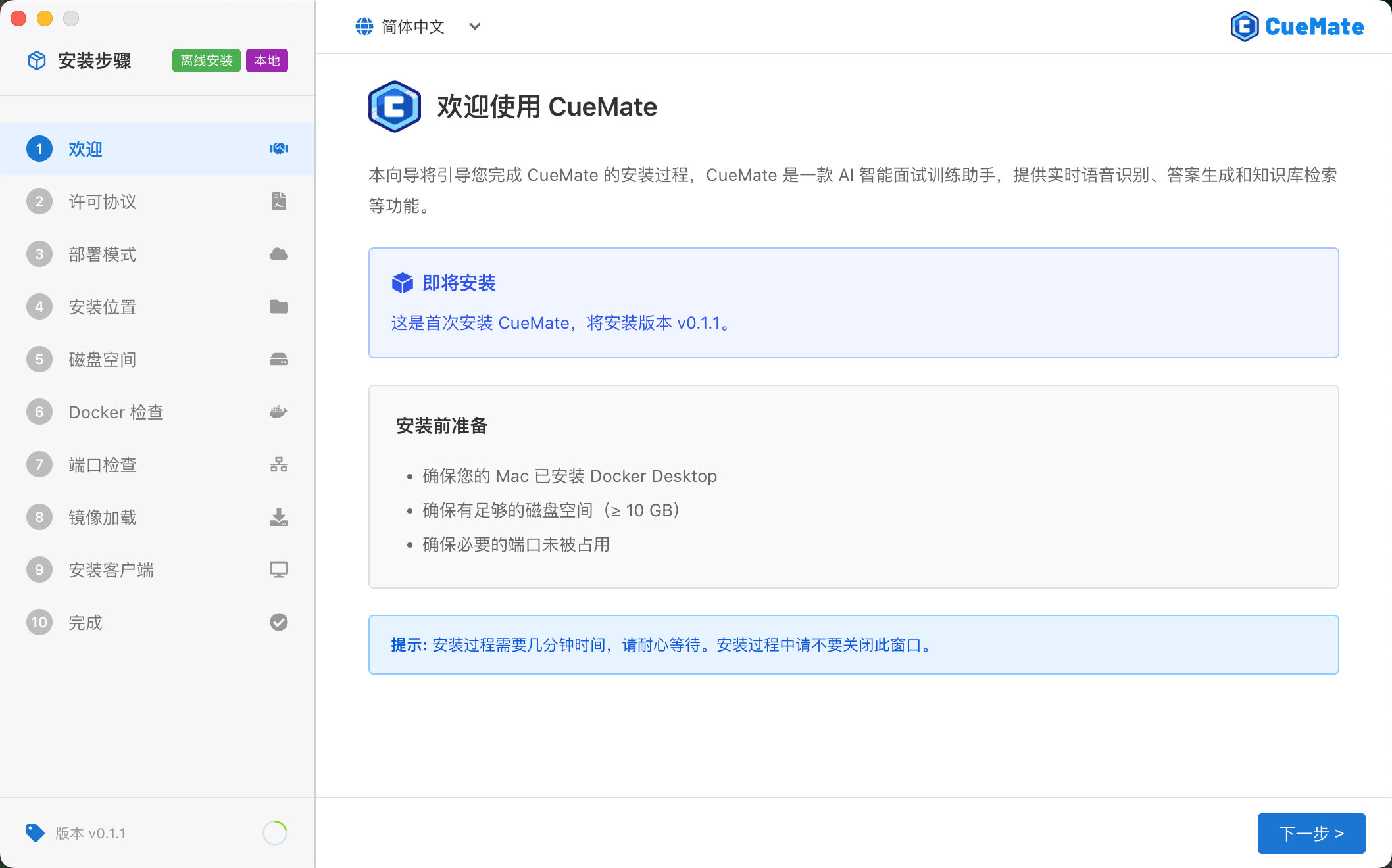
2. feat(installer): Automatic detection and installation of required runtime environment during Windows installation
The Windows installation wizard automatically detects system environment and installs necessary runtime components when needed:
- Automatically detects if VC++ Runtime is installed
- Automatically downloads and installs VC++ Redistributable if not present
- Ensures Piper TTS voice synthesis functions properly
The entire process requires no manual intervention; the installation wizard handles all dependencies automatically.
3. feat(desktop): New Windows desktop client with full support for voice synthesis, system audio capture, screenshot detection, etc.
The Windows desktop client has full feature parity with macOS:
| Feature | Description |
|---|---|
| Piper TTS Voice Synthesis | Supports Chinese (Huayan female voice) and English (Amy female voice) |
| System Audio Capture | Captures audio output from meeting software (Tencent Meeting, Zoom, Feishu, etc.) |
| Screenshot Detection | Detects system screenshot operations for interview scenarios |
| Docker Integration | Supports Docker Desktop for Windows |
4. feat(desktop): Windows tray menu adds theme settings with light/dark/system modes
Windows version tray menu adds theme switching:
- Light Mode: Bright interface style
- Dark Mode: Dark interface style
- Follow System: Automatically follows Windows system theme settings
Click the tray icon to quickly switch themes without entering settings page.
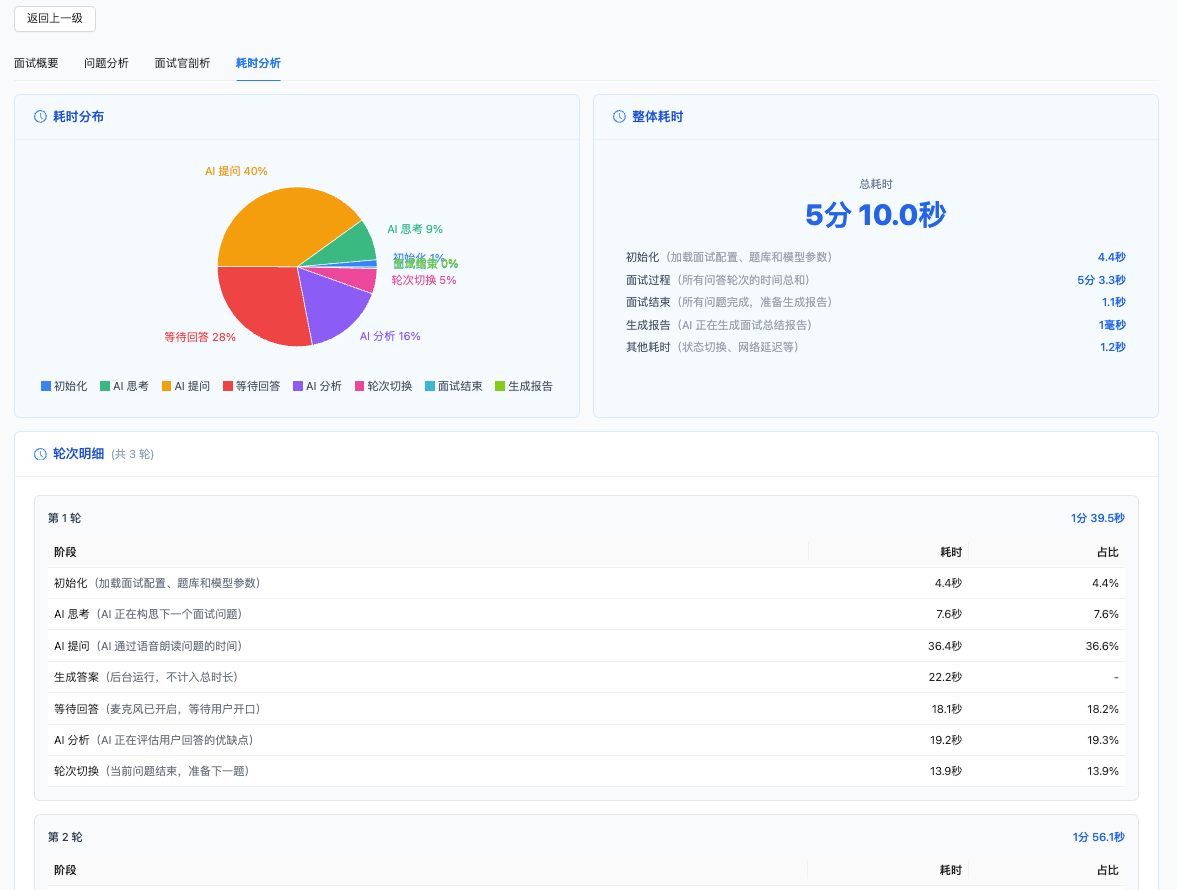
5. feat(desktop): New interview stage timing analysis with visualization support
New interview stage timing analysis helps users understand time distribution:
Recorded Stages:
- AI Thinking Time: Time for AI to generate questions
- AI Reading Time: Time for Piper TTS to read questions
- User Preparation Time: Wait time from question reading completion to user starting answer
- User Answer Time: Actual time user spends answering
- AI Analysis Time: Time for AI to analyze user's answer
Visualization:
- Bar chart of each stage's duration per interview round
- Overall duration statistics and averages
- Abnormal duration markers (e.g., slow AI response in certain rounds)
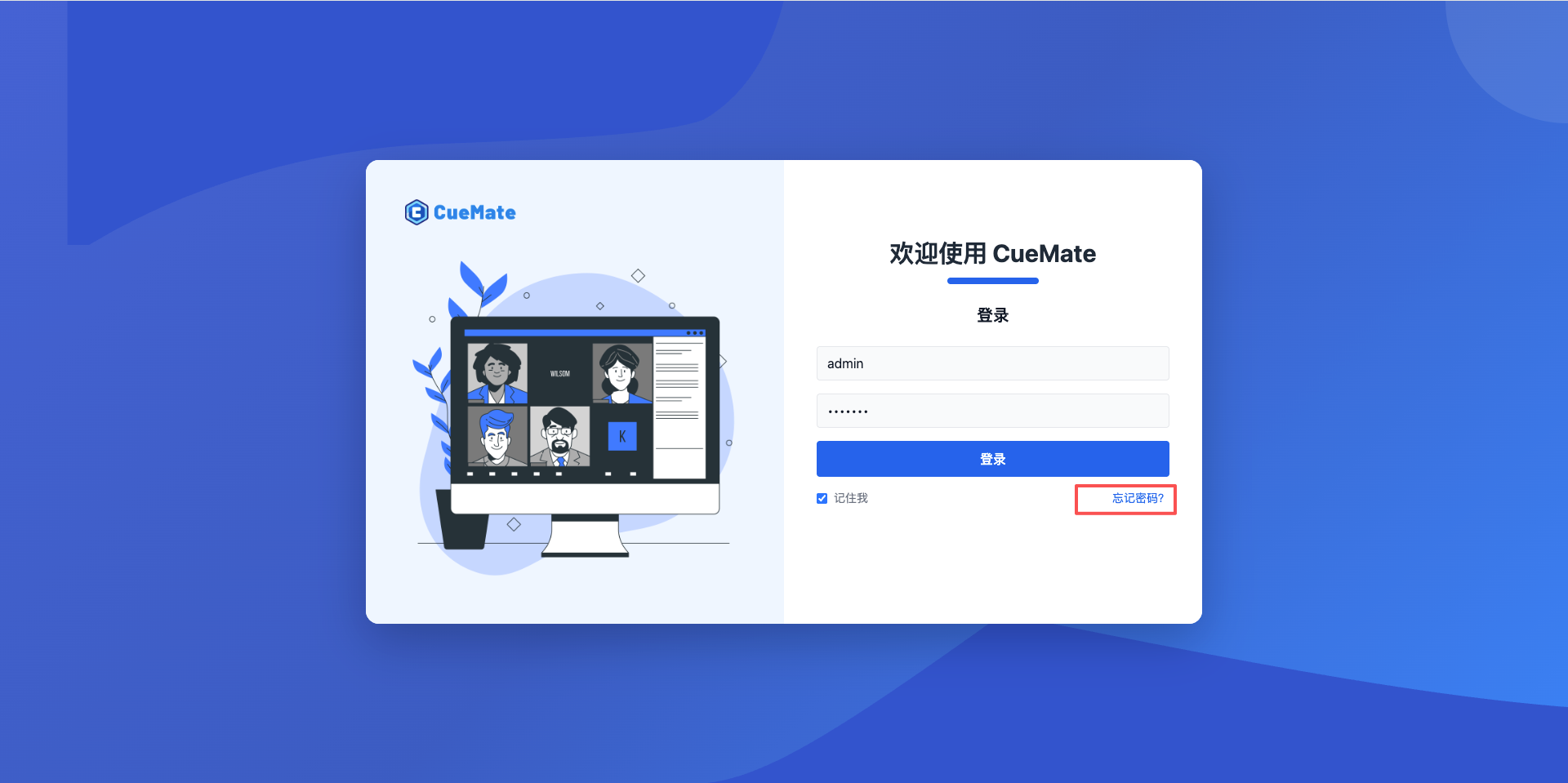
6. feat(web): New forgot password feature with username verification and password reset
New complete password recovery flow:
- Enter Username: Click "Forgot Password" on login page
- Security Verification: Answer preset security questions
- Reset Password: Set and confirm new password
After password reset, automatically redirects to login page to use new password.
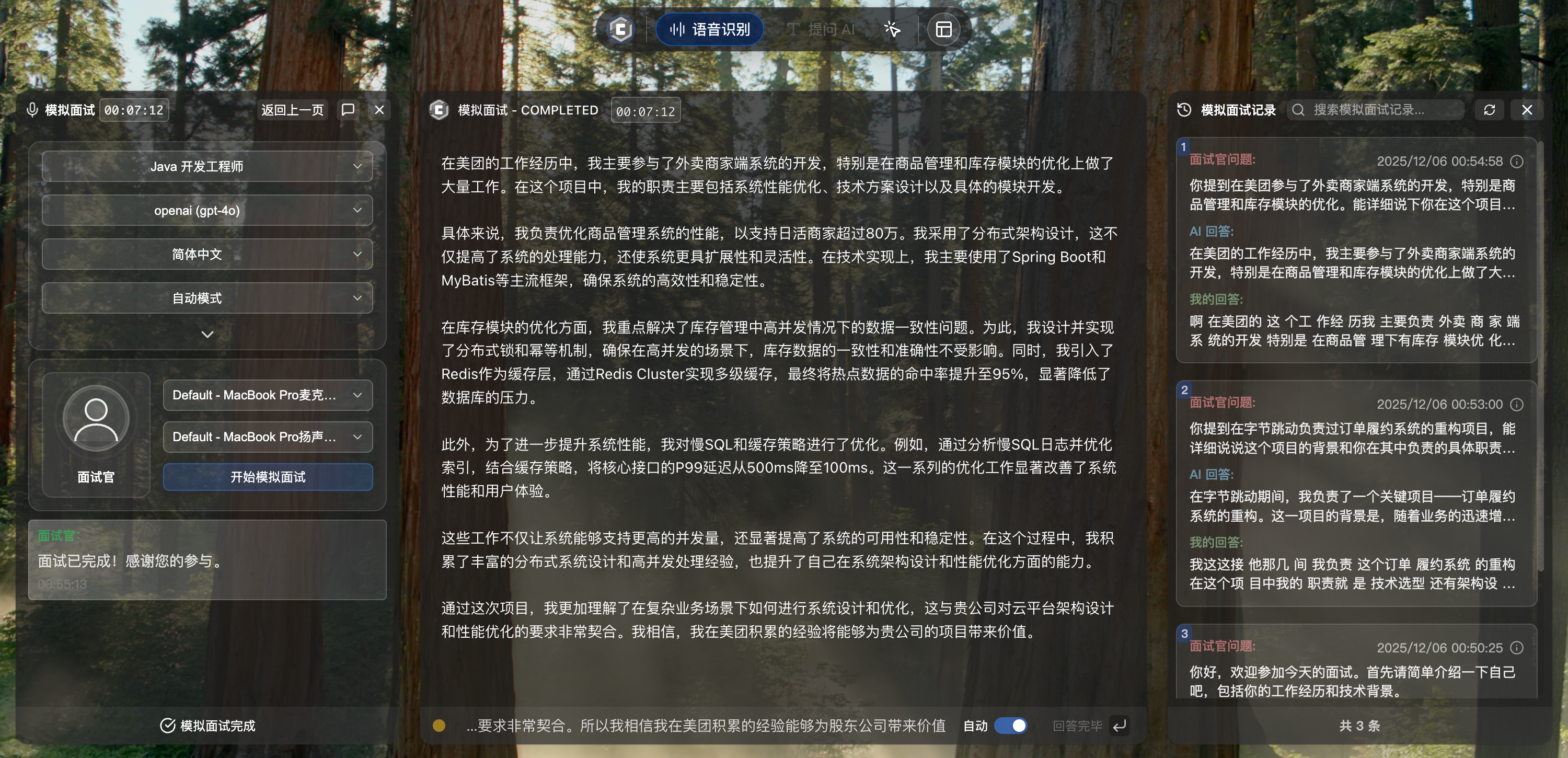
7. feat(desktop): Voice Q&A history page supports auto-refresh for real-time sync
Voice Q&A history page now supports auto-refresh:
- Automatically checks and refreshes conversation list every 30 seconds
- New conversations automatically appear at the top of the list
- No need to manually click refresh button
This feature ensures history records stay current during continuous voice Q&A usage.
8. feat(desktop): Server deployment mode supports online version upgrade
Server deployment mode now supports online version upgrades:
- Desktop client automatically prompts when new version is detected
- Supports one-click upgrade of backend services on remote server
- Automatically backs up existing data during upgrade
- Automatically restarts services after upgrade completion
No need to manually log into the server; desktop client completes the entire upgrade process.
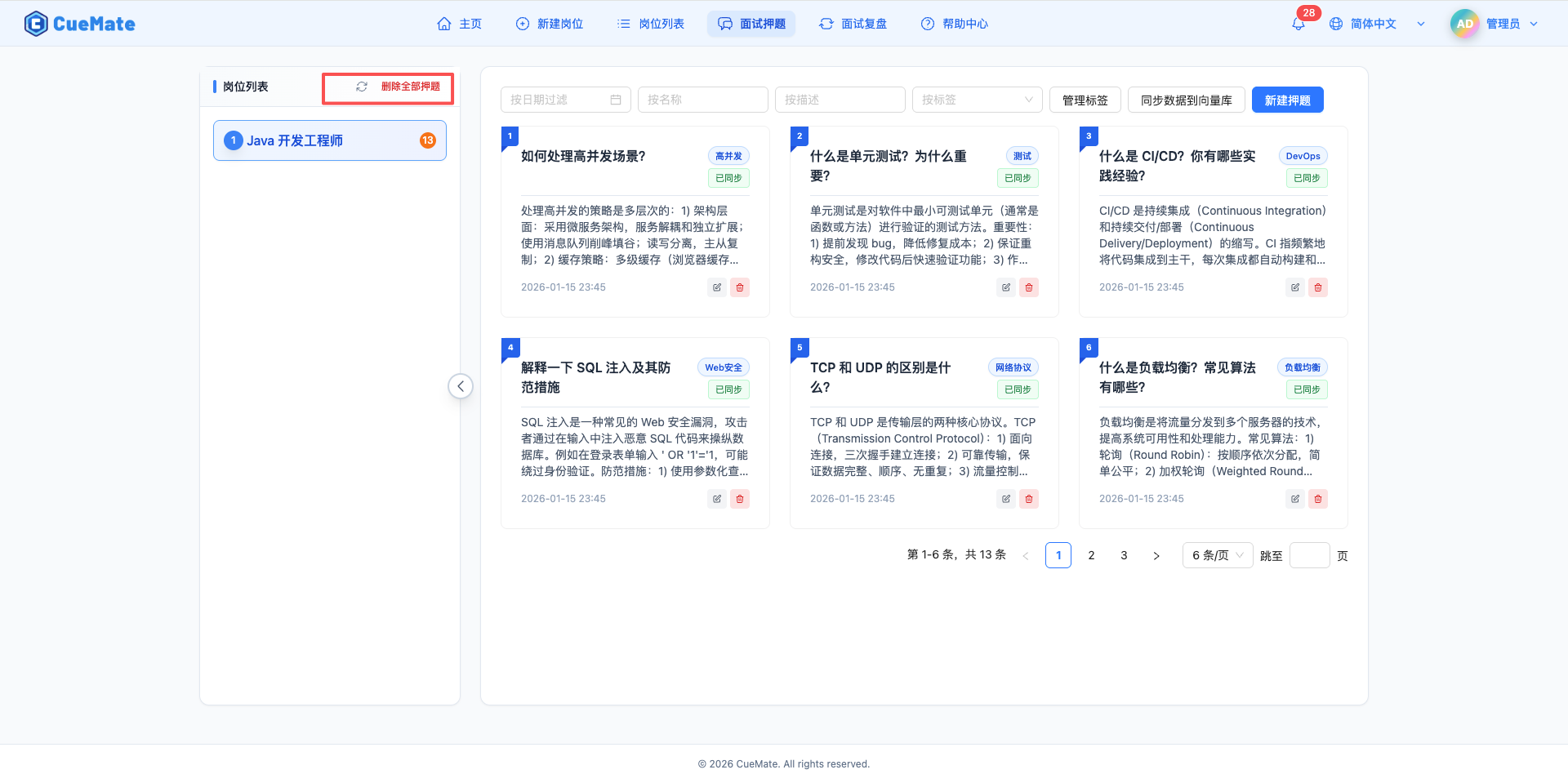
9. feat(web): Job list, question list, and interview records pages add refresh buttons
List pages add manual refresh buttons:
- Job List: Refresh job data and vector sync status
- Question List: Refresh question data and sync status
- Interview Records: Refresh interview records and statistics
Click refresh button to immediately get latest data without refreshing the entire page.
Improvements
10. refactor(desktop): Optimized interview training flow for faster response phase entry
Optimized interview training interaction flow:
Before: Recognize question → Generate reference answer → Display answer → User answers After: Recognize question → User answers (reference answer generates in background)
Users don't need to wait for reference answer generation to start answering. Reference answers generate asynchronously in the background and display in real-time, reducing wait time and improving training fluidity.
11. refactor(desktop): Interview training and mock interview settings saved independently
Interview training and mock interview settings are now stored independently:
| Setting | Description |
|---|---|
| Job Selection | Different jobs can be selected for each mode |
| Model Selection | Different LLM models can be used for each mode |
| Language Settings | Different languages can be set for each mode |
| Microphone/Speaker | Different devices can be selected for each mode |
| Answer Mode | Manual/auto mode can be set independently |
Settings automatically restore to previous configuration when switching modes.
12. refactor(desktop): Optimized cross-platform path management with unified configuration
Unified path configuration for Windows and macOS:
- Data directory, log directory, cache directory use unified configuration interface
- Automatically adapts to different OS path separators
- Configuration file format fully compatible for cross-platform migration
13. refactor(desktop): Optimized audio module startup speed
Optimized audio module initialization:
- Audio devices preload on application startup
- Microphone and speaker stream cache reuse
- Reduced audio initialization wait time by approximately 2-3 seconds when starting interview
14. refactor(i18n): Optimized multilingual translation structure
Optimized internationalization translation structure design:
- Interview stage names and descriptions separated for independent translation
- Added missing translation keys
- Corrected inaccurate translations
15. refactor(web-api): Optimized interview record query performance
Optimized interview records page query performance:
- Using database-level statistical calculations, reducing application layer computation
- Optimized timing statistics query logic
- Page load speed improved by approximately 30%
16. refactor(desktop): Unified voice recognition parameter configuration
Unified voice recognition parameter configuration:
- FunASR, AudioTee, Piper TTS parameters read from configuration file
- Removed hardcoded parameter values
- Allows users to customize voice recognition parameters
17. refactor(desktop): Optimized data saving during interviews
Optimized data saving mechanism during interviews:
- Data saving operations execute asynchronously in background queue
- Does not block UI interaction
- Smoother operation during interviews
18. refactor(desktop): Optimized window size adaptation
Optimized window size calculation and adaptation:
- Using 3:2 aspect ratio, better suited for modern display ratios
- Window size calculated by screen percentage
- Windows high DPI scaling optimization
Bug Fixes
19. fix(desktop): Fixed interview report not using user-selected model
Fixed issue where interview report generation did not use user-selected LLM model. Now interview reports correctly use the model selected by user before starting the interview.
20. fix(desktop): Fixed speaker recognition text accumulation in interview training
Fixed issue in interview training mode where previous round's speaker recognition text persisted to next round. Each interview round now automatically clears previous round's recognition results.
21. fix(desktop): Fixed duplicate voice recognition results display
Fixed issue of FunASR online/offline recognition results displaying duplicates. Now online and offline recognition results are properly separated and no longer show duplicates.
22. fix(desktop): Fixed model selection cross-window sync issue
Fixed issue where voice Q&A was not using the model selected in the left window. Voice Q&A now correctly reads and uses the user-selected model.
23. fix(desktop): Fixed interview mode selection state sync issue
Fixed issue where interview mode (manual/auto) selection in dropdown was not immediately synced to other components. Selection now immediately syncs to global state.
24. fix(desktop): Fixed voice recognition unresponsive after microphone switch
Fixed issue where voice recognition became unresponsive after switching microphone during interview. Now automatically rebinds audio stream after device switch.
25. fix(desktop): Fixed voice synthesis error during interview pause
Fixed issue where voice synthesis showed timeout errors during interview pause state. Now correctly ignores timeout exceptions during pause state.
26. fix(desktop): Fixed last audio segment loss in speaker recognition
Fixed issue where last audio segment was lost in speaker recognition at interview end. Added audio data flush mechanism to ensure all audio data is properly processed.
27. fix(web): Fixed login status check exception
Fixed exception caused by field name mismatch during login status check. Login status check now functions correctly.
28. fix(docker): Optimized mirror source configuration
Changed Docker mirror source from Tsinghua mirror to Alibaba Cloud mirror, resolving image download failures or slow speeds for users in certain regions.
Upgrade Instructions
Upgrading from v0.1.1
- Download v0.2.0 installation package
- Run installation wizard, select "Upgrade"
- Existing data (jobs, resumes, questions, interview records, etc.) will be automatically preserved
- Only updates application and Docker images
Notes
- macOS users follow same upgrade process as previous versions
- Windows users are first-time installation, please refer to installation guide
- After upgrade, recommend re-testing voice recognition functionality
Download Links
macOS Installation Packages
Option 1: Baidu Netdisk (Recommended for China users)
Download Link: https://pan.baidu.com/s/15jwZHy8YkDa4cEDLIYRo9Q?pwd=3477
Access Code: 3477
Download Steps:
- Click above link to access Baidu Netdisk
- Enter access code
3477 - Select
v0.2.0version folder - Choose installation package type:
- Offline (Recommended): ~4.5GB, no network required
- Online: ~700MB, requires network to pull images
- Download according to chip type:
- Apple Silicon (M1/M2/M3):
arm64version - Intel Chip:
x64version
- Apple Silicon (M1/M2/M3):
Option 2: GitHub Release (Recommended for overseas users)
Download Link: https://github.com/cuemate-chat/cuemate/releases/tag/v0.2.0
Windows Installation Packages
Option 1: Baidu Netdisk (Recommended for China users)
Download Link: https://pan.baidu.com/s/15jwZHy8YkDa4cEDLIYRo9Q?pwd=3477
Access Code: 3477
Download Steps:
- Click above link to access Baidu Netdisk
- Enter access code
3477 - Select
v0.2.0version folder - Enter
windowssubfolder - Choose installation package type:
- Offline (Recommended): ~4.5GB, no network required
- Online: ~700MB, requires network to pull images
- Download according to processor type:
- AMD64 (Intel/AMD processors):
amd64version - ARM64 (Qualcomm Snapdragon, etc.):
arm64version
- AMD64 (Intel/AMD processors):
Option 2: GitHub Release (Recommended for overseas users)
Download Link: https://github.com/cuemate-chat/cuemate/releases/tag/v0.2.0
Feedback Channels
Found issues or have suggestions? Welcome to provide feedback through:
- GitHub Issues: https://github.com/cuemate-chat/cuemate/issues
- Email: nuneatonhydroplane@gmail.com
- Discussions: https://github.com/cuemate-chat/cuemate/discussions
Thank you for using CueMate!