

Configure Tencent Hunyuan
Tencent Hunyuan is a large language model developed independently by Tencent, providing multimodal understanding, long text processing, web search, and other features. It supports Chinese optimization, industry customization, and enterprise-grade security, suitable for conversation, writing, analysis, and other scenarios.
1. Obtain Tencent Hunyuan API Key
1.1 Access Tencent Hunyuan Console
Visit the Tencent Hunyuan Console and log in: https://console.cloud.tencent.com/hunyuan
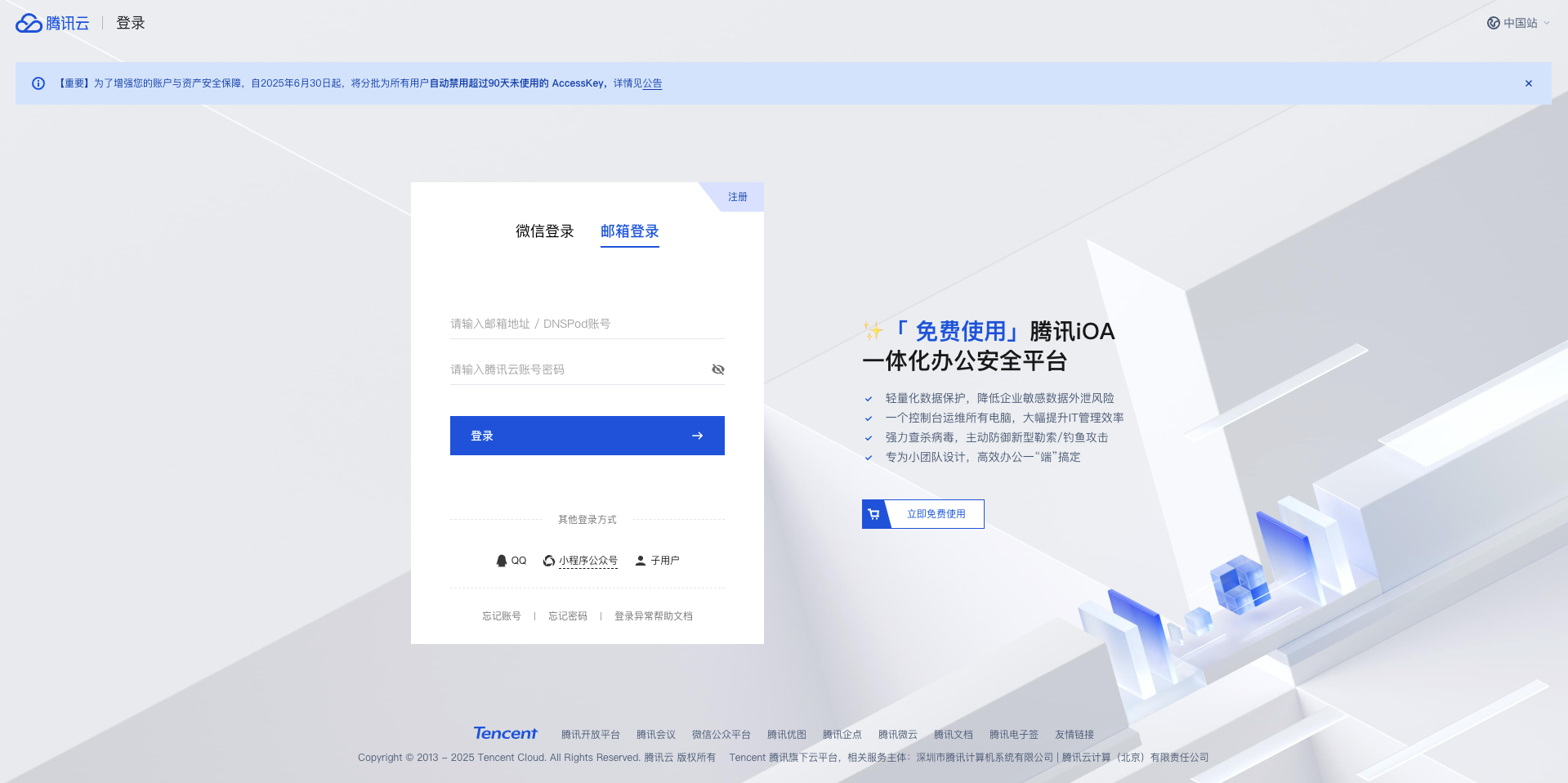
1.2 Navigate to API KEY Management
After logging in, click Get Started in the left sidebar menu.
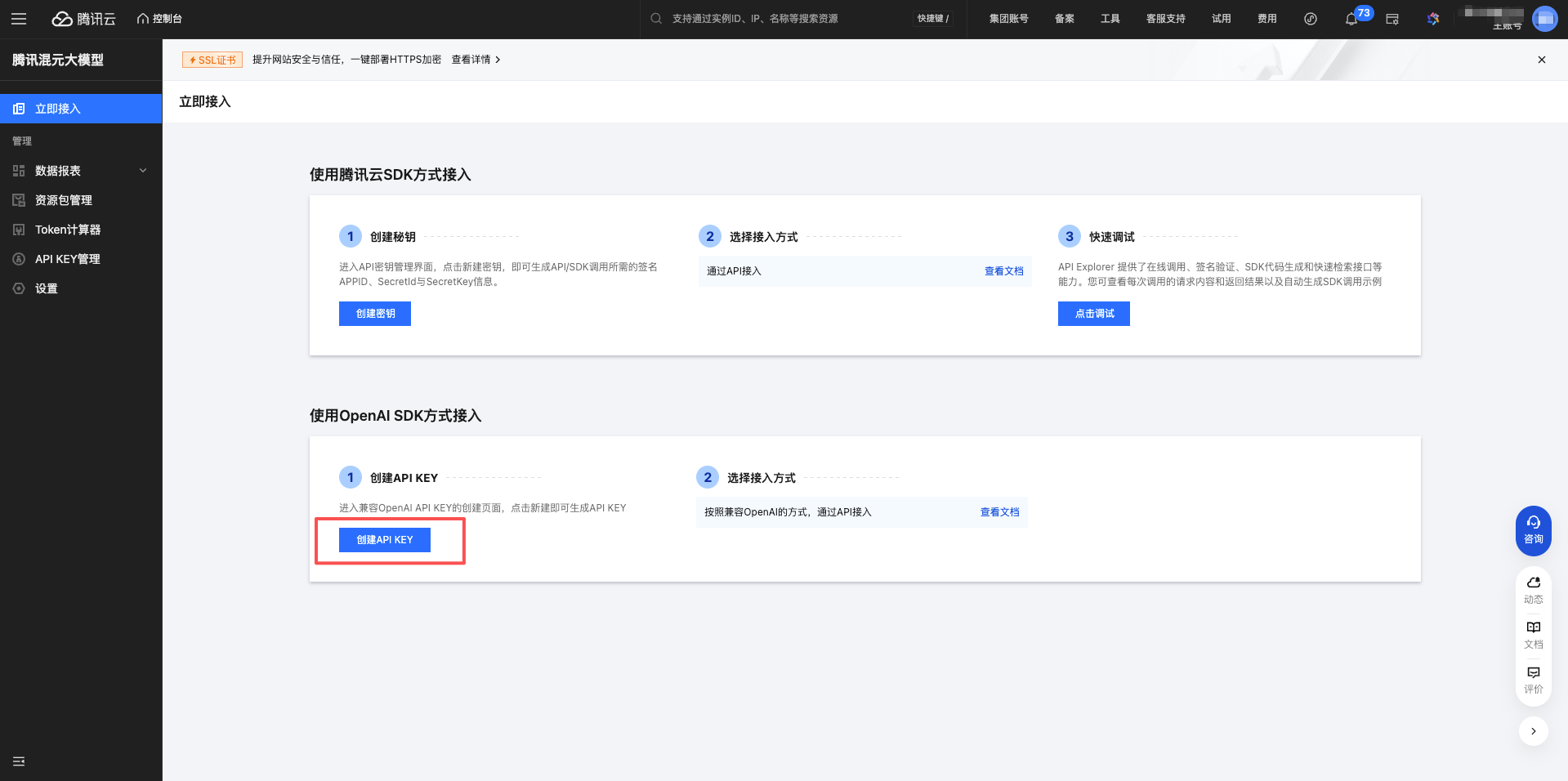
1.3 Create a New API Key
Click the Create API KEY button.
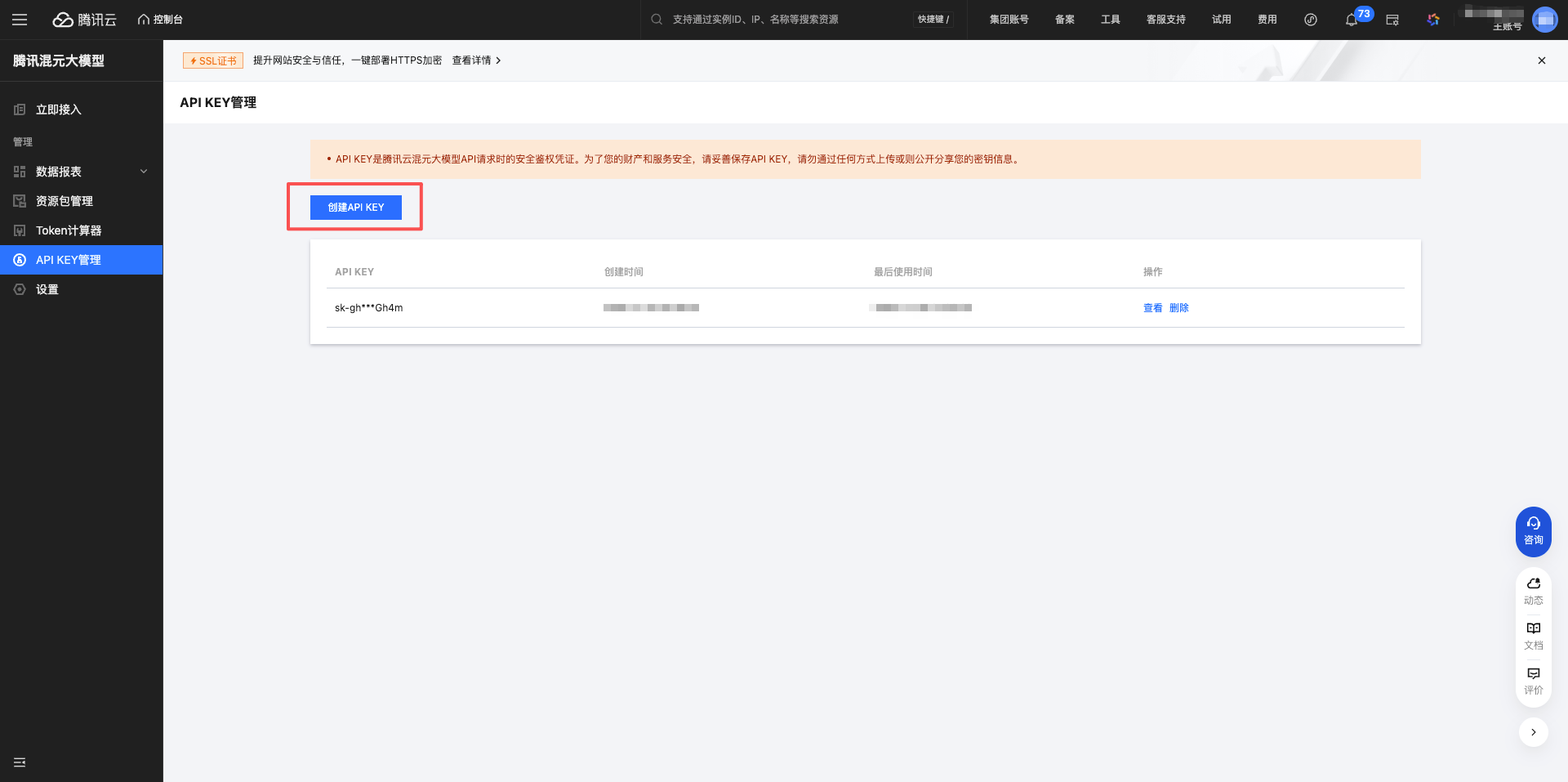
1.4 Copy API Key
After successful creation, the system will display the API Key.
Important: Copy and save it immediately. The API Key starts with sk-.
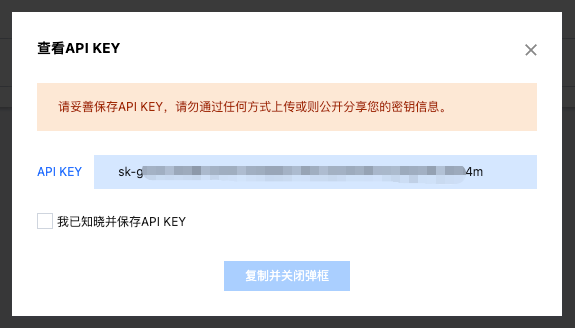
Click the copy button to copy the API Key to your clipboard.
2. Configure Tencent Hunyuan Model in CueMate
2.1 Navigate to Model Settings
After logging into CueMate, click Model Settings in the dropdown menu at the top right corner.
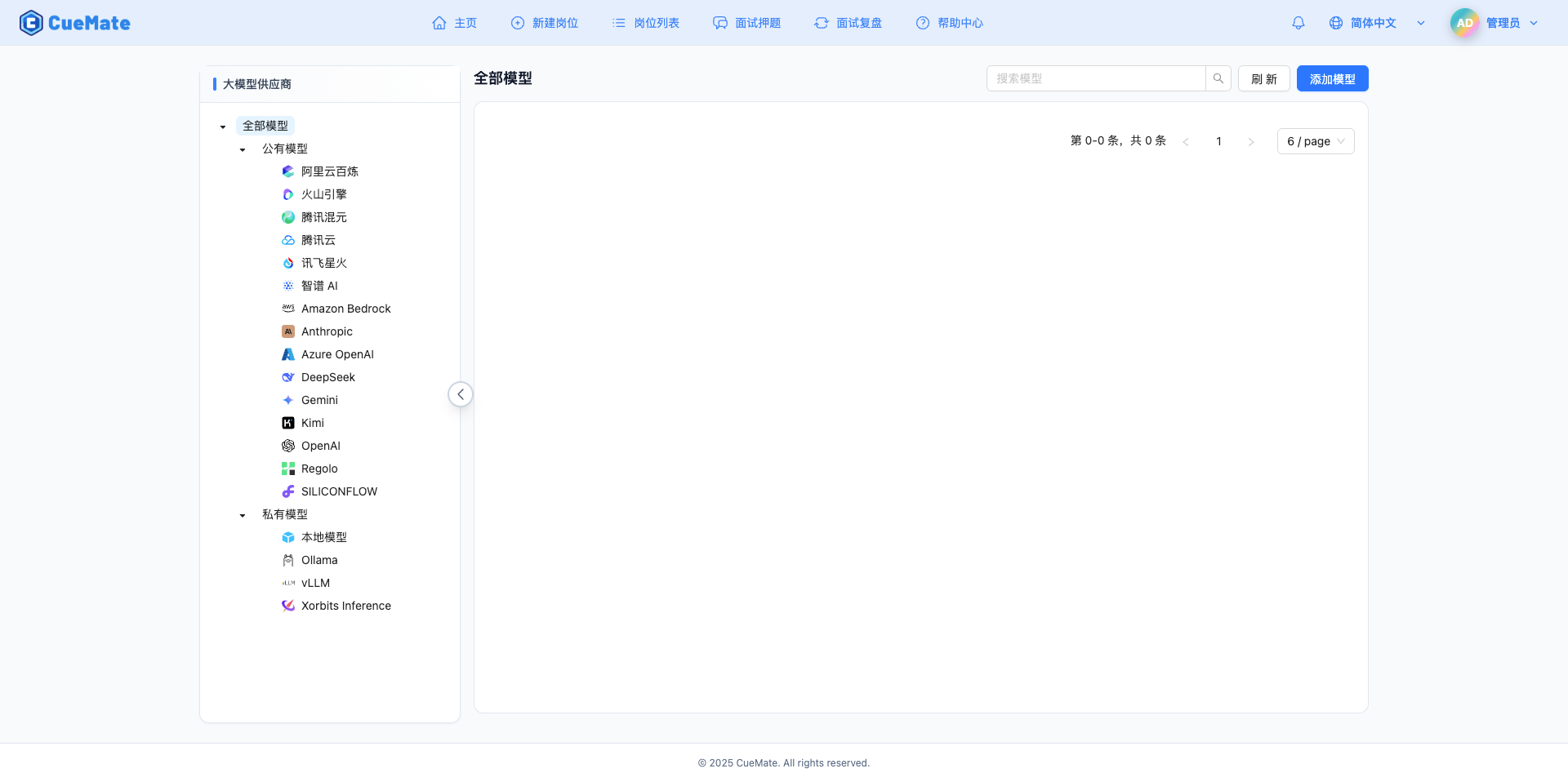
2.2 Add New Model
Click the Add Model button in the upper right corner.

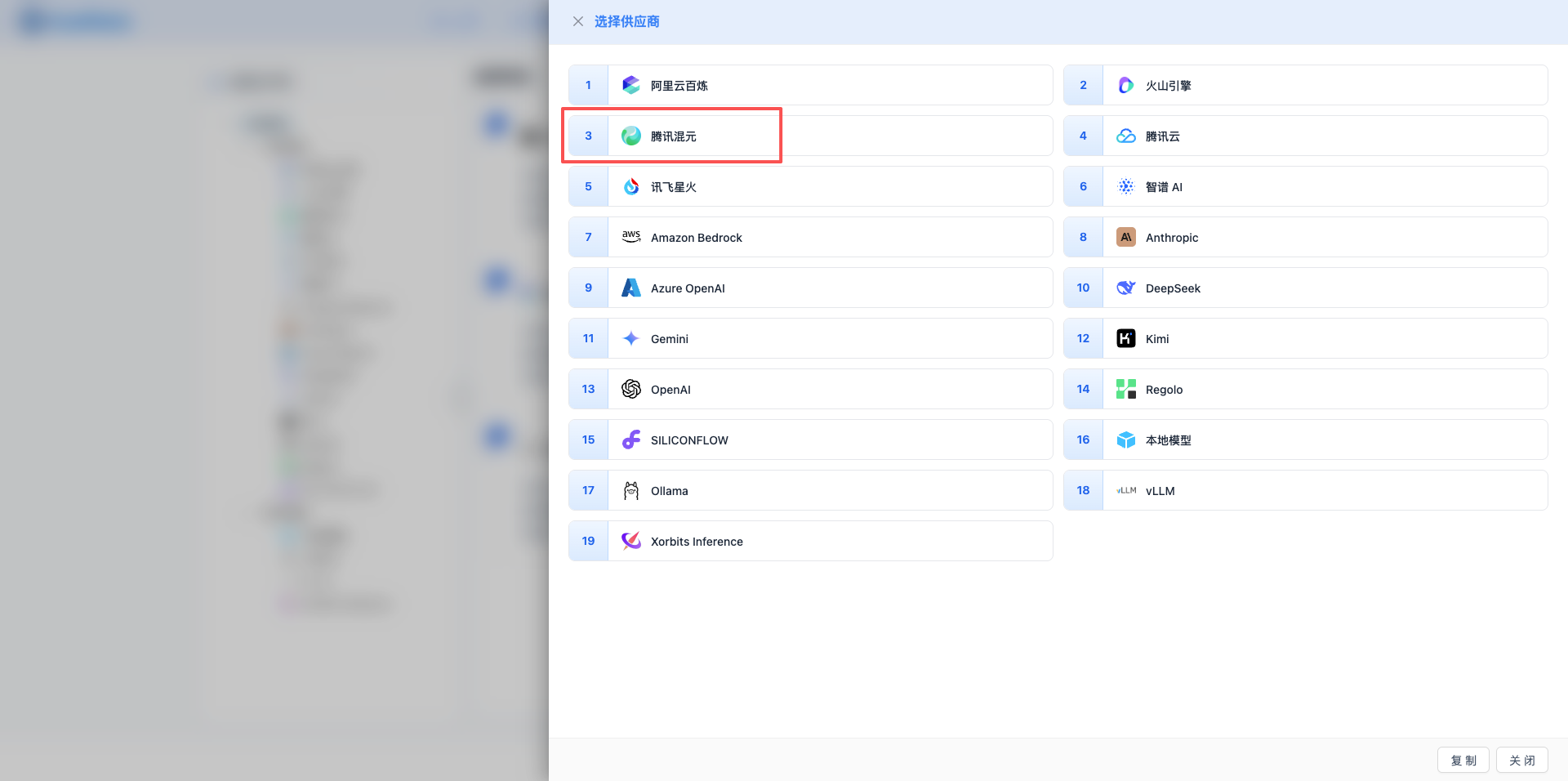
2.3 Select Tencent Hunyuan Provider
In the dialog that appears:
- Provider Type: Select Tencent Hunyuan
- After clicking, it will automatically proceed to the next step
2.4 Fill in Configuration Information
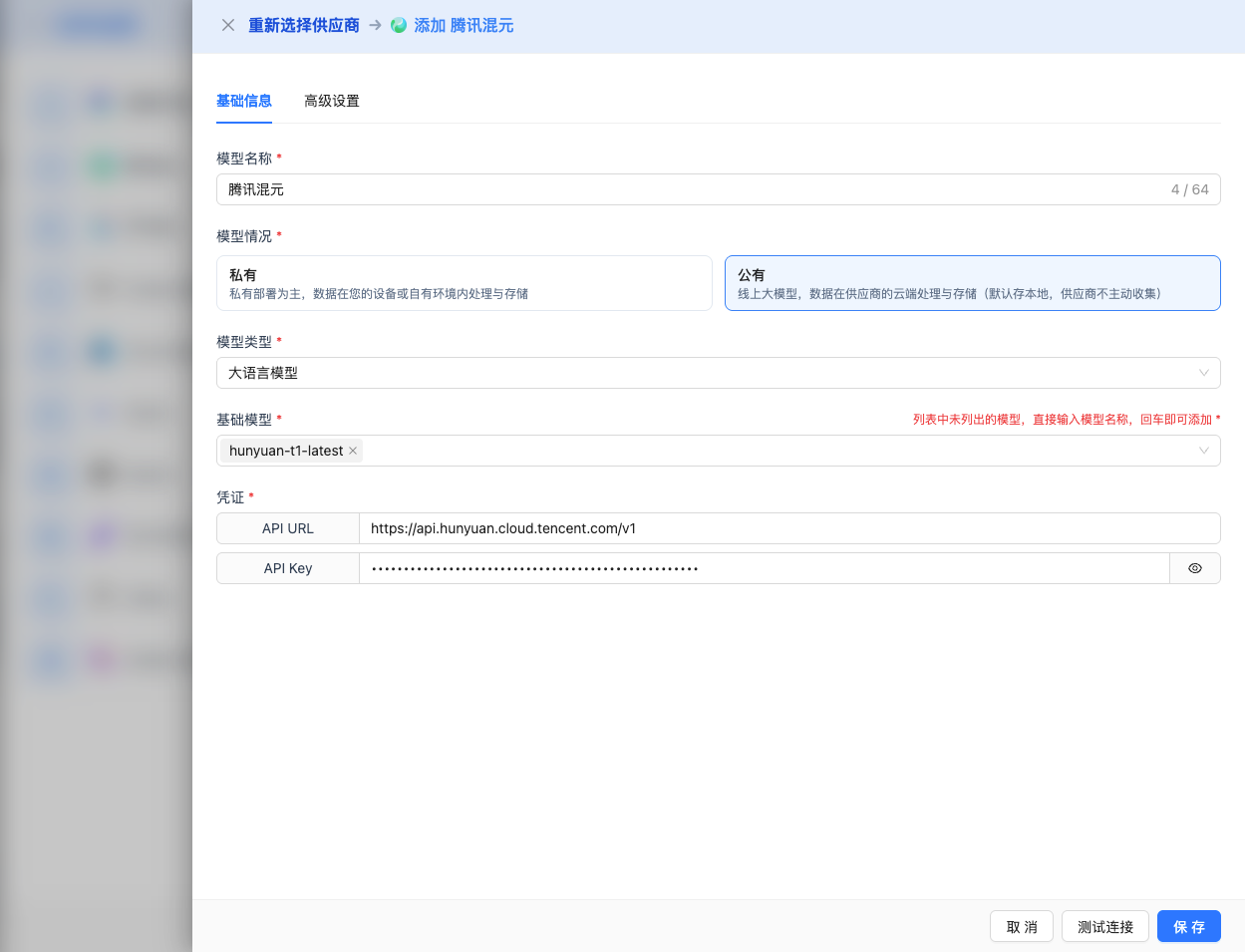
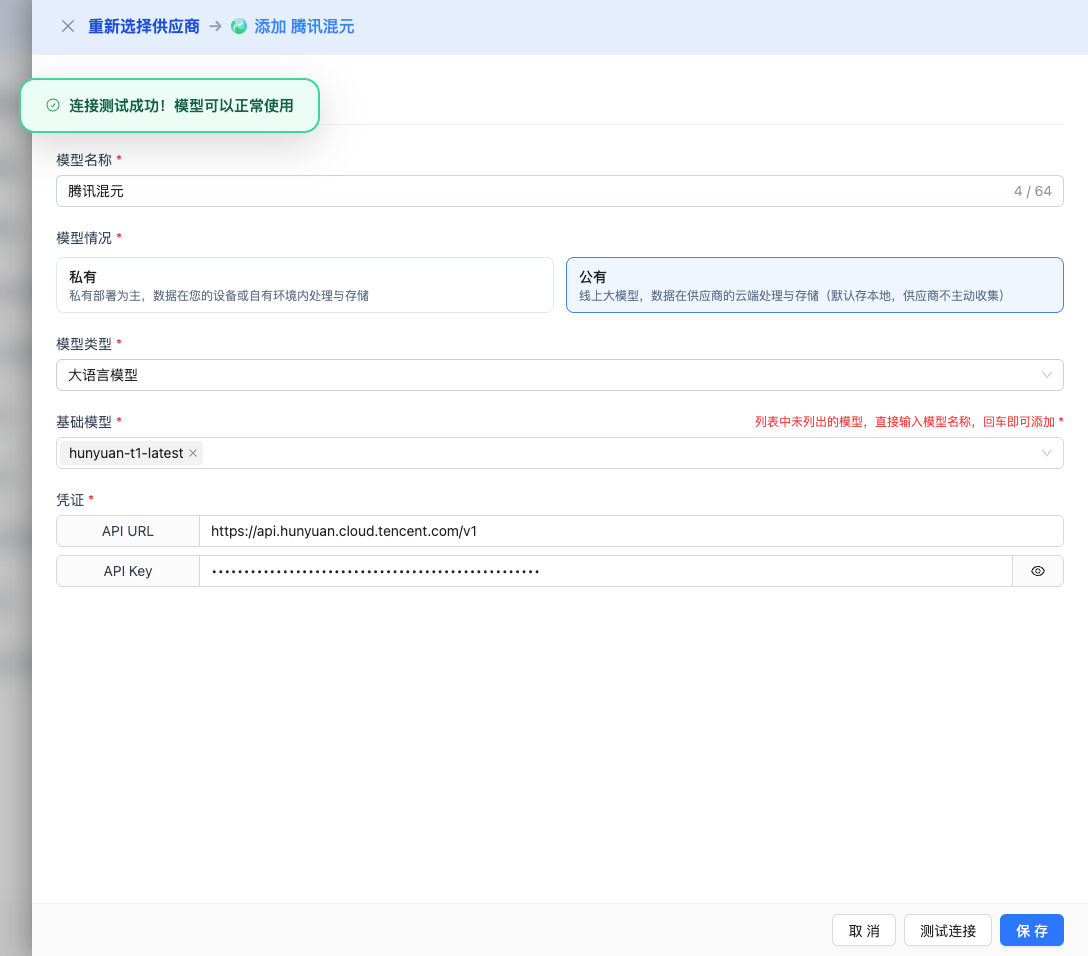
Fill in the following information on the configuration page:
Basic Configuration
- Model Name: Give this model configuration a name (e.g., Hunyuan-Turbo)
- API URL: Keep the default
https://api.hunyuan.cloud.tencent.com/v1(OpenAI-compatible format) - API Key: Paste the Tencent Hunyuan API Key you just copied
- Model Version: Select the model ID you want to use. Common models include:
hunyuan-t1-latest: Reasoning model, max output 64K, suitable for complex reasoning and technical interviewshunyuan-turbos-latest: General-purpose model, max output 16K, suitable for regular conversation and long text generationhunyuan-a13b: Hybrid reasoning model, max output 32K, supports fast/slow thinking switchinghunyuan-standard-256K: Ultra-long context, max output 6K, suitable for long document understandinghunyuan-large: Large parameter model, max output 4K, suitable for professional domainshunyuan-lite: Lightweight fast version, max output 6K, suitable for quick responses
Advanced Configuration (Optional)
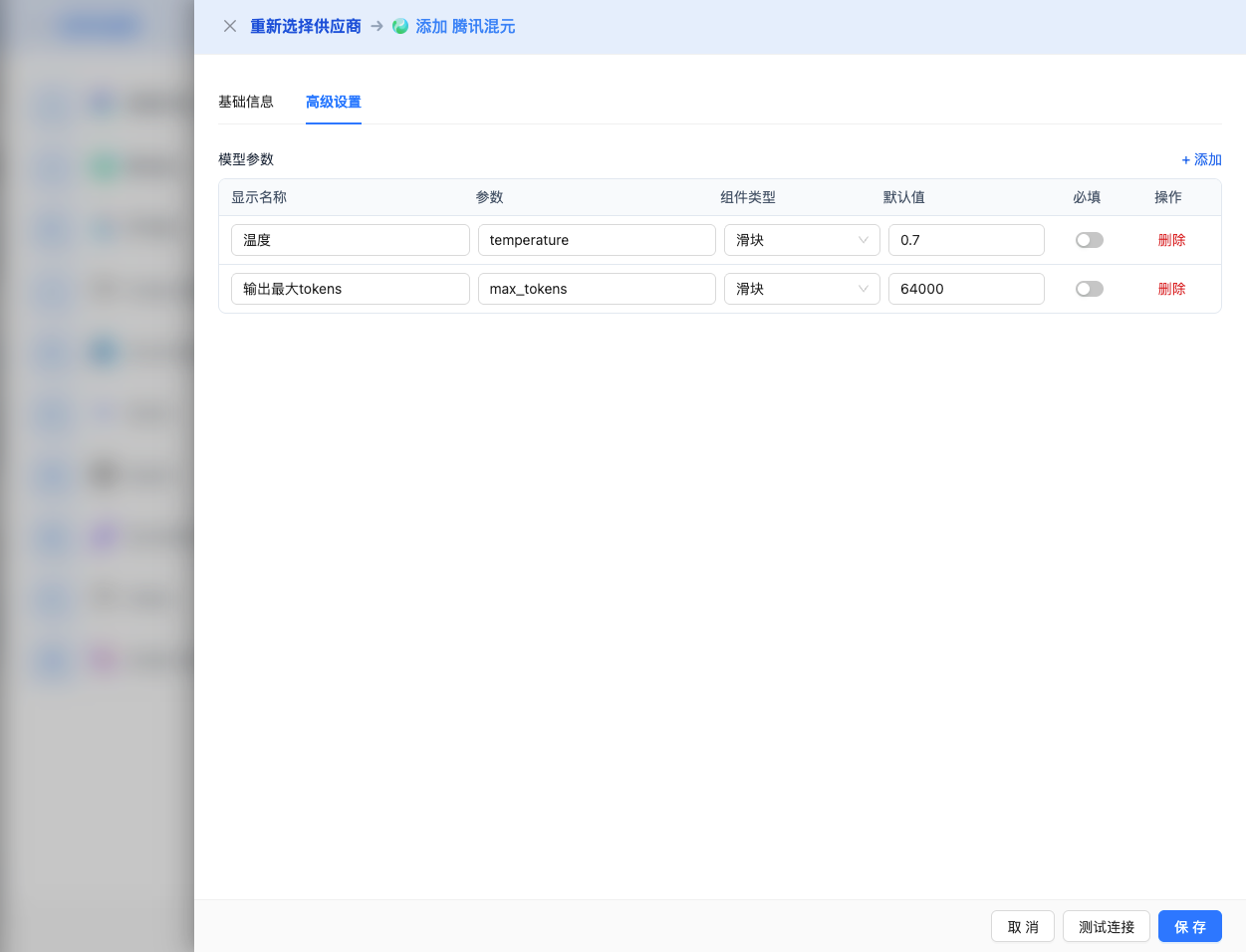
Expand the Advanced Configuration panel to adjust the following parameters:
Parameters Adjustable in CueMate Interface:
Temperature: Controls output randomness
- Range: 0-2
- Recommended Value: 0.7
- Effect: Higher values produce more random and creative outputs, lower values produce more stable and conservative outputs
- Usage Recommendations:
- Creative writing/brainstorming: 1.0-1.5
- Regular conversation/Q&A: 0.7-0.9
- Code generation/precise tasks: 0.3-0.5
Max Tokens: Limits single output length
- Range: 256 - 64000 (depending on the model)
- Recommended Value: 8192
- Effect: Controls the maximum number of tokens in a single model response
- Model Limits:
- hunyuan-t1-latest: Max 64K tokens
- hunyuan-turbos-latest: Max 16K tokens
- hunyuan-a13b: Max 32K tokens
- hunyuan-standard-256K: Max 6K tokens
- hunyuan-large: Max 4K tokens
- hunyuan-lite: Max 6K tokens
- Usage Recommendations:
- Short Q&A: 1024-2048
- Regular conversation: 4096-8192
- Long text generation: 16384-32768
- Ultra-long reasoning: 65536 (T1 model only)
Additional Advanced Parameters Supported by Tencent Hunyuan API:
Although the CueMate interface only provides temperature and max_tokens adjustments, if you call Tencent Hunyuan directly through the API, you can also use the following advanced parameters (Tencent Hunyuan uses an OpenAI-compatible API format):
top_p (nucleus sampling)
- Range: 0-1
- Default Value: 1
- Effect: Samples from the smallest set of candidates whose cumulative probability reaches p
- Relationship with temperature: Usually only adjust one of them
- Usage Recommendations:
- Maintain diversity but avoid extremes: 0.9-0.95
- More conservative output: 0.7-0.8
frequency_penalty
- Range: -2.0 to 2.0
- Default Value: 0
- Effect: Reduces the probability of repeating the same words (based on word frequency)
- Usage Recommendations:
- Reduce repetition: 0.3-0.8
- Allow repetition: 0 (default)
presence_penalty
- Range: -2.0 to 2.0
- Default Value: 0
- Effect: Reduces the probability of words that have already appeared appearing again (based on presence)
- Usage Recommendations:
- Encourage new topics: 0.3-0.8
- Allow repeated topics: 0 (default)
stop (stop sequences)
- Type: String or array
- Default Value: null
- Effect: Stops generation when the specified string is included in the generated content
- Example:
["###", "User:", "\n\n"] - Use Cases:
- Structured output: Use separators to control format
- Dialogue systems: Prevent the model from speaking on behalf of the user
stream
- Type: Boolean
- Default Value: false
- Effect: Enables SSE streaming return, generating and returning content progressively
- In CueMate: Handled automatically, no manual setting required
| No. | Scenario | temperature | max_tokens | top_p | frequency_penalty | presence_penalty |
|---|---|---|---|---|---|---|
| 1 | Creative Writing | 1.0-1.2 | 4096-8192 | 0.95 | 0.5 | 0.5 |
| 2 | Code Generation | 0.2-0.5 | 2048-4096 | 0.9 | 0.0 | 0.0 |
| 3 | Q&A System | 0.7 | 1024-2048 | 0.9 | 0.0 | 0.0 |
| 4 | Summary | 0.3-0.5 | 512-1024 | 0.9 | 0.0 | 0.0 |
| 5 | Complex Reasoning | 0.7 | 32768-65536 | 0.9 | 0.0 | 0.0 |
2.5 Test Connection
After filling in the configuration, click the Test Connection button to verify the configuration is correct.
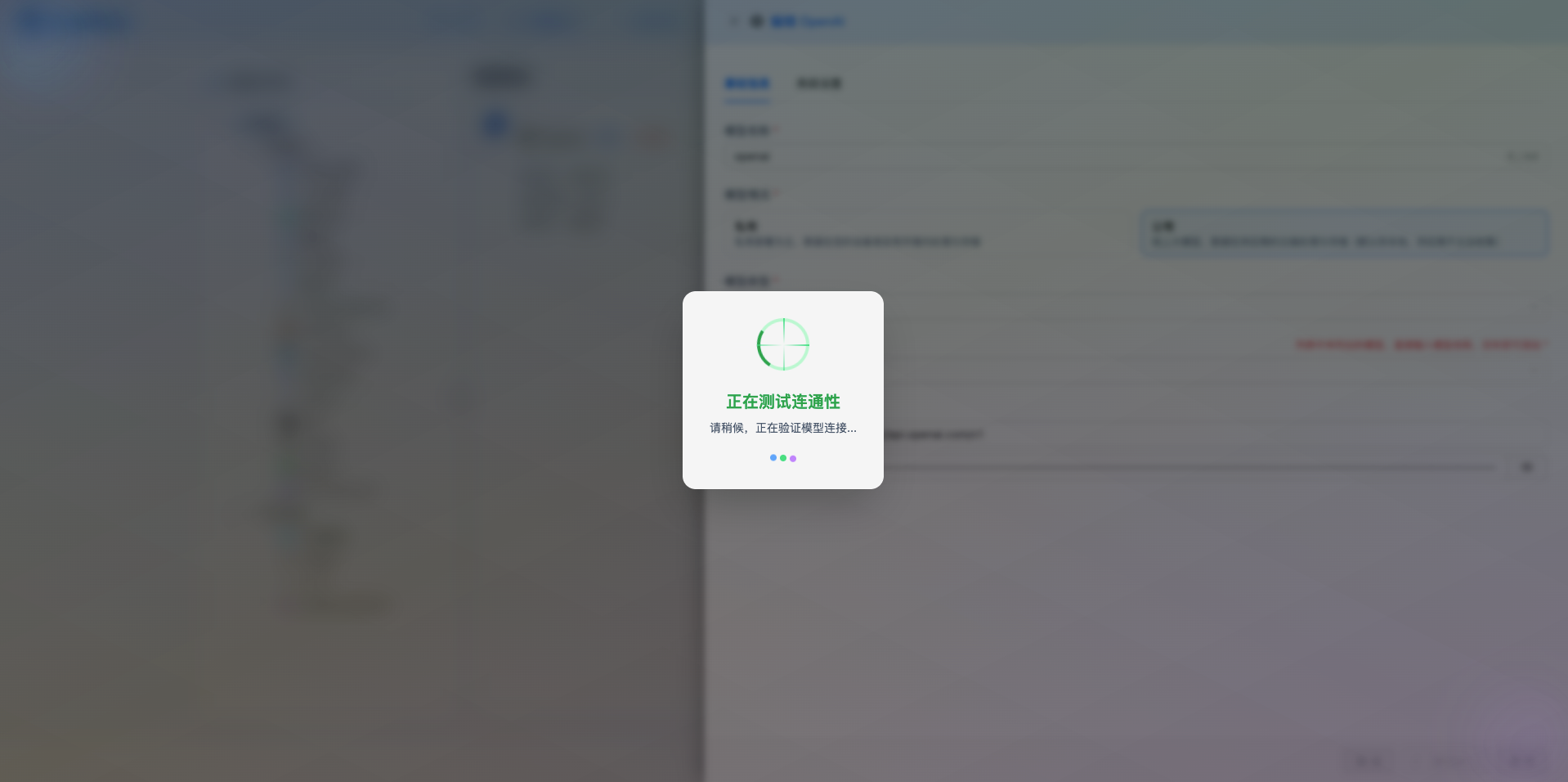
If the configuration is correct, a test success prompt will be displayed, along with a sample response from the model.
If the configuration is incorrect, a test error log will be displayed, and you can view specific error information through log management.
2.6 Save Configuration
After successful testing, click the Save button to complete the model configuration.
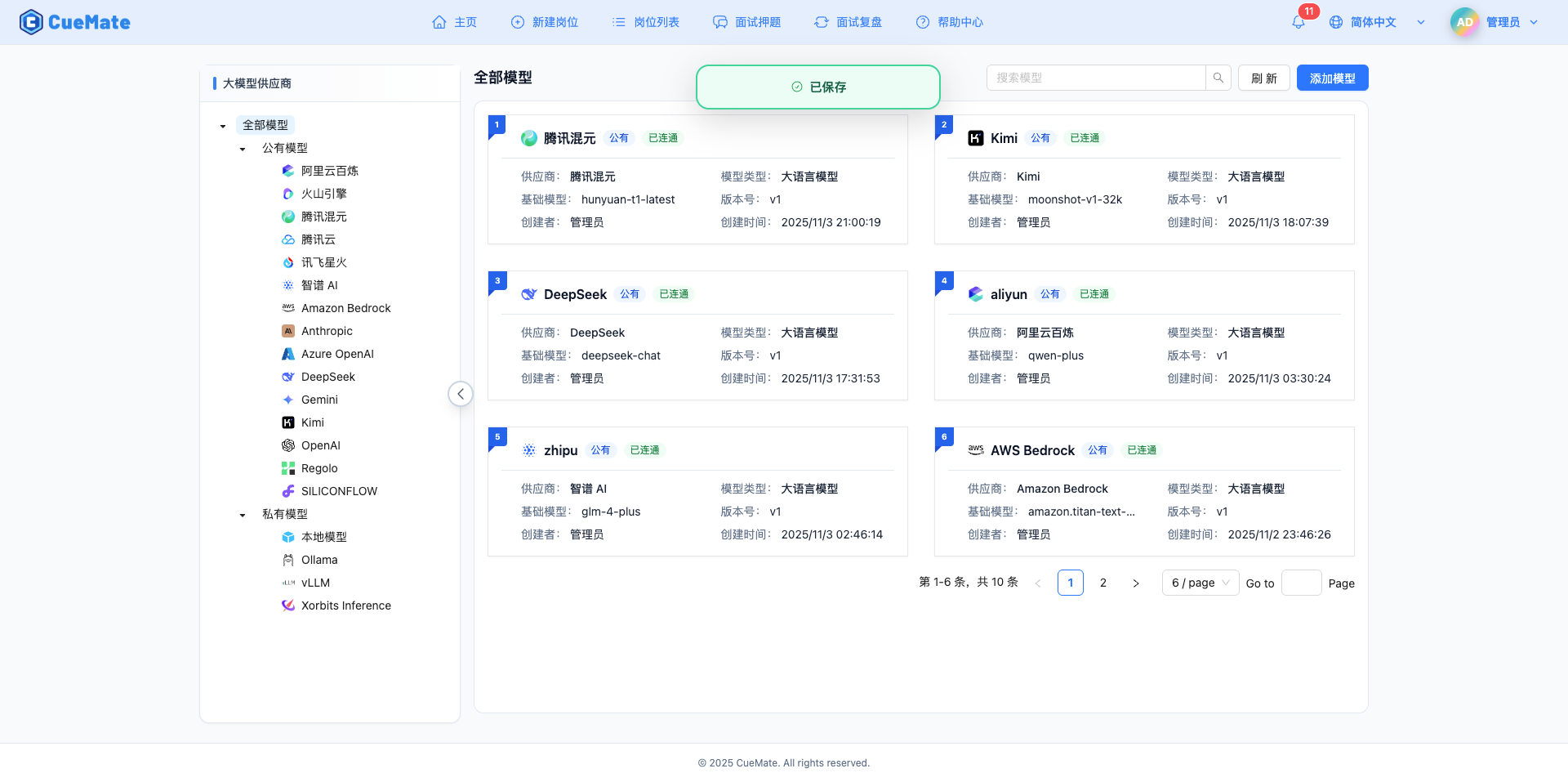
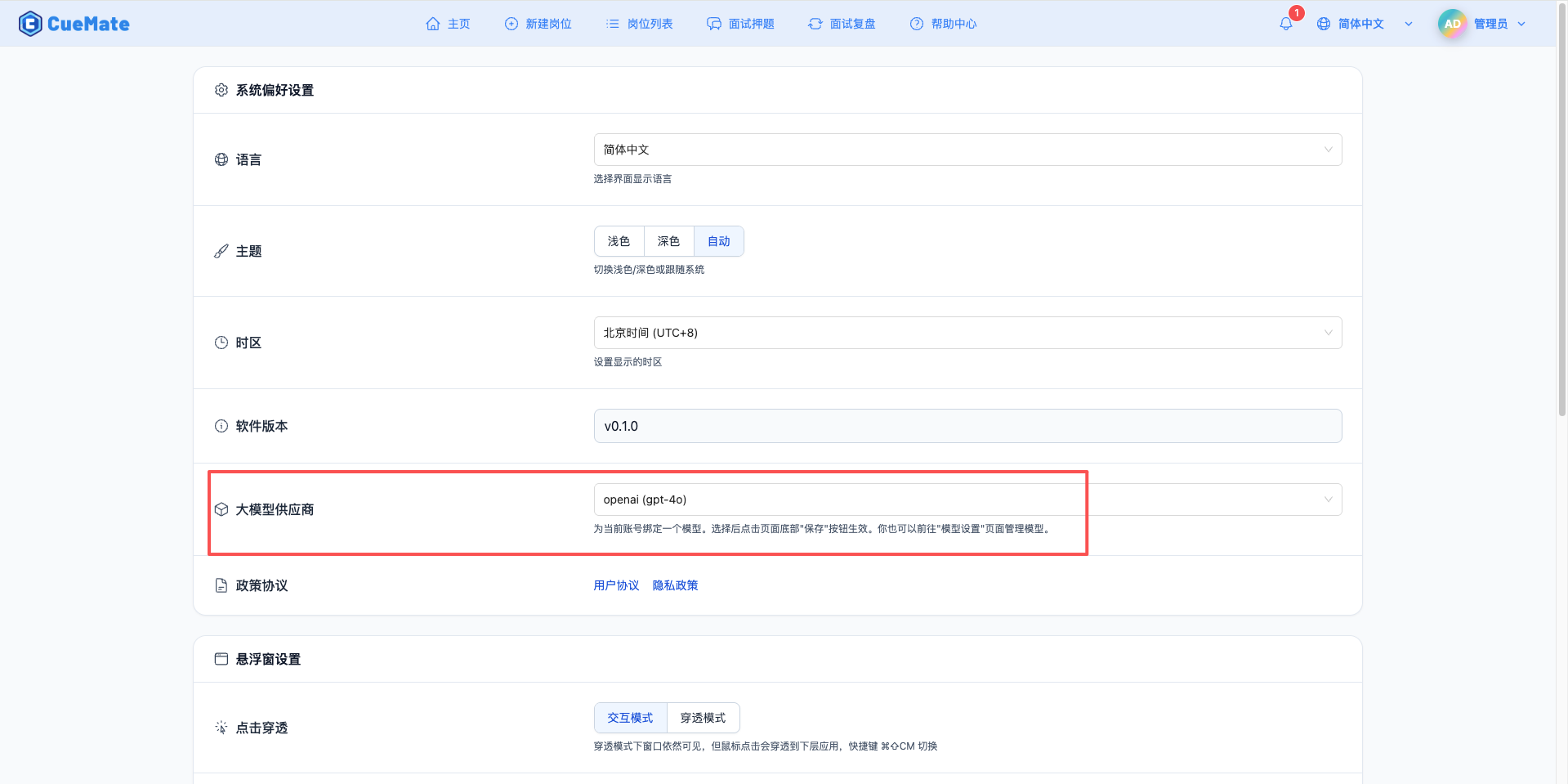
3. Use the Model
Through the dropdown menu in the top right corner, navigate to the system settings interface and select the model configuration you want to use in the large model provider section.
After configuration, you can select to use this model in interview training, question generation, and other features. You can also individually select the model configuration for a specific interview in the interview options.
4. Supported Model List
4.1 Reasoning and General Models
| No. | Model Name | Model ID | Max Output | Use Cases |
|---|---|---|---|---|
| 1 | Hunyuan T1 | hunyuan-t1-latest | 64K tokens | Reasoning model, complex reasoning, technical interviews |
| 2 | Hunyuan Turbos | hunyuan-turbos-latest | 16K tokens | General model, regular conversation, long text generation |
| 3 | Hunyuan A13B | hunyuan-a13b | 32K tokens | Hybrid reasoning, fast/slow thinking switching |
4.2 Long Context and Professional Models
| No. | Model Name | Model ID | Max Output | Use Cases |
|---|---|---|---|---|
| 1 | Hunyuan Standard 256K | hunyuan-standard-256K | 6K tokens | Ultra-long context, long document understanding |
| 2 | Hunyuan Standard | hunyuan-standard | 2K tokens | Standard version, quick responses |
| 3 | Hunyuan Large | hunyuan-large | 4K tokens | Large parameter model, professional domains |
| 4 | Hunyuan Lite | hunyuan-lite | 6K tokens | Lightweight and fast, cost-effective |
4.3 Specialized Function Models
| No. | Model Name | Model ID | Max Output | Use Cases |
|---|---|---|---|---|
| 1 | Hunyuan FunctionCall | hunyuan-functioncall | 4K tokens | Function calling, tool integration |
| 2 | Hunyuan Code | hunyuan-code | 4K tokens | Code generation, technical Q&A |
5. Common Issues
5.1 Invalid API Key
Symptom: API Key error prompt during connection test
Solution:
- Check if the API Key starts with
sk- - Confirm the API Key is completely copied
- Check if the account has available quota
- Verify the API Key has not expired or been disabled
5.2 Request Timeout
Symptom: No response for a long time during connection test or use
Solution:
- Check if the network connection is normal
- Confirm the API URL address is correct
- Check firewall settings
5.3 Insufficient Quota
Symptom: Prompt indicating quota exhausted or insufficient balance
Solution:
- Log in to the Tencent Hunyuan Console to check account balance
- Recharge or apply for more quota
- Check the quota limits for Hunyuan services