

Configure iFlytek Spark
iFlytek Spark is a cognitive large language model launched by iFlytek, featuring cross-domain knowledge and language understanding capabilities. It supports multi-turn conversations, code generation, logical reasoning, and other functions, and is particularly good at Chinese semantic understanding and professional domain applications.
1. Obtain iFlytek Spark API Key
1.1 Visit iFlytek Open Platform
Visit the iFlytek Open Platform and log in: https://console.xfyun.cn/
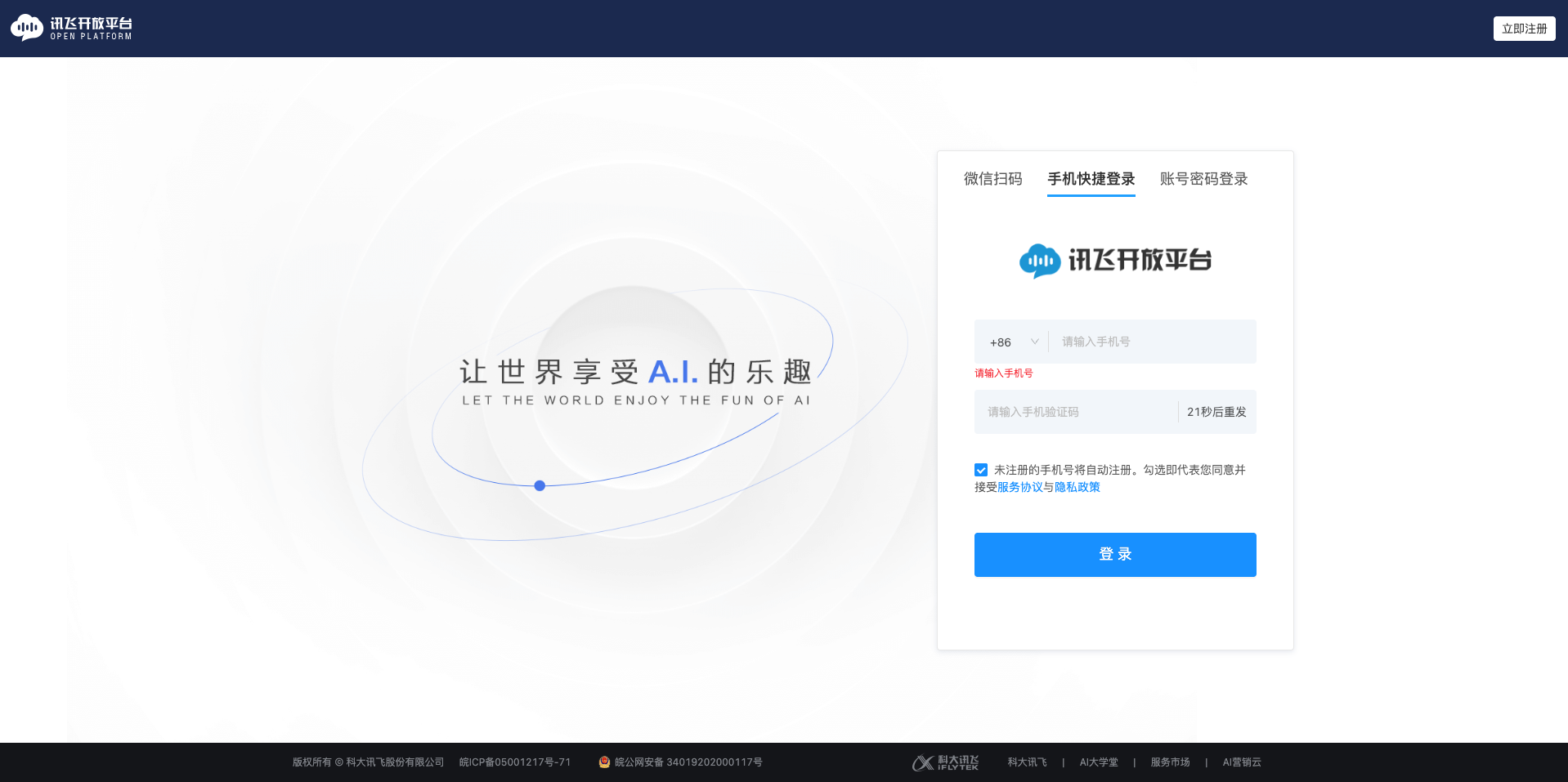
1.2 Enter Console
After logging in, click on Console in the upper right corner.
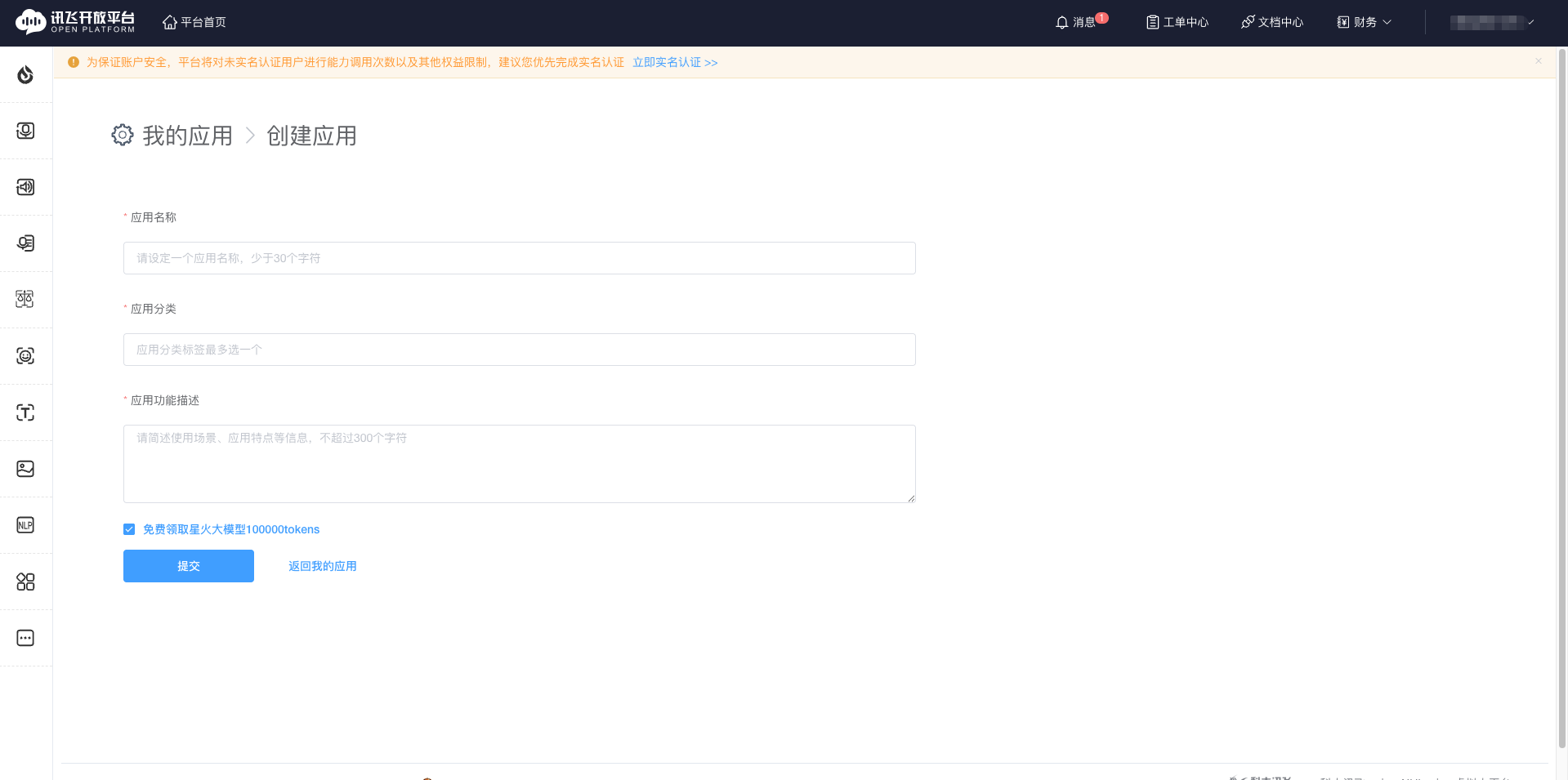
1.3 Create Application
- Click My Applications in the left menu
- Click Create Application
- Fill in the application name (e.g., CueMate)
- Select application type
- Click OK
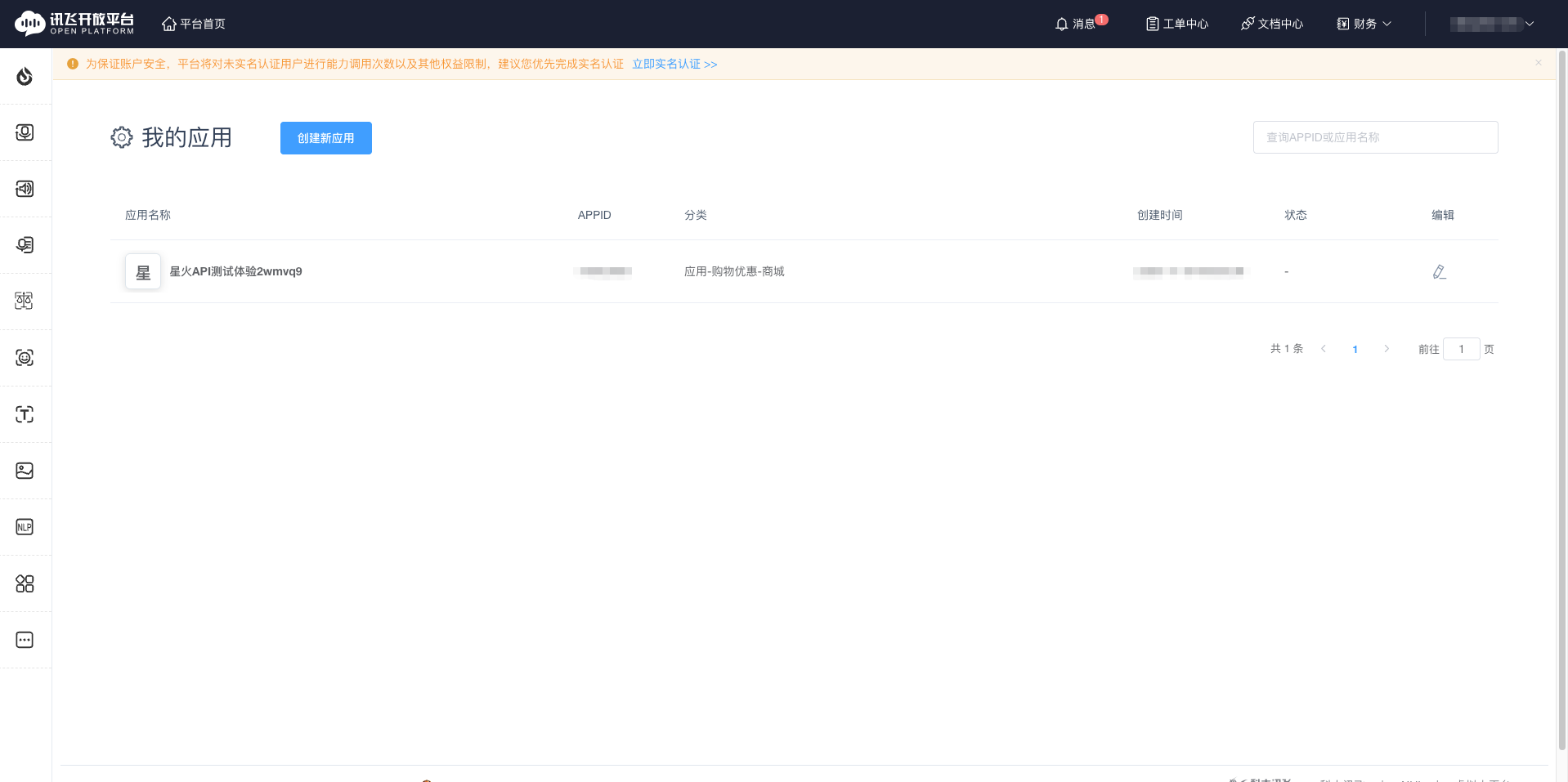
1.4 Obtain APIPassword
- In the application list, find the application you just created
- Click View
- Find and copy the APIPassword (used for OpenAI-compatible interface)
Important: APIPassword is used for authentication with OpenAI-compatible HTTP interfaces.
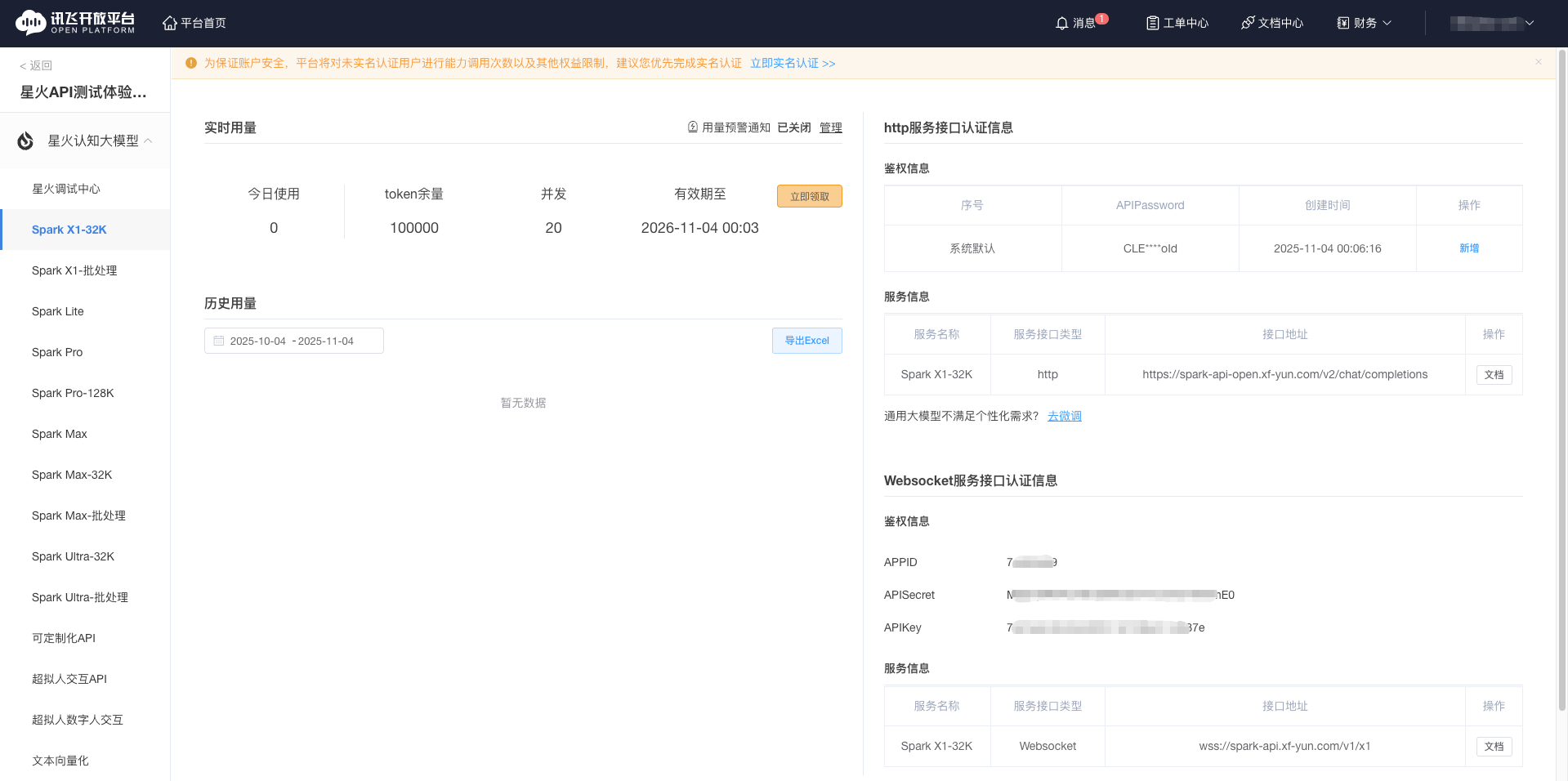
1.5 Claim Free Tokens
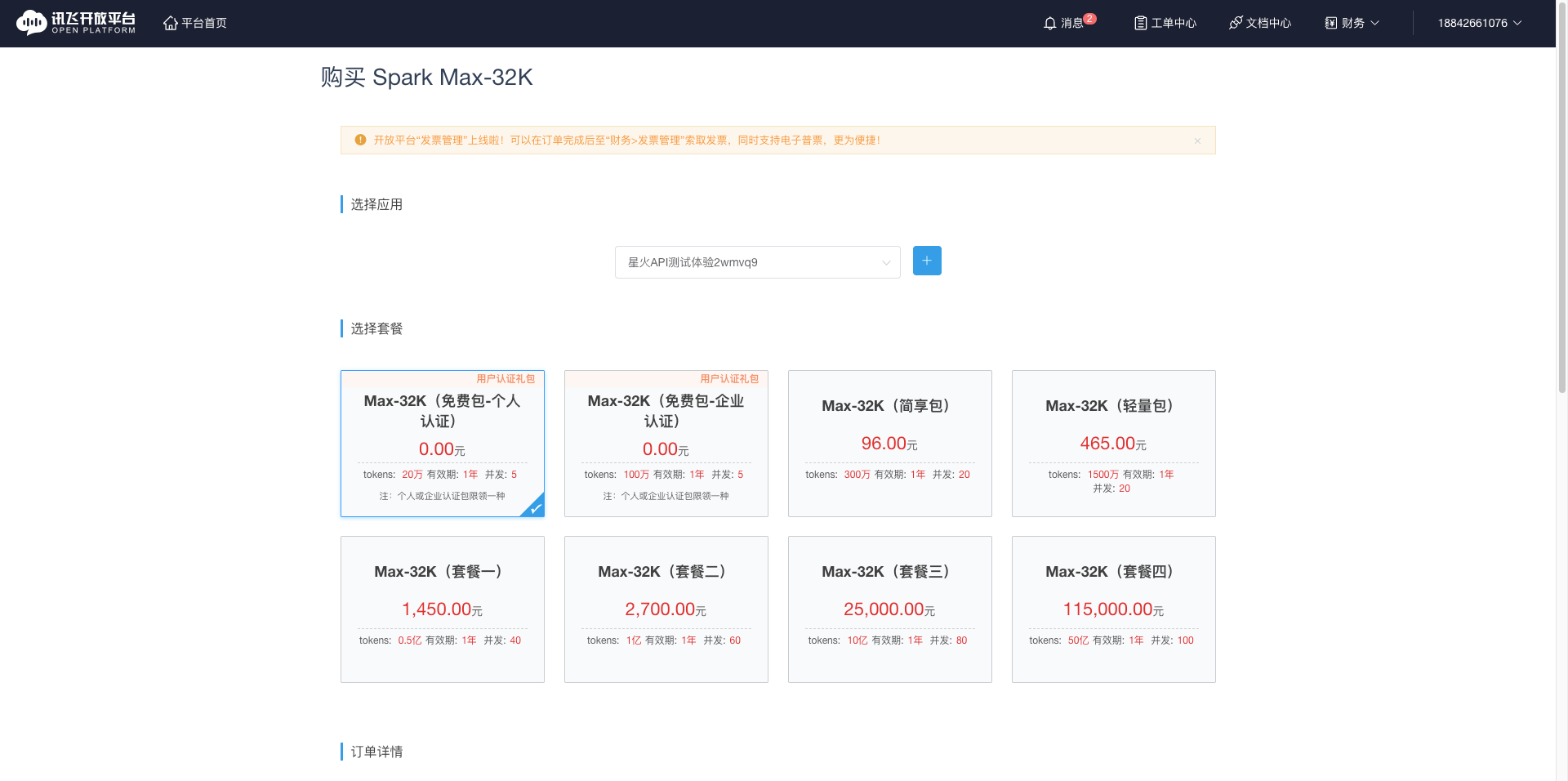
Important step: You need to claim free tokens for first-time use, otherwise you'll get an AppIdNoAuthError error.
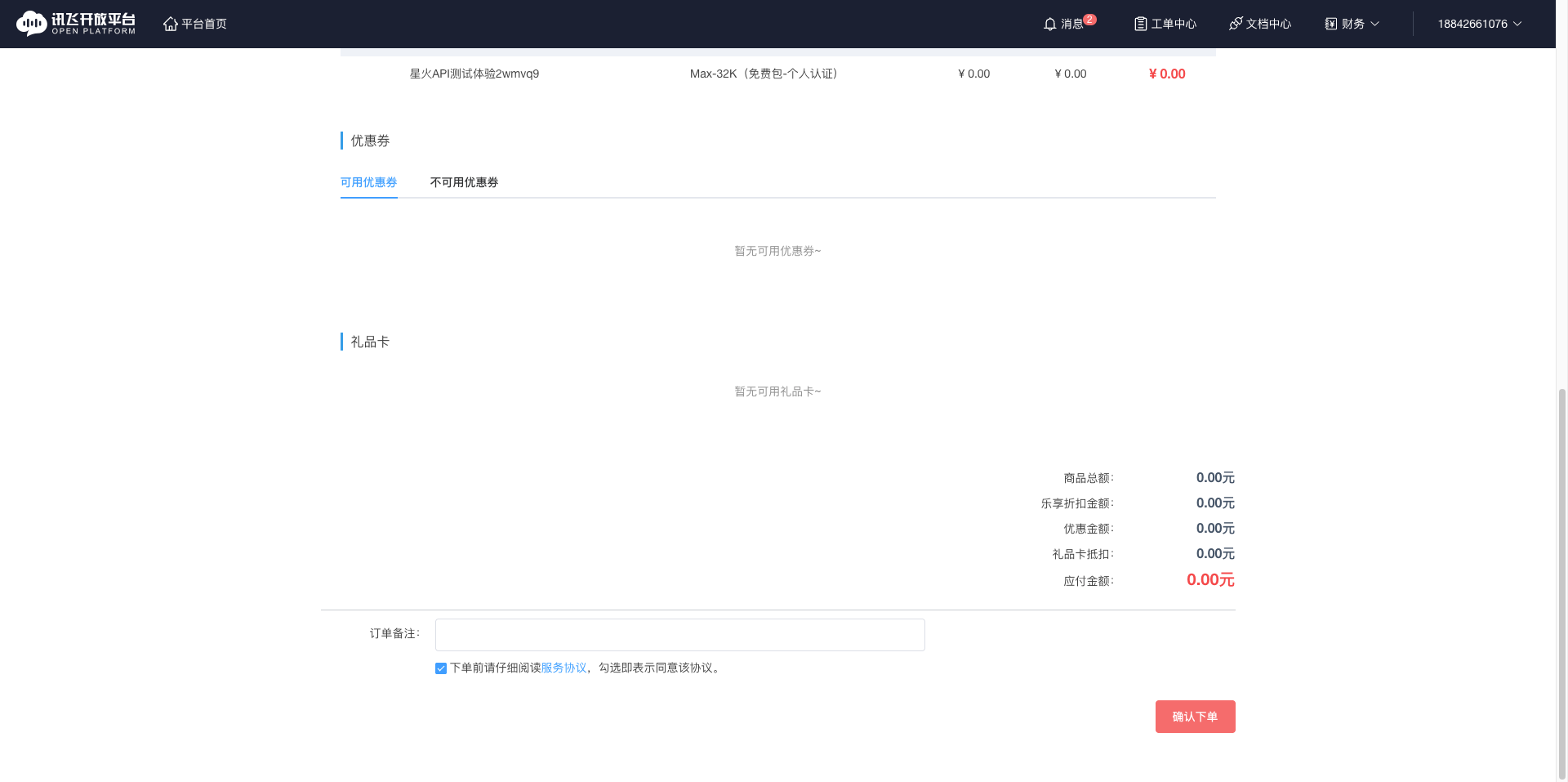
- On the application details page, find the Purchase Now button
- Select the free plan (personal authentication can get 200,000 tokens)
- Click to claim and complete token application
iFlytek Spark provides free token quotas:
- Personal authentication: 200,000 tokens (free)
- Enterprise authentication: 1,000,000 tokens (free)
- Paid plans: Purchase according to needs
2. Configure iFlytek Spark Model in CueMate
2.1 Enter Model Settings Page
After logging into CueMate, click Model Settings in the dropdown menu in the upper right corner.
2.2 Add New Model
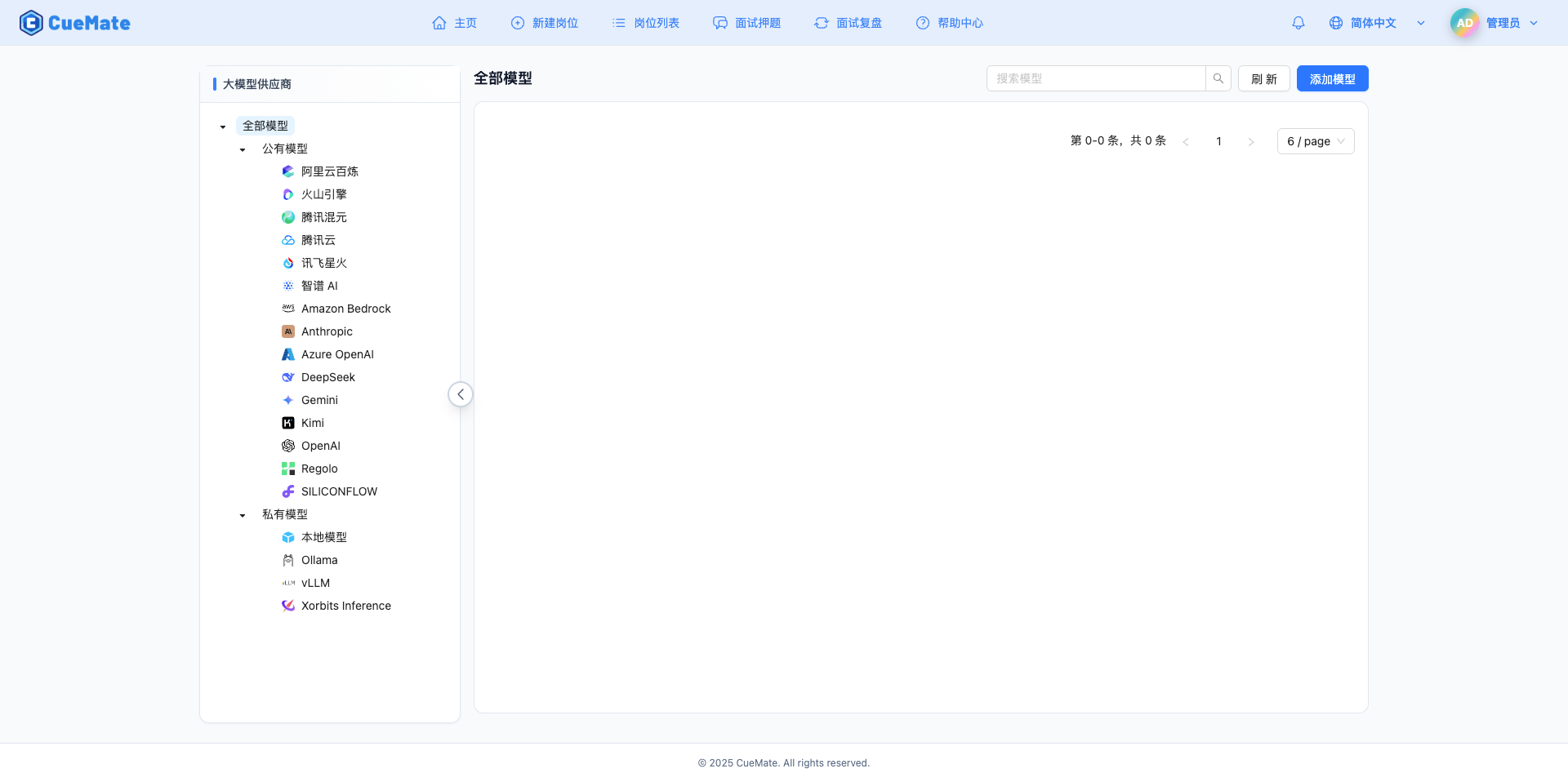
Click the Add Model button in the upper right corner.

2.3 Select iFlytek Spark Provider
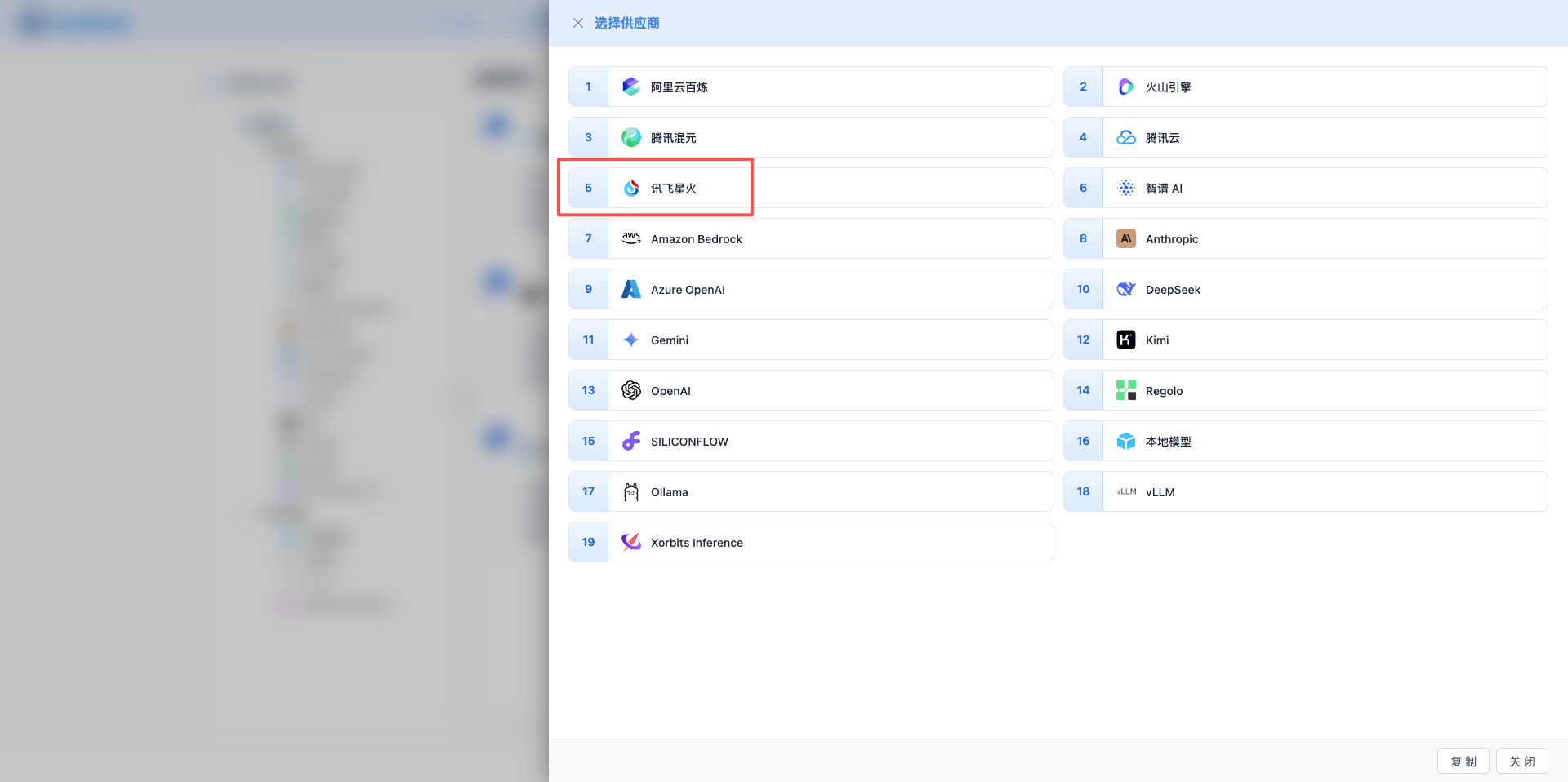
In the popup dialog:
- Provider Type: Select iFlytek Spark
- After clicking, it will automatically proceed to the next step
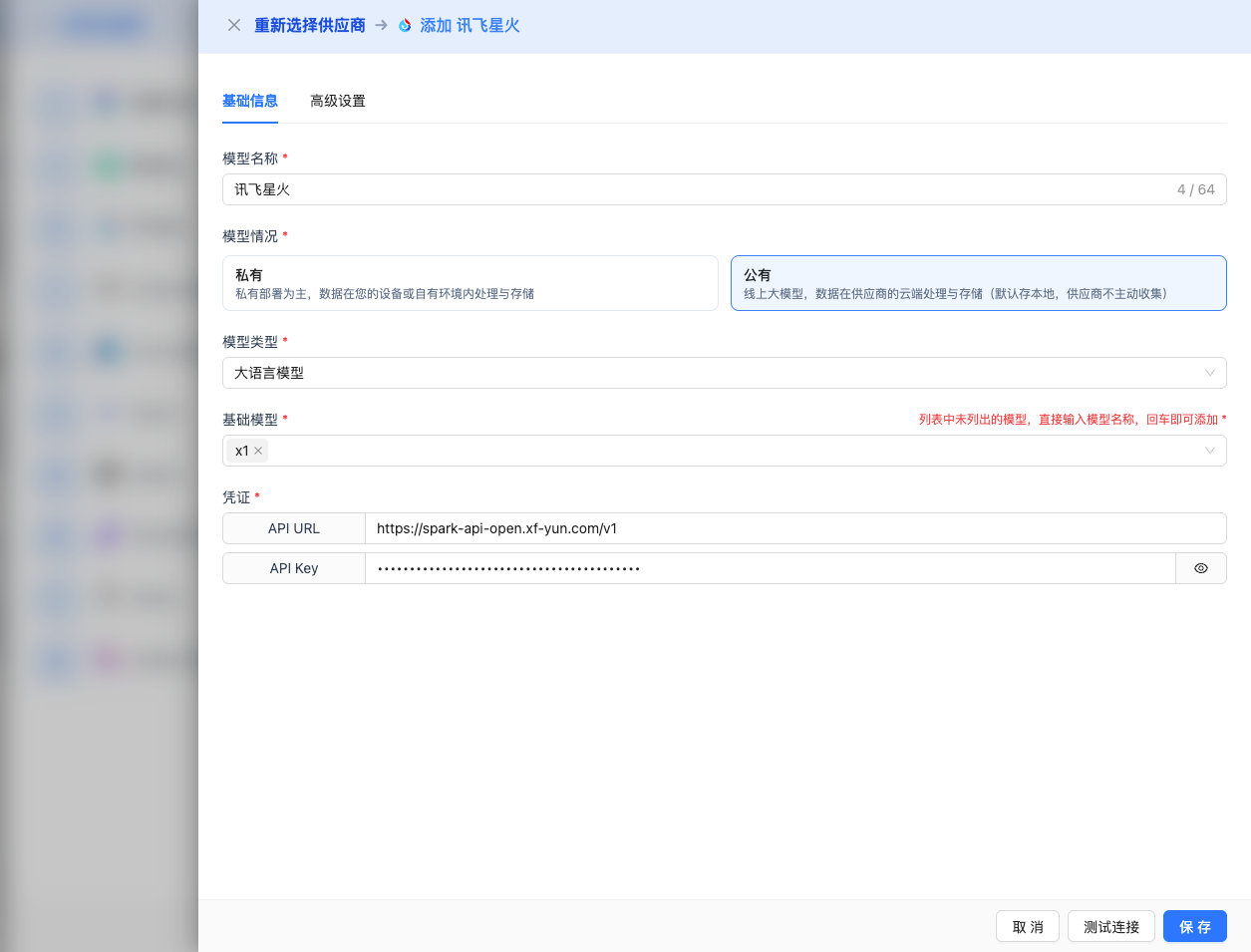
2.4 Fill in Configuration Information
Fill in the following information on the configuration page:
Basic Configuration
- Model Name: Give this model configuration a name (e.g., Spark 4.0 Ultra)
- API URL: Keep the default
https://spark-api-open.xf-yun.com/v1(OpenAI-compatible format) - API Key: Paste the APIPassword you just copied
- Model Version: Select the model ID you want to use. Common models include:
4.0Ultra: Spark 4.0 Ultra, max output 32K, strongest performance, supports Function Callmax-32k: Spark Max-32K, max output 32K, ultra-long contextgeneralv3.5: Spark Max, max output 8K, high-performance general modelpro-128k: Spark Pro-128K, max output 128K, ultra-long contextgeneralv3: Spark Pro, max output 8K, high cost-performancelite: Spark Lite, max output 4K, free version
Advanced Configuration (Optional)
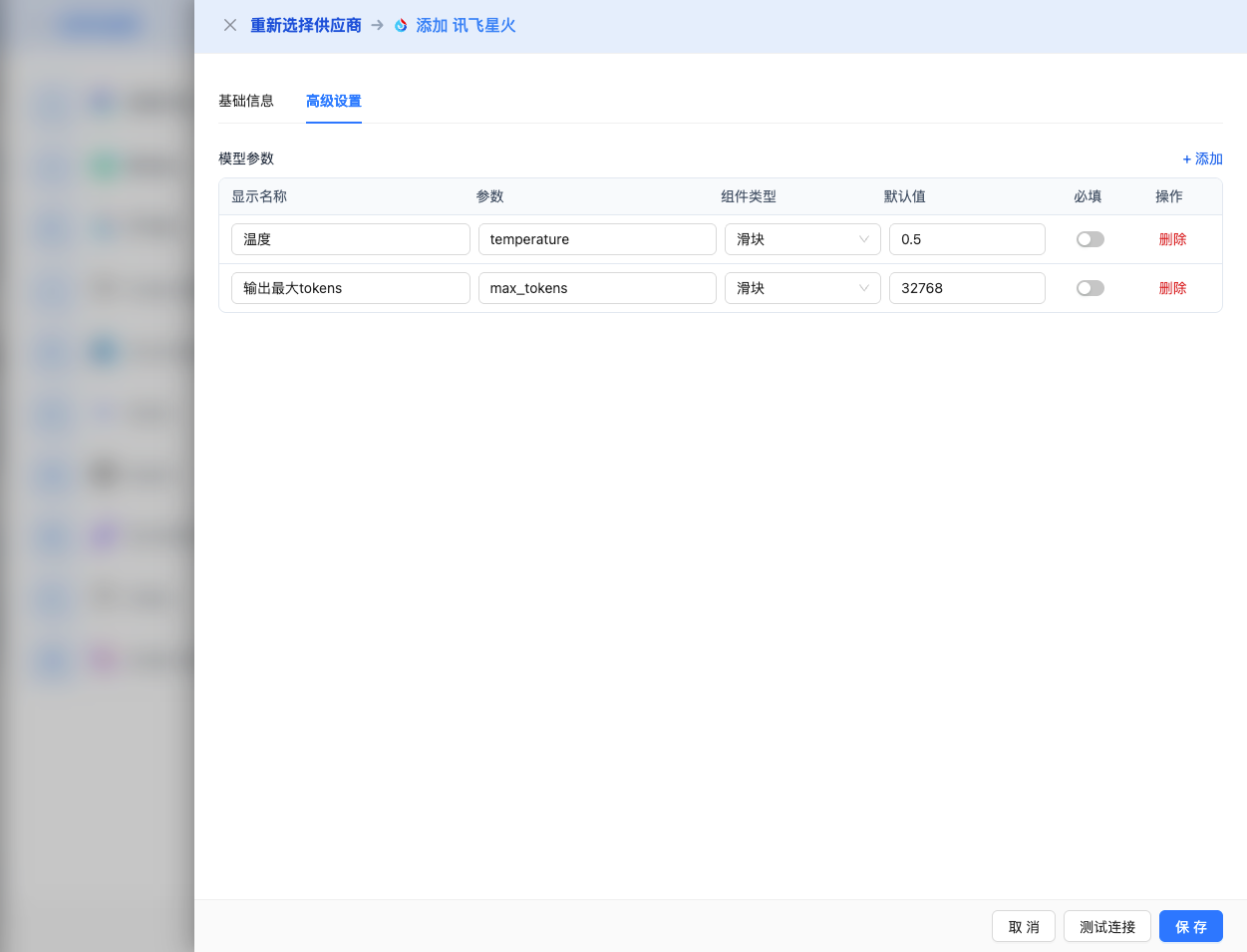
Expand the Advanced Configuration panel to adjust the following parameters:
CueMate Interface Adjustable Parameters:
Temperature: Controls output randomness
- Range: 0-1
- Recommended Value: 0.5
- Function: Higher values produce more random and creative output, lower values produce more stable and conservative output
- Usage Suggestions:
- Creative writing/brainstorming: 0.7-0.9
- Regular conversation/Q&A: 0.5-0.7
- Code generation/precise tasks: 0.2-0.4
- Note: iFlytek Spark's temperature range is 0-1, different from OpenAI's 0-2
Max Tokens: Limits single output length
- Range: 256 - 131072 (depending on model)
- Recommended Value: 8192
- Function: Controls the maximum word count of model's single response
- Model Limits:
- pro-128k: max 128K tokens
- X1-Preview: max 64K tokens
- 4.0Ultra/max-32k/X1: max 32K tokens
- generalv3.5/generalv3: max 8K tokens
- lite: max 4K tokens
- Usage Suggestions:
- Short Q&A: 1024-2048
- Regular conversation: 4096-8192
- Long text generation: 16384-32768
- Ultra-long documents: 65536-131072 (pro-128k only)
Other Advanced Parameters Supported by iFlytek Spark API:
Although CueMate's interface only provides temperature and max_tokens adjustments, if you call iFlytek Spark directly through the API, you can also use the following advanced parameters (iFlytek Spark uses OpenAI-compatible API format):
top_k
- Range: 1-6
- Default Value: 4
- Function: Samples from the k candidates with highest probability
- Usage Suggestions:
- More diverse: 5-6
- More conservative: 1-3
- Note: iFlytek Spark's top_k maximum value is 6
frequency_penalty
- Range: 1.0-2.0
- Default Value: 1.0
- Function: Reduces the probability of repeating the same words
- Usage Suggestions:
- Reduce repetition: 1.2-1.5
- Normal output: 1.0 (default)
- Note: iFlytek's range differs from OpenAI (1-2 vs -2 to 2)
chat_id
- Type: String
- Function: Session ID for context association
- Usage Scenario: Pass the same chat_id in multi-turn conversations to maintain context
stream
- Type: Boolean
- Default Value: false
- Function: Enables SSE streaming return, returning as it generates
- In CueMate: Handled automatically, no manual setting required
tools
- Type: Object array
- Function: Defines tools/functions that the model can call
- Usage Scenario: Function Calling (only supported by 4.0Ultra and X1-Preview)
- Example:json
{
  "tools": [
    {
      "type": "function",
      "function": {
        "name": "get_current_weather",
        "description": "Get current weather for specified location",
        "parameters": {
          "type": "object",
          "properties": {
            "location": {
              "type": "string",
              "description": "City name"
            }
          }
        }
      }
    }
  ]
}
iFlytek Spark-Specific Parameters:
- uid
- Type: String
- Function: Unique user identifier for tracking and personalization
- Usage Suggestion: Pass user ID to track usage
| Scenario | temperature | max_tokens | top_k | frequency_penalty | chat_id |
|---|---|---|---|---|---|
| Creative writing | 0.7-0.9 | 4096-8192 | 5-6 | 1.3 | null |
| Code generation | 0.2-0.4 | 2048-4096 | 3-4 | 1.0 | null |
| Q&A system | 0.5-0.7 | 1024-2048 | 4 | 1.0 | session_id |
| Summarization | 0.3-0.5 | 512-1024 | 3 | 1.0 | null |
| Multi-turn chat | 0.5 | 2048 | 4 | 1.0 | conversation_id |
2.5 Test Connection
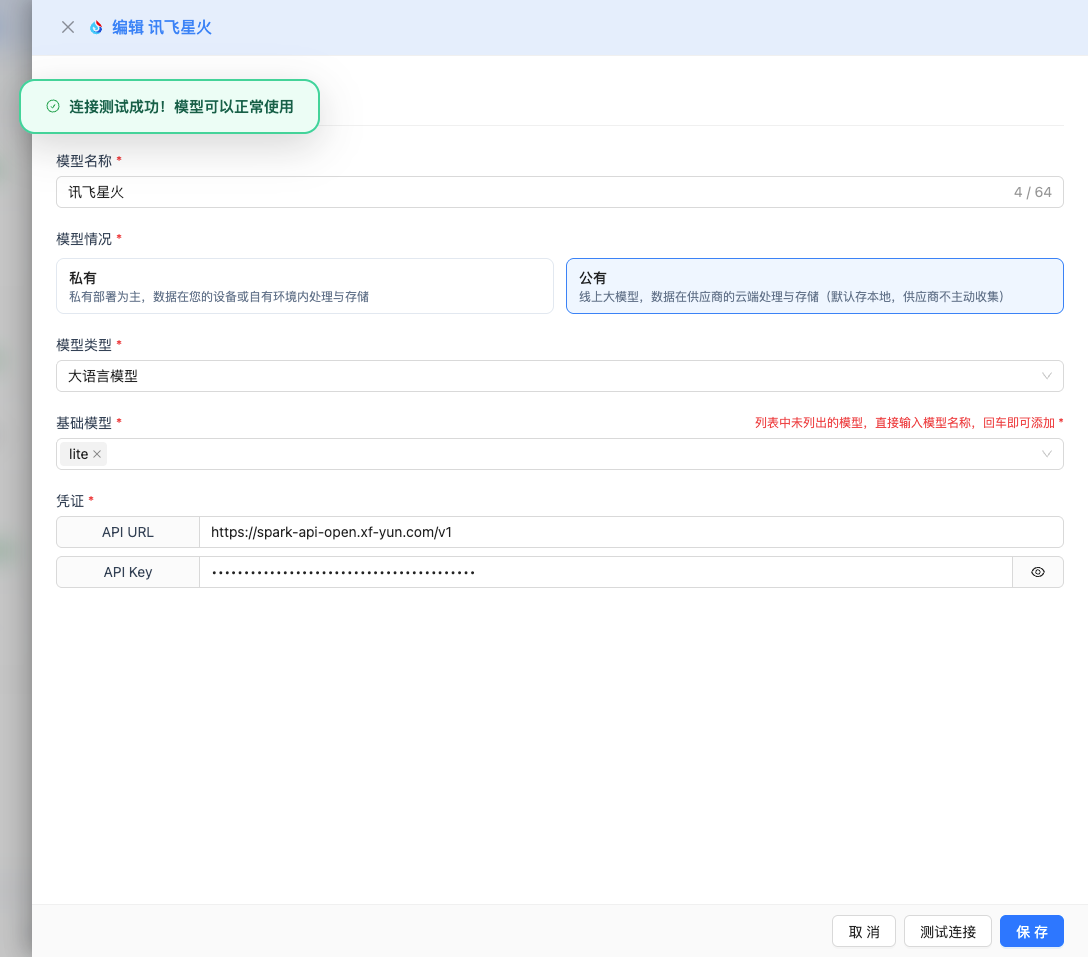
After filling in the configuration, click the Test Connection button to verify if the configuration is correct.
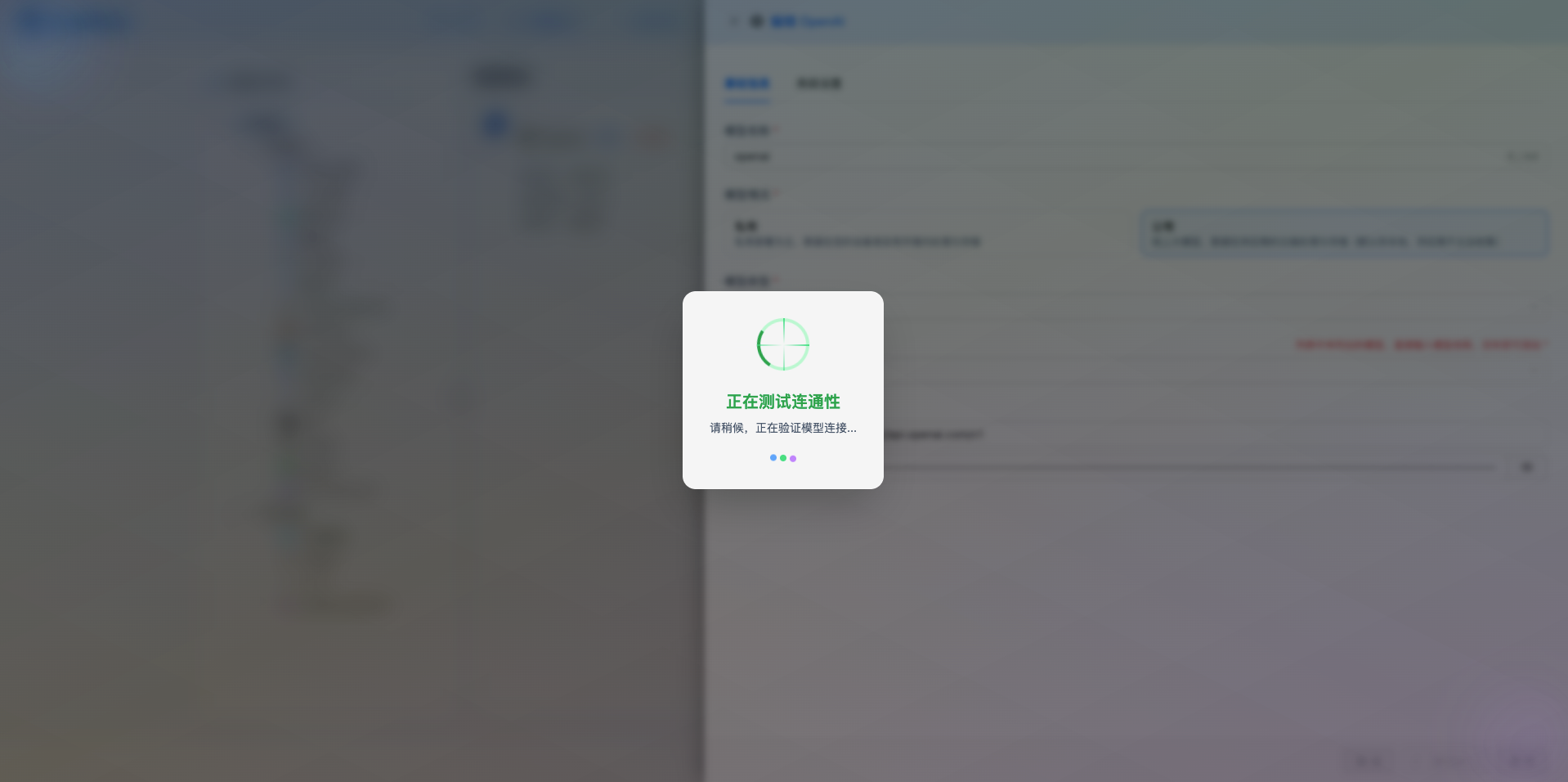
If the configuration is correct, it will display a success message and return a model response example.
If the configuration is incorrect, it will display test error logs, and you can view specific error information through log management.
2.6 Save Configuration
After a successful test, click the Save button to complete the model configuration.
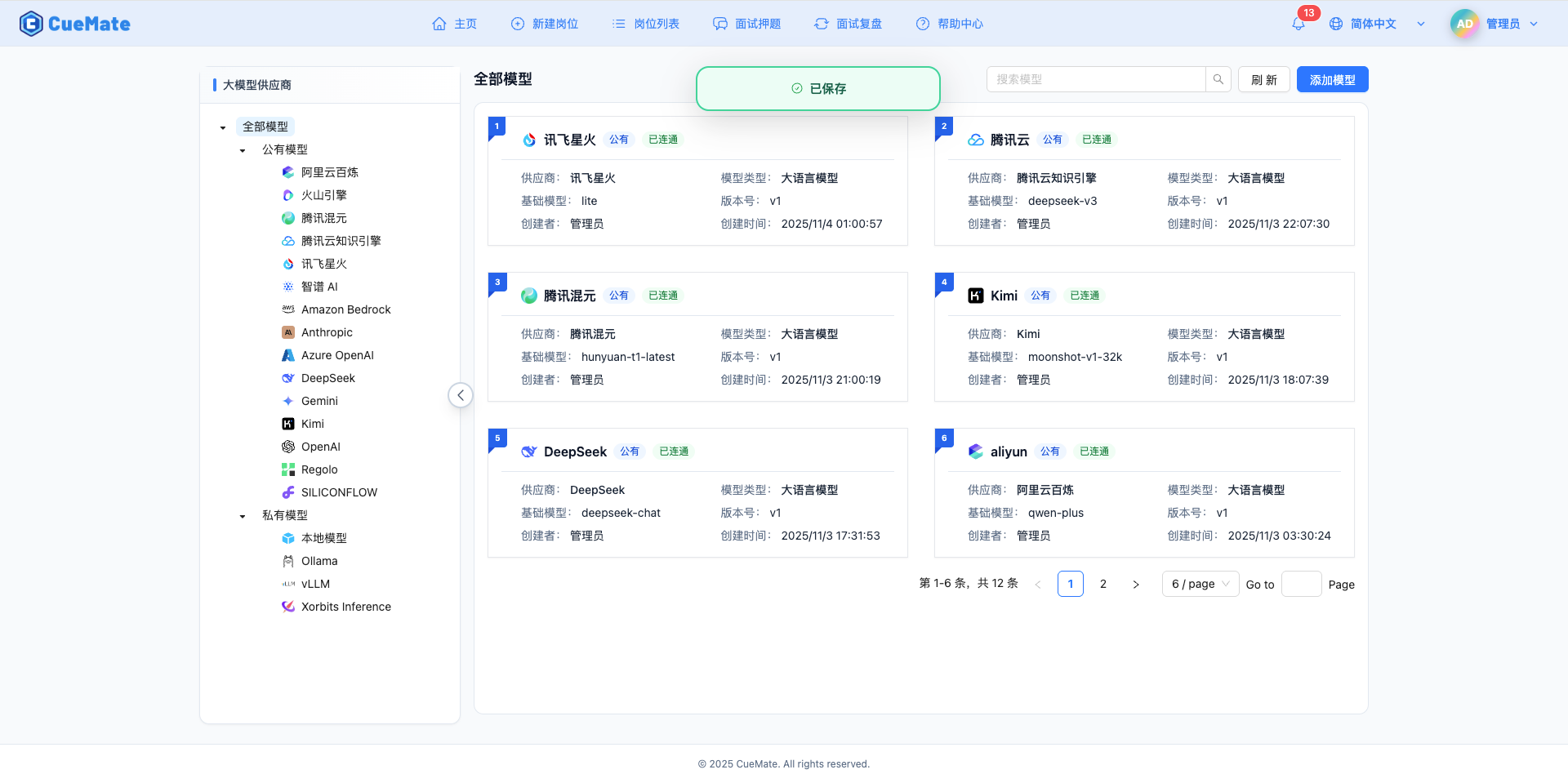
3. Use Model
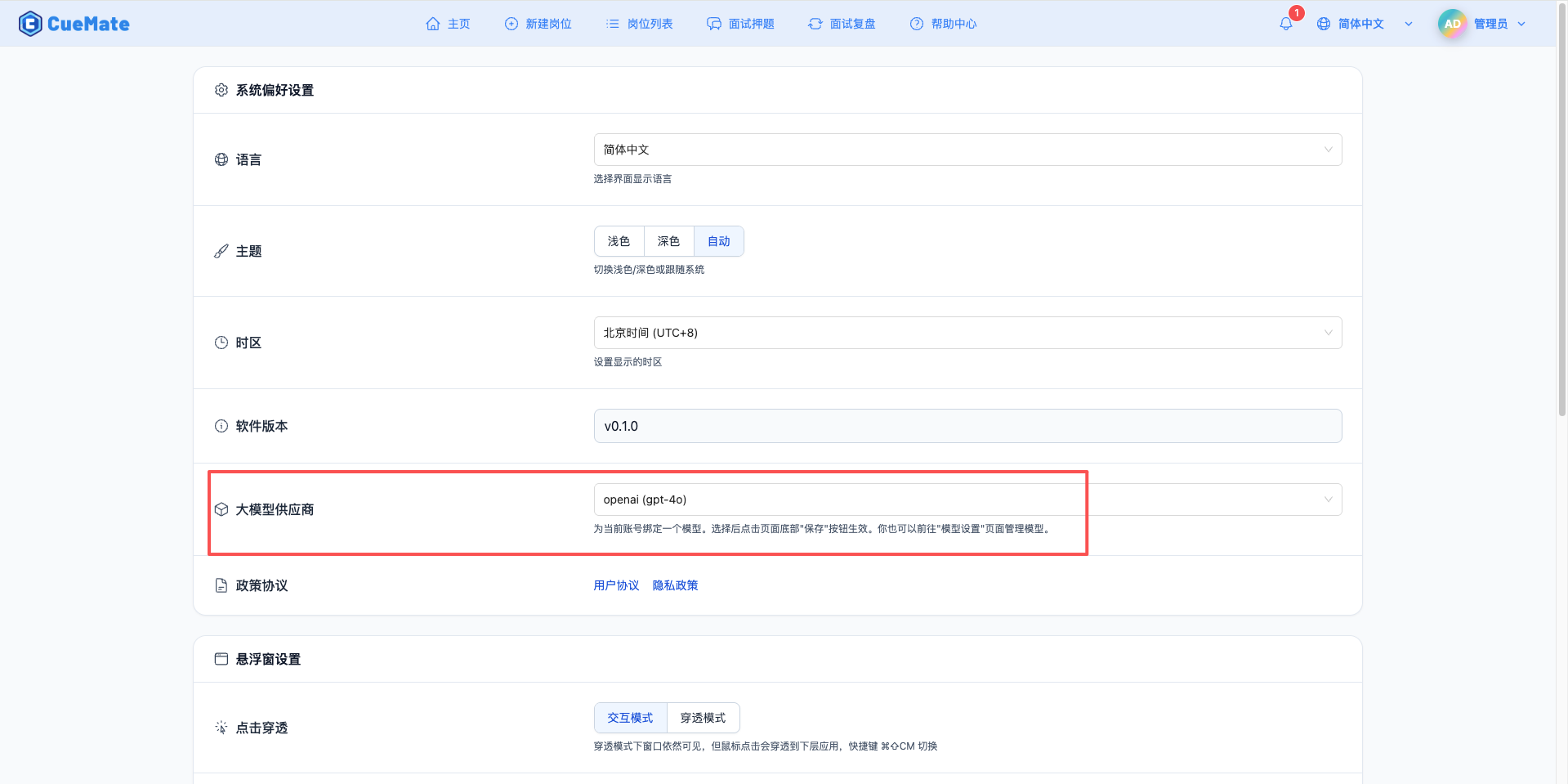
Through the dropdown menu in the upper right corner, enter the system settings interface and select the model configuration you want to use in the Large Model Provider section.
After configuration, you can select to use this model in functions such as interview training and question generation, or you can individually select the model configuration for a specific interview in the interview options.
4. Supported Model List
4.1 X1 Series (Reasoning Models, requires /v2 API)
| No. | Model Name | Model ID | Max Output | Context | Use Case |
|---|---|---|---|---|---|
| 1 | Spark X1 | x1 | 32K tokens | 32K | Deep reasoning, complex logic, math problems |
| 2 | Spark X1-Preview | X1-Preview | 64K tokens | 64K | Enhanced reasoning, Function Call, long text |
Note: X1 series models require changing API URL to https://spark-api-open.xf-yun.com/v2
4.2 General Series (uses /v1 API)
| No. | Model Name | Model ID | Max Output | Context | Use Case |
|---|---|---|---|---|---|
| 1 | Spark 4.0 Ultra | 4.0Ultra | 32K tokens | 32K | Strongest performance, complex reasoning, Function Call |
| 2 | Spark Max-32K | max-32k | 32K tokens | 32K | Ultra-long context, large document processing |
| 3 | Spark Max | generalv3.5 | 8K tokens | 8K | High-performance general, technical interviews |
| 4 | Spark Pro-128K | pro-128k | 128K tokens | 128K | Ultra-long context, document analysis |
| 5 | Spark Pro | generalv3 | 8K tokens | 8K | General scenarios, high cost-performance |
| 6 | Spark Lite | lite | 4K tokens | 8K | Free version, fast response |
5. Common Issues
5.1 Invalid APIPassword
Symptom: API Key error prompt during test connection
Solution:
- Check if APIPassword is completely copied
- Confirm that the application has been created and is in enabled state
- Verify that APIPassword has not expired
- Note: Using OpenAI-compatible interface requires APIPassword, not APPID/APIKey
5.2 Request Timeout
Symptom: No response for a long time during test connection or usage
Solution:
- Check if network connection is normal
- Confirm API URL is configured correctly:
https://spark-api-open.xf-yun.com/v1 - Check firewall settings
5.3 Insufficient Quota or AppIdNoAuthError
Symptom: Prompt AppIdNoAuthError (error code 11200) or quota exhausted during test connection
Solution:
- First-time users must claim free tokens (see step 1.5)
- Log in to iFlytek Open Platform to check account balance and token quota
- Click "Purchase Now" on the application details page to claim the free plan:
- Personal authentication: 200,000 tokens (free)
- Enterprise authentication: 1,000,000 tokens (free)
- If you need more quota, you can purchase paid plans
- Lite version is the free version, which can be tested first
5.4 Service Call Failure
Symptom: Service unavailable prompt
Solution:
- Confirm that the corresponding model service has been activated
- Check application permission configuration
- Confirm that service status is normal
- Some advanced features (Function Call, online search) are only supported by 4.0 Ultra and Max