
v0.1.1 Release Notes
Release Date: 2025-12-26 Version Type: Feature Update Stability: Stable
Overview
CueMate v0.1.1 is the first feature update, focusing on enhanced installation experience and internationalization support. This version introduces online/offline installation packages, server deployment mode, multi-language interface, and fixes several known issues.
New Features
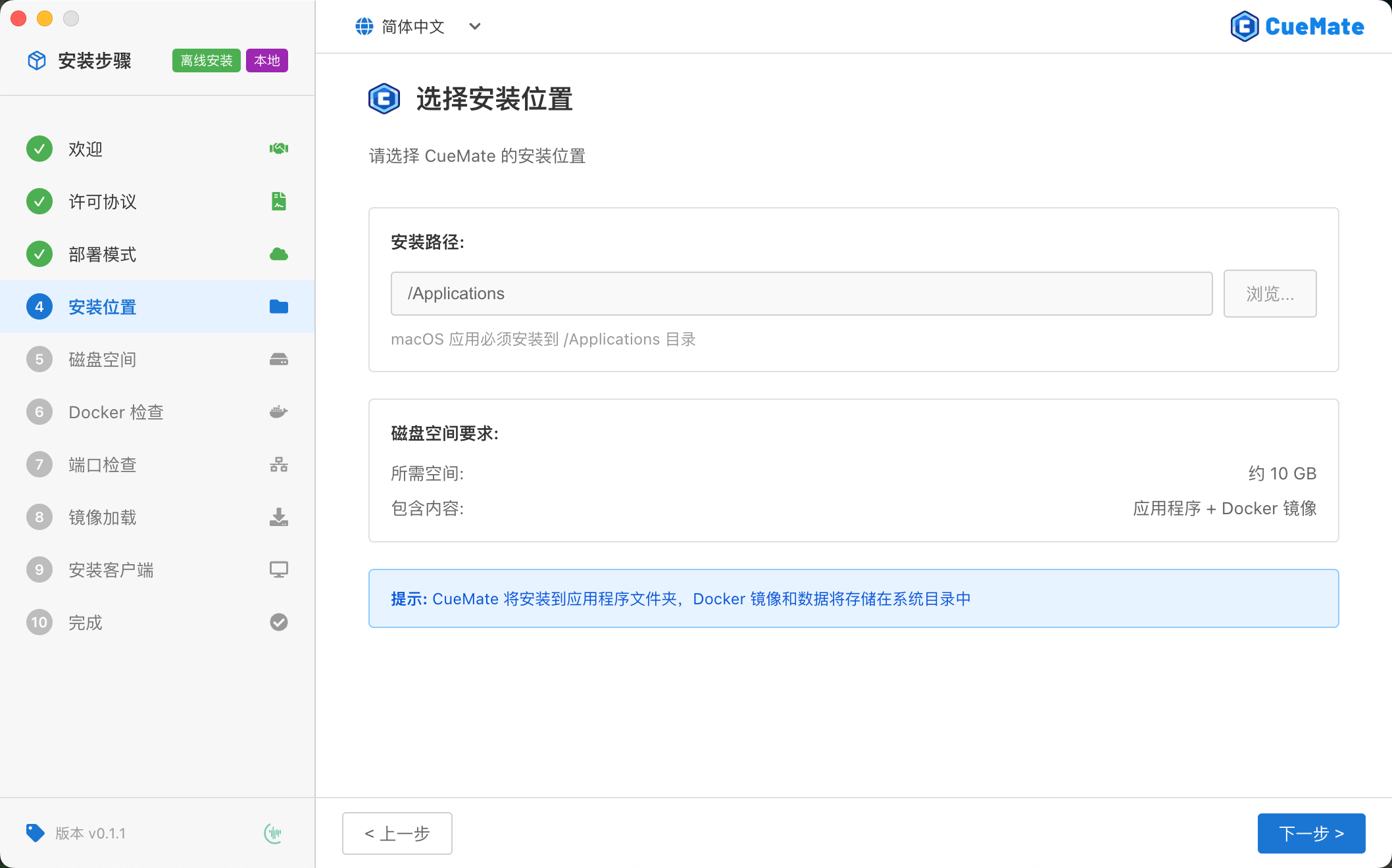
1. feat(installer): Support for online/offline installation packages, online package ~670MB requires network image pull, offline package ~4.4GB ready to use
To meet the needs of users in different network environments, v0.1.1 provides two types of installation packages:
| Type | Size | Features | Suitable For |
|---|---|---|---|
| Offline | ~4.4GB | Includes all Docker images and speech models, ready to use | Unstable network, limited bandwidth, enterprise intranet |
| Online | ~670MB | Pulls images from network during installation | Stable network, need quick package download |
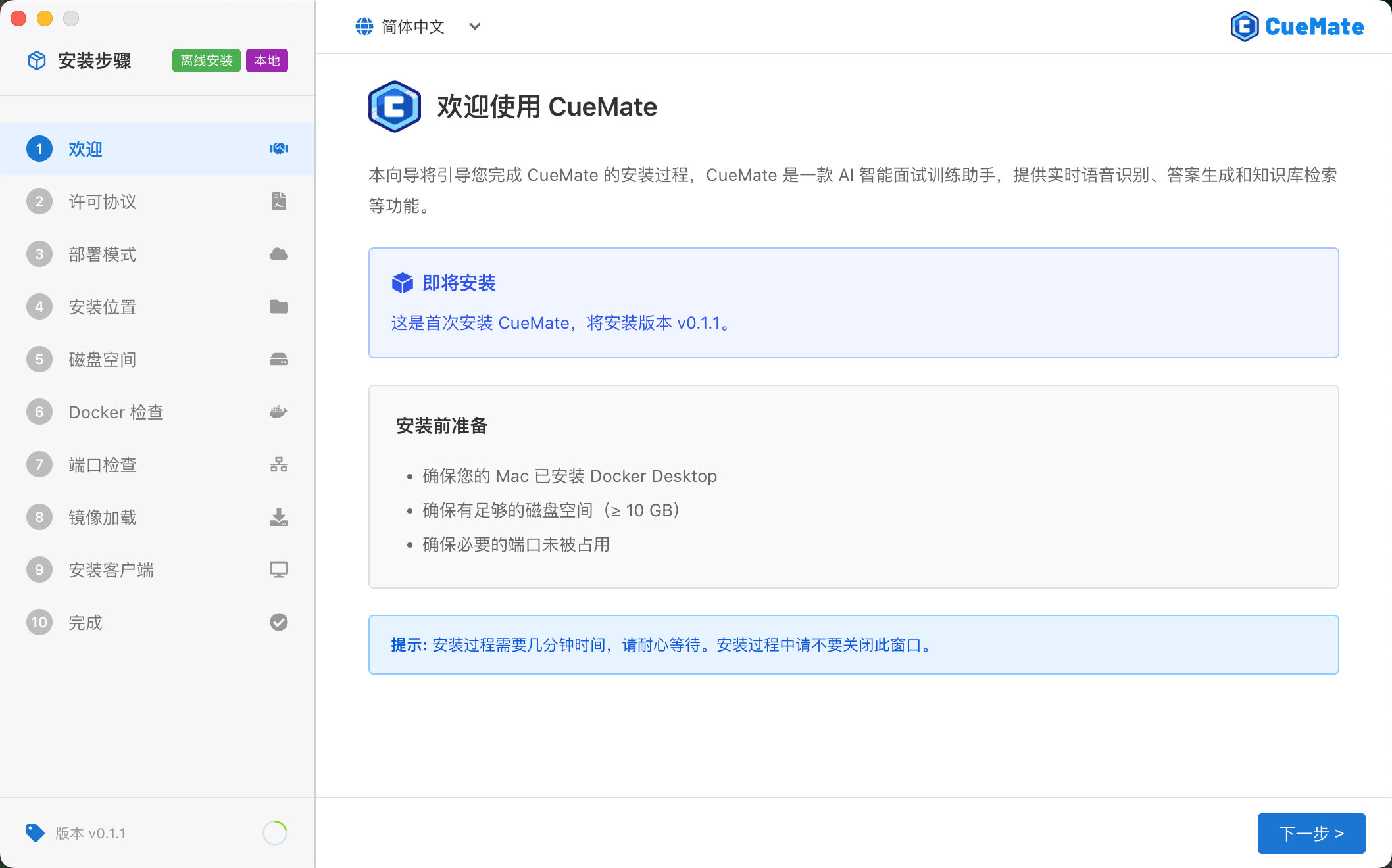
Both packages have identical application functionality, differing only in how images are loaded during installation. The wizard automatically detects package type and displays "Offline Installation" or "Online Installation" label in the top-left corner.
2. feat(installer): New server deployment mode, supports deploying backend services to remote Linux server, local runs only lightweight client
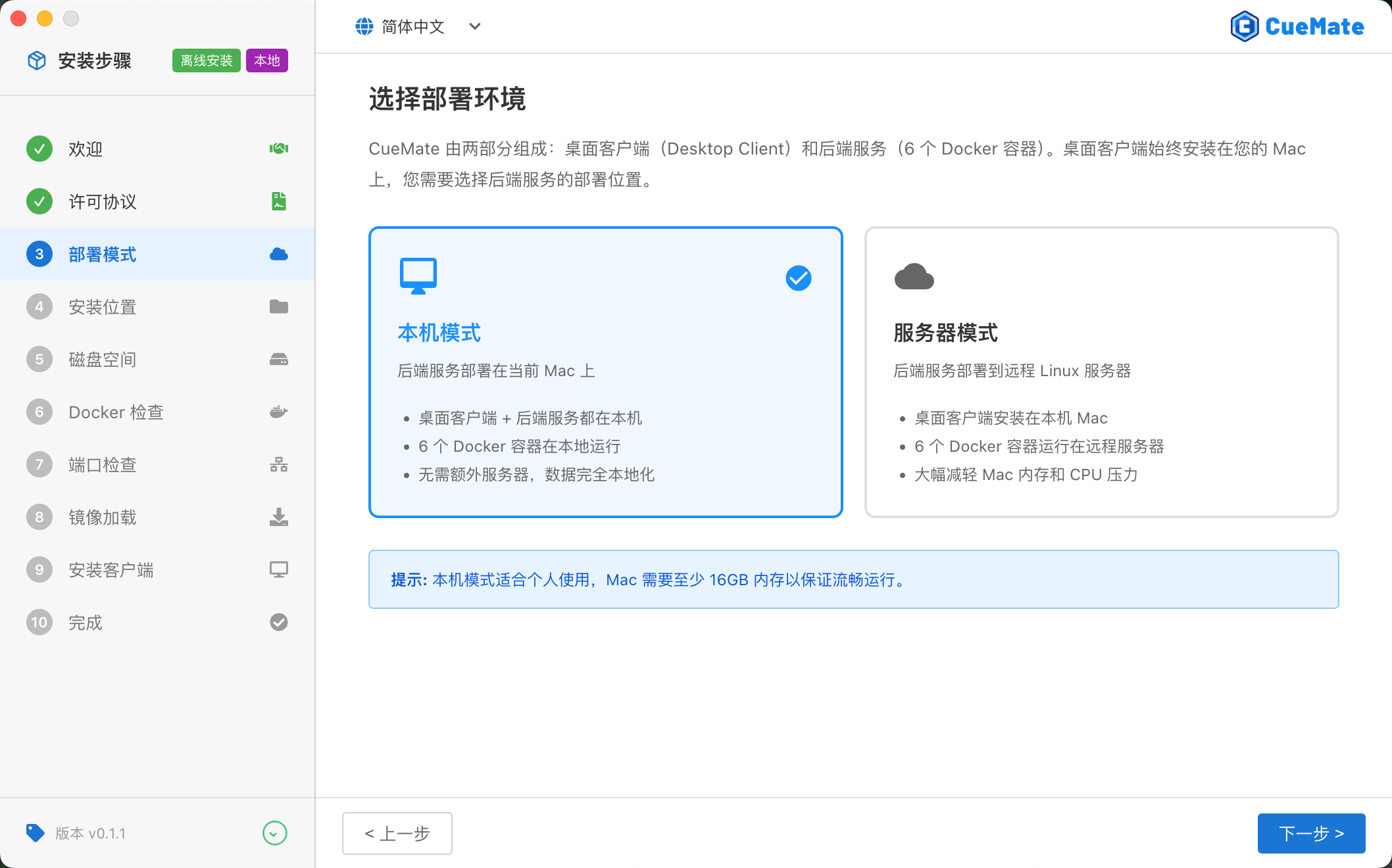
v0.1.1 introduces a new distributed deployment architecture, separating desktop client and backend services:
| Mode | Description | Suitable For |
|---|---|---|
| Local Mode | Desktop client + backend services both run on local Mac | Personal use, Mac with sufficient memory (≥16GB) |
| Server Mode | Backend services deployed to remote Linux server, local only runs lightweight client | Limited Mac memory, existing Linux server |
Server mode requires a Linux server (Ubuntu 20.04+ recommended, 4 cores 8GB+ configuration). Desktop client connects to backend services over network, significantly reducing Mac memory and CPU usage.
3. feat(installer): Server configuration page, fill in SSH connection info and test connection, verify remote server environment
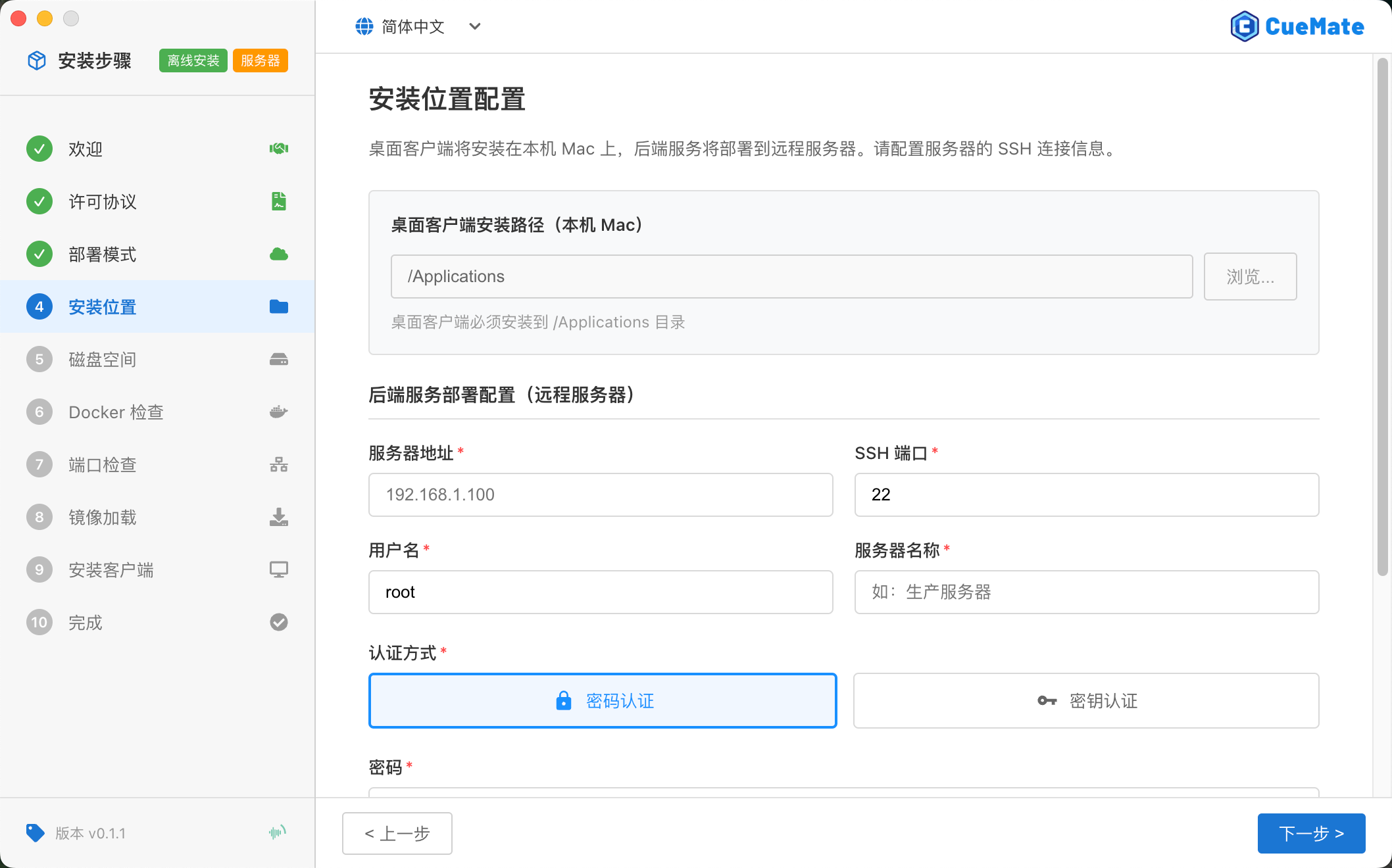
After selecting server deployment mode, the wizard displays the server configuration page:
SSH Connection Settings
- Server Address: Remote server IP or domain
- SSH Port: Default 22
- Username: SSH login user
- Authentication: Password / Private Key
Advanced Options
- Deploy Path: Backend service installation directory (default
/opt/cuemate) - Key Passphrase: If private key is password-protected
Click "Test Connection" to verify SSH connection. The system automatically checks SSH connection, OS version, Docker environment, and available disk space. Installation proceeds only after test passes.
4. feat(installer): Installation wizard multi-language support, supports Simplified Chinese, Traditional Chinese, English switching
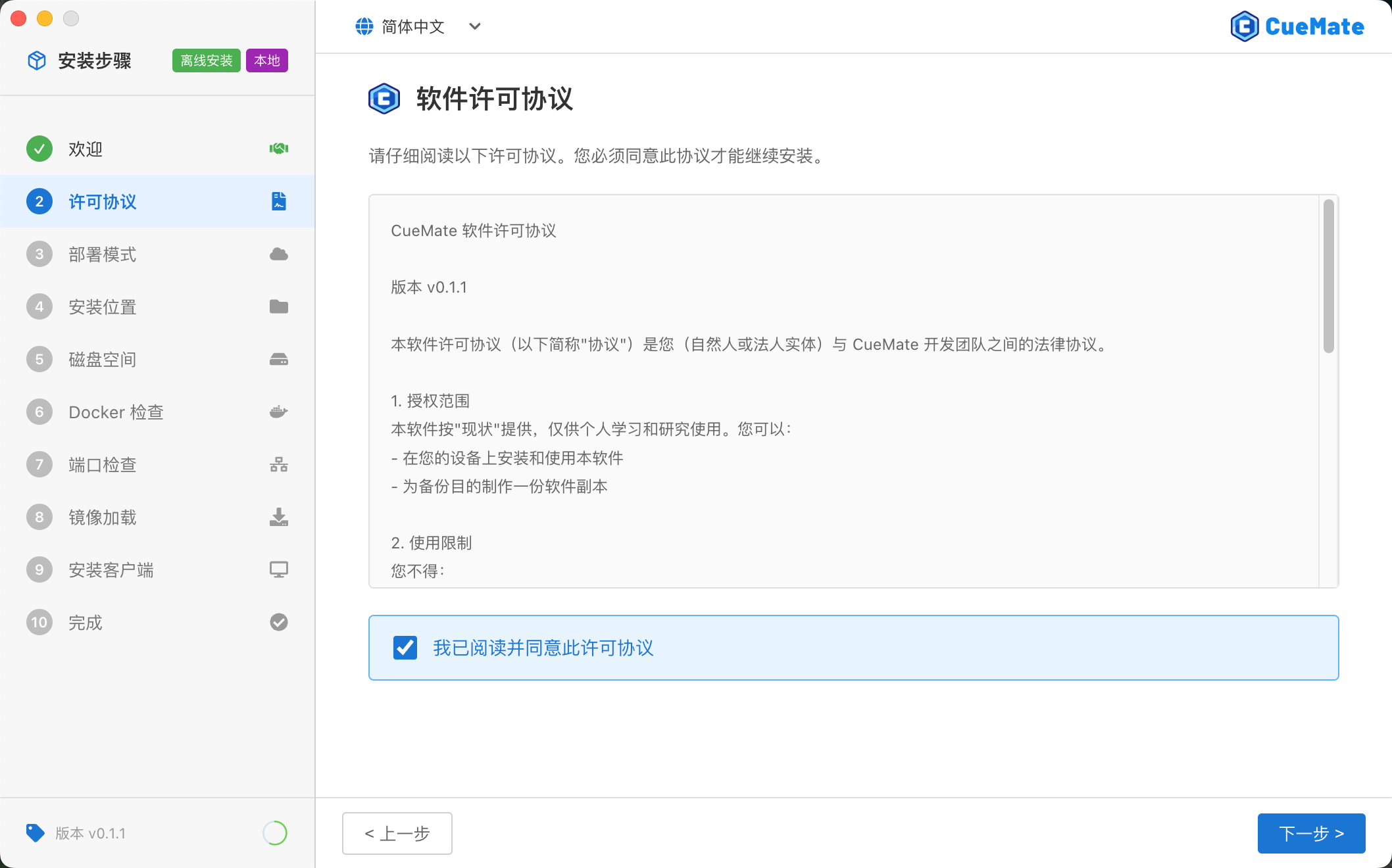
The installation wizard now supports three language interfaces:
- Simplified Chinese: Default language
- Traditional Chinese: For Hong Kong, Macau, Taiwan users
- English: For international users
Language option is in the top-right corner, click to switch. All installation steps, prompts, and error messages are fully translated.
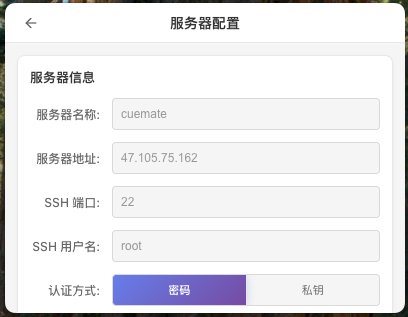
5. feat(desktop): Tray menu adds server configuration card, displays and edits current server connection info and port configuration
Tray menu adds "Server Configuration" section for quick viewing and managing server settings:
Display Information
- Current deployment mode (Local / Server)
- Server address and SSH port
- Port configuration for each service
Operations
- Edit server connection info
- Re-test SSH connection
- Switch deployment mode (requires reconfiguration)
6. feat(desktop): SSH connection test function, verifies remote server connection and detects Docker environment, disk space, etc.
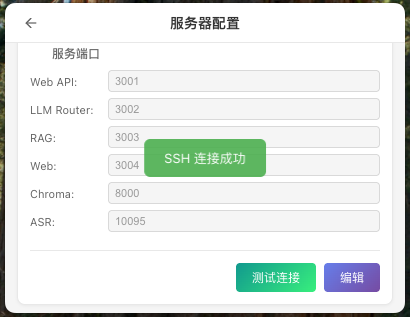
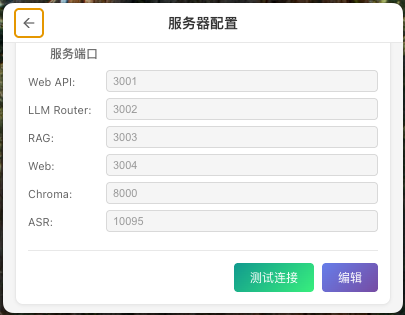
Desktop client includes built-in SSH connection test for verifying and diagnosing server environment:
Test Items
- SSH Connection: Verify authentication credentials
- Operating System: Display Linux distribution and version
- Docker Environment: Check if Docker and Docker Compose are installed
- Disk Space: Show if available space meets requirements (≥10GB)
Test results display with status indicators - green for success, red for failure, with detailed explanations.
7. feat(desktop): Dynamic service URL, automatically switches local or remote server API address based on deployment mode
Desktop client now automatically switches service URLs based on deployment mode:
| Mode | API Address Example |
|---|---|
| Local Mode | http://localhost:3001, http://localhost:3002, etc. |
| Server Mode | http://{server_ip}:3001, http://{server_ip}:3002, etc. |
After switching deployment mode, all service URLs update automatically without manual configuration. Both web interface and desktop client support this feature.
8. feat(web): Instant settings save, system preferences and floating window settings take effect immediately and sync to desktop client
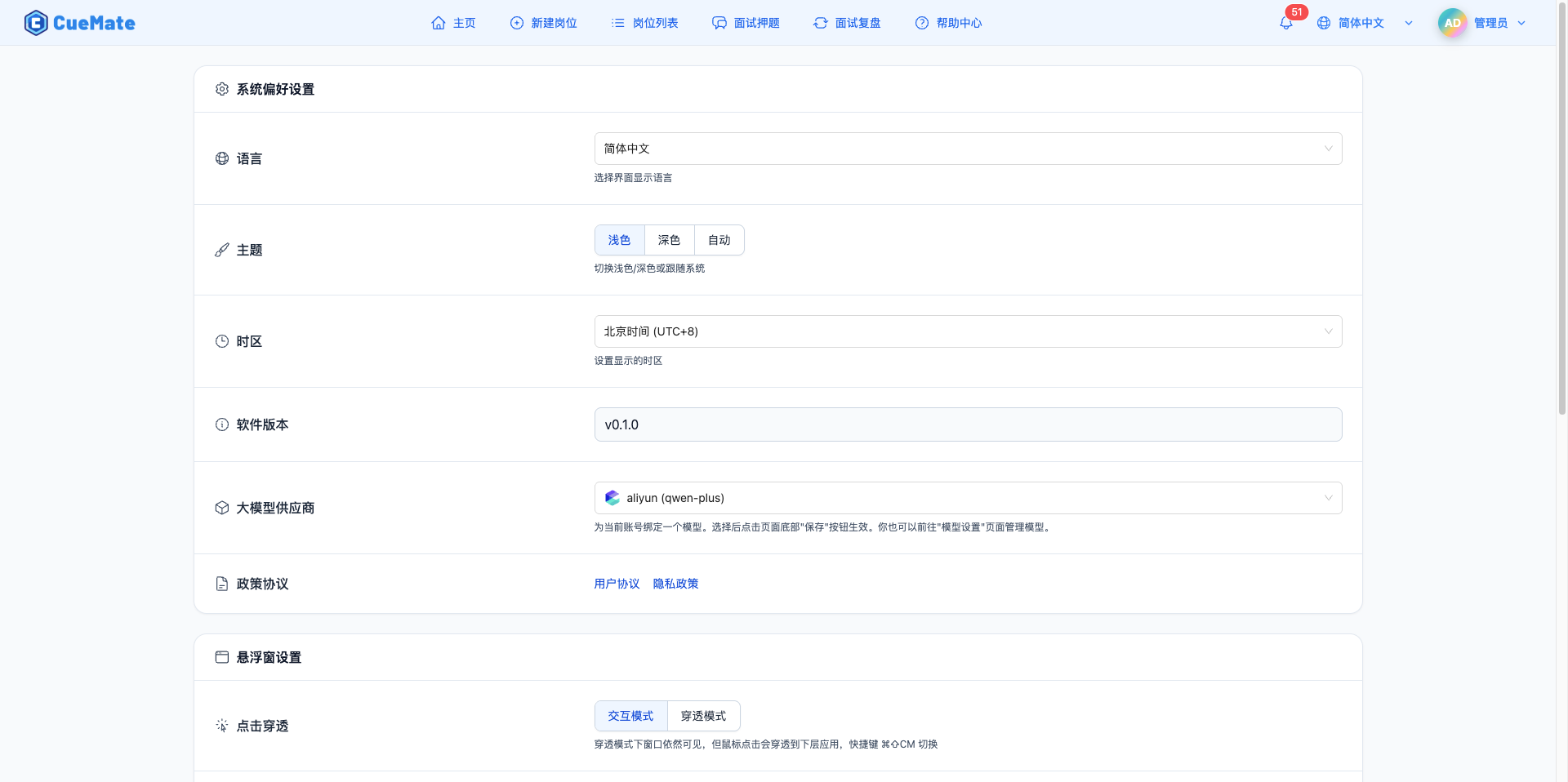
Settings page modifications now take effect immediately:
- Instant Save: Changes to language, theme, timezone are saved immediately, no "Save" button needed
- Instant Sync: Settings changes automatically sync to desktop client, floating window height and interaction mode take effect immediately
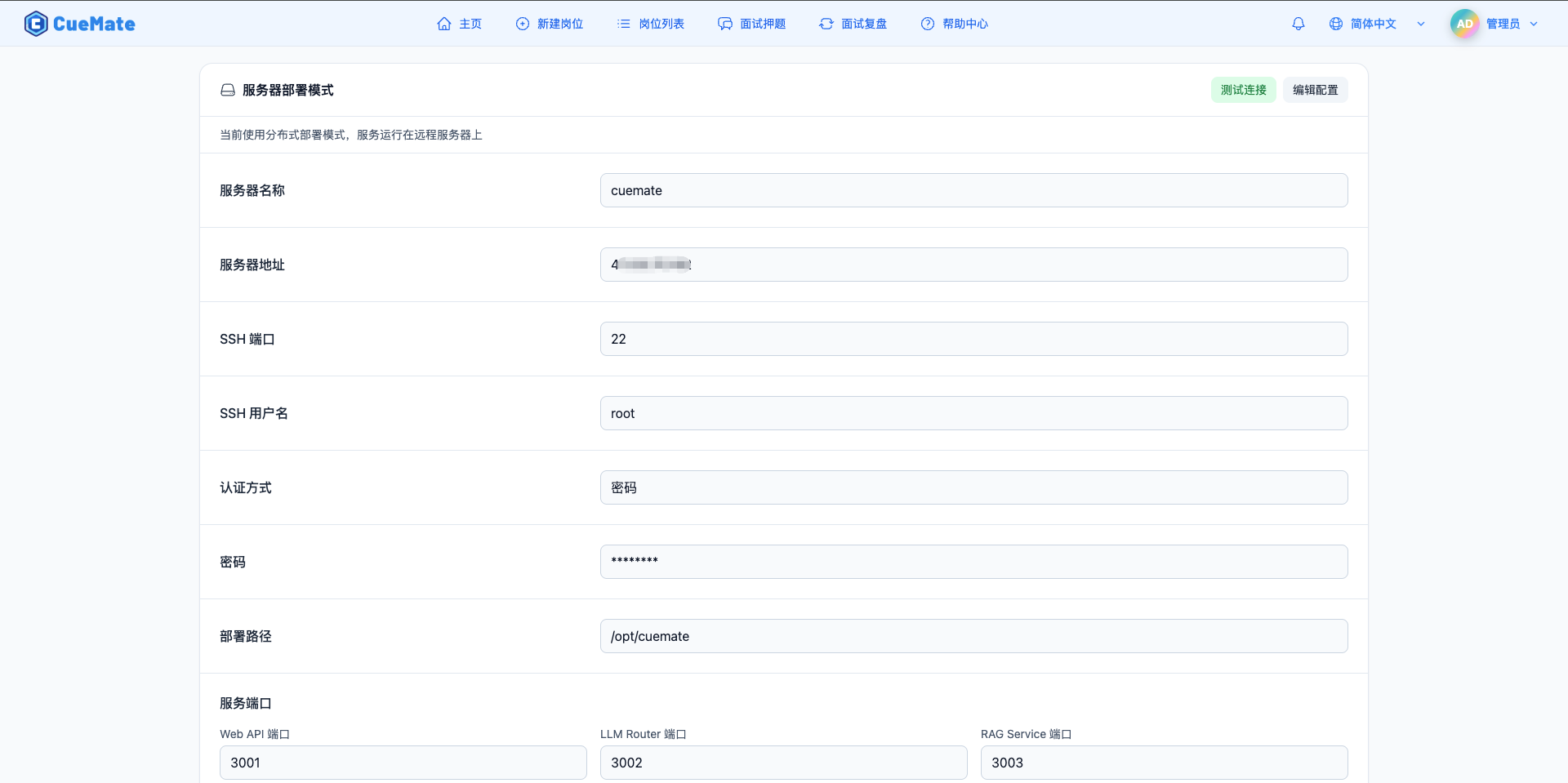
9. feat(web): Settings page adds server deployment configuration card, displays current deployment mode and server info
Settings page adds "Server Configuration" card section:
Display Content
- Current deployment mode (Local / Server)
- Server address (shown in server mode)
- Server name
- Connection status indicator
This card is read-only. To modify server configuration, access the configuration page through the tray menu.
10. feat(i18n): Interview feature multi-language support, TTS, ASR, interview analysis report automatically switch based on language settings
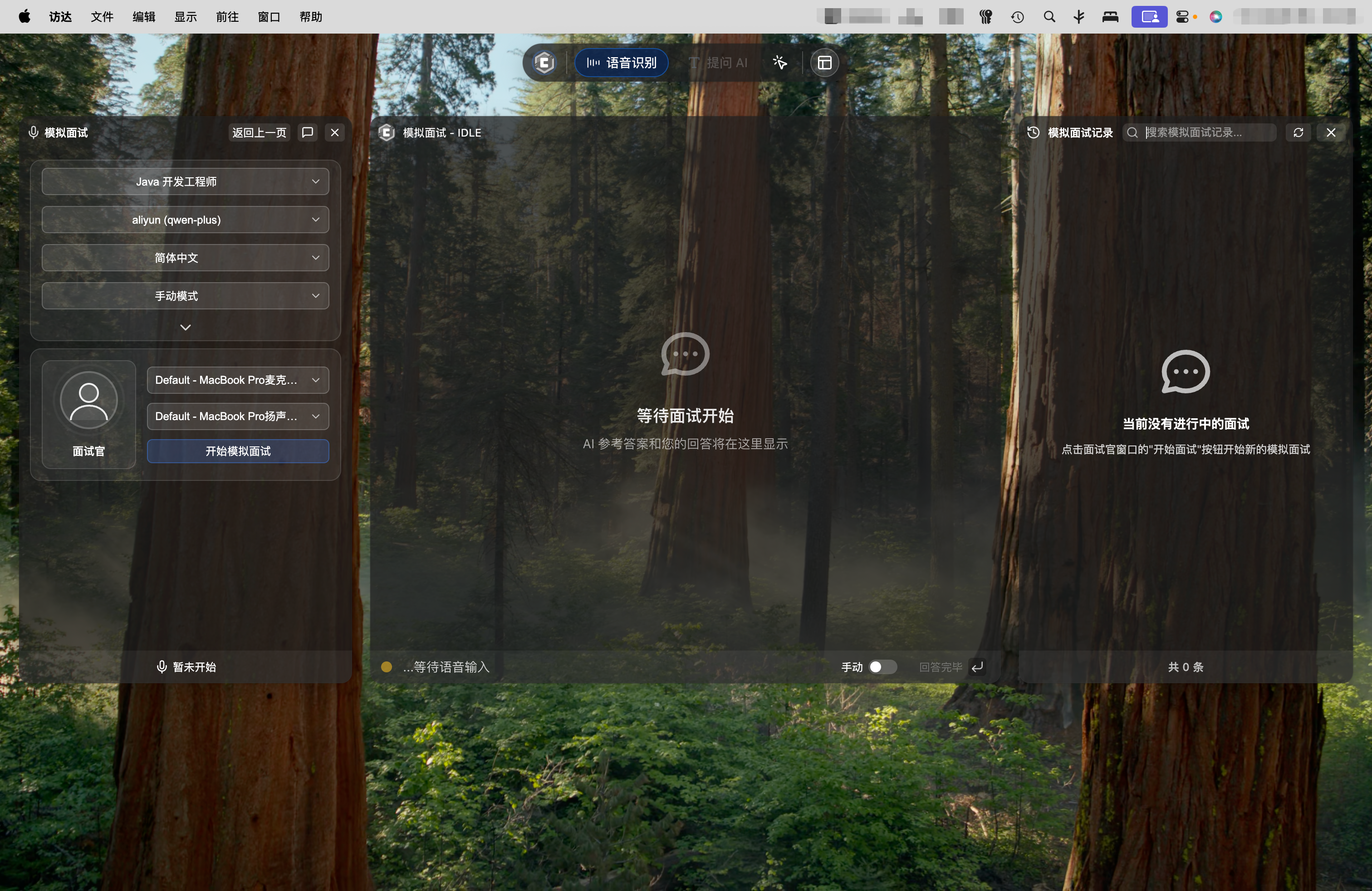
Interview features now fully support multiple languages:
| Feature | Chinese | English |
|---|---|---|
| TTS Voice Synthesis | Uses "HuaYan" female voice | Uses "Amy" female voice |
| ASR Speech Recognition | Supports Chinese recognition | Supports English recognition |
| Interview Analysis Report | Chinese interface and copy | English interface and copy |
System automatically selects corresponding voice and copy based on language settings.
Improvements
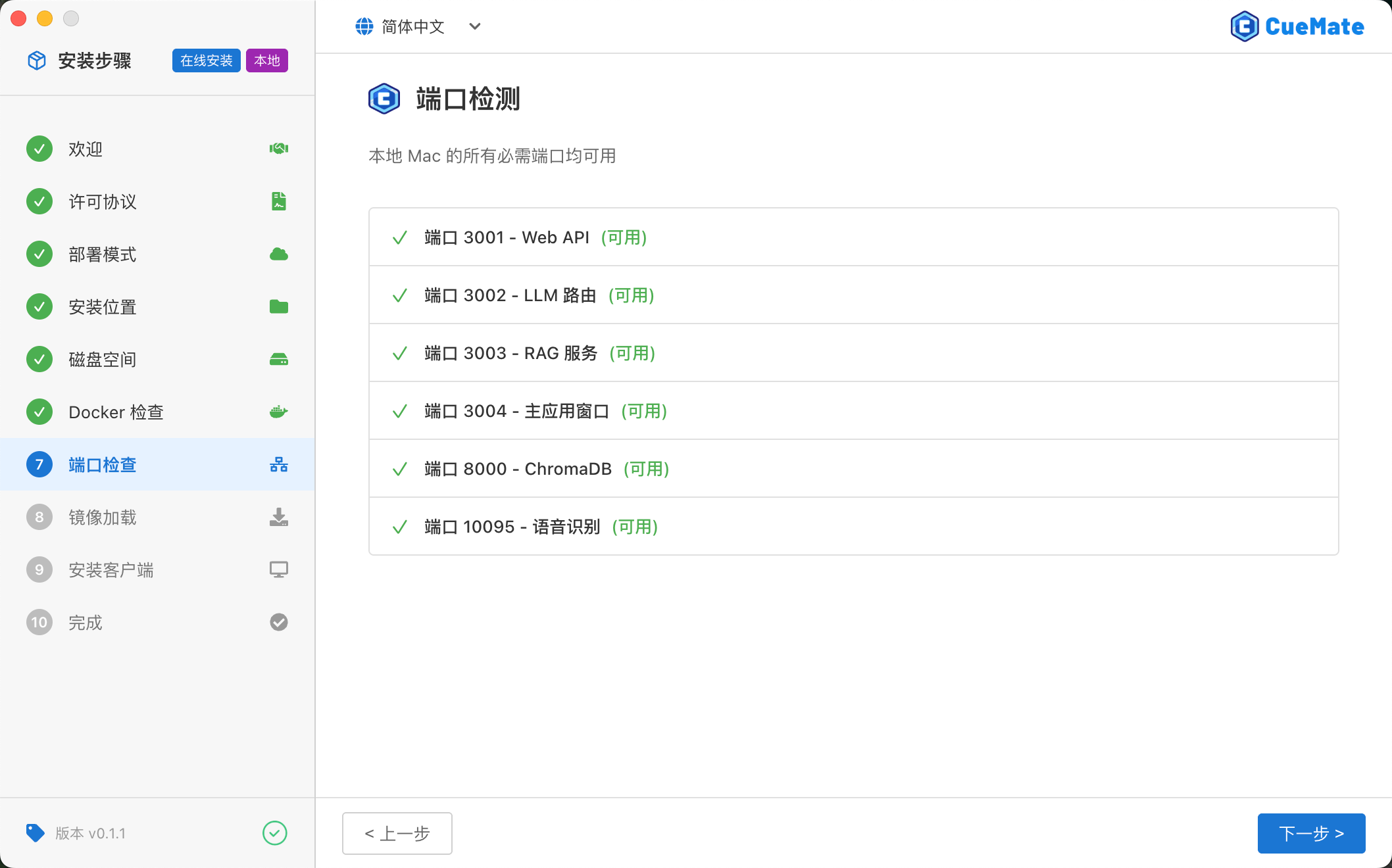
11. refactor(infra): Web service port changed from 80 to 3004, avoiding macOS low port permission issues
Web service default port changed from 80 to 3004:
| Item | Old Version | New Version |
|---|---|---|
| Web Interface URL | http://localhost | http://localhost:3004 |
Reason: macOS has strict permission restrictions on ports below 1024. Port 80 requires root privileges or additional configuration, while port 3004 requires no special permissions.
12. refactor(i18n): Enhanced internationalization translations, settings menu, model configuration interfaces support multi-language, language options display native names
Internationalization coverage further expanded:
New Translation Areas
- All settings menu options
- LLM model configuration page
- Container monitoring page
- Log management page
Language Option Optimization
- Simplified Chinese → 简体中文
- Traditional Chinese → 繁體中文
- English → English
Language options display in native names for easy recognition by users of each language.

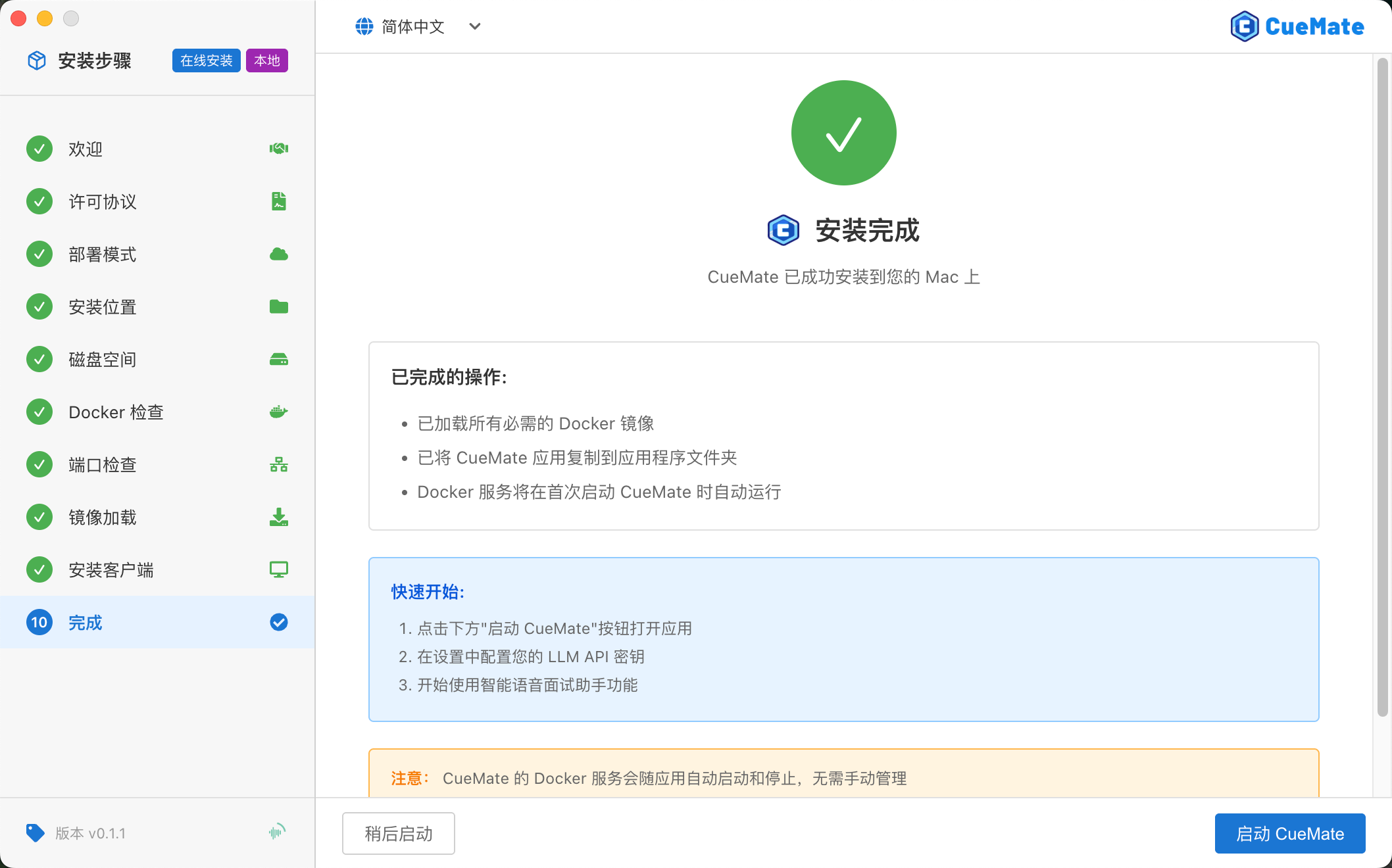
13. refactor(installer): Installation wizard step transitions add sliding animation effect, forward slides left, backward slides right, improving user experience
Installation wizard step transitions now have smooth sliding animations:
- Forward: Current page slides left, new page slides in from right
- Backward: Current page slides right, new page slides in from left
Animation effects improve user experience, making step transitions more natural and fluid.
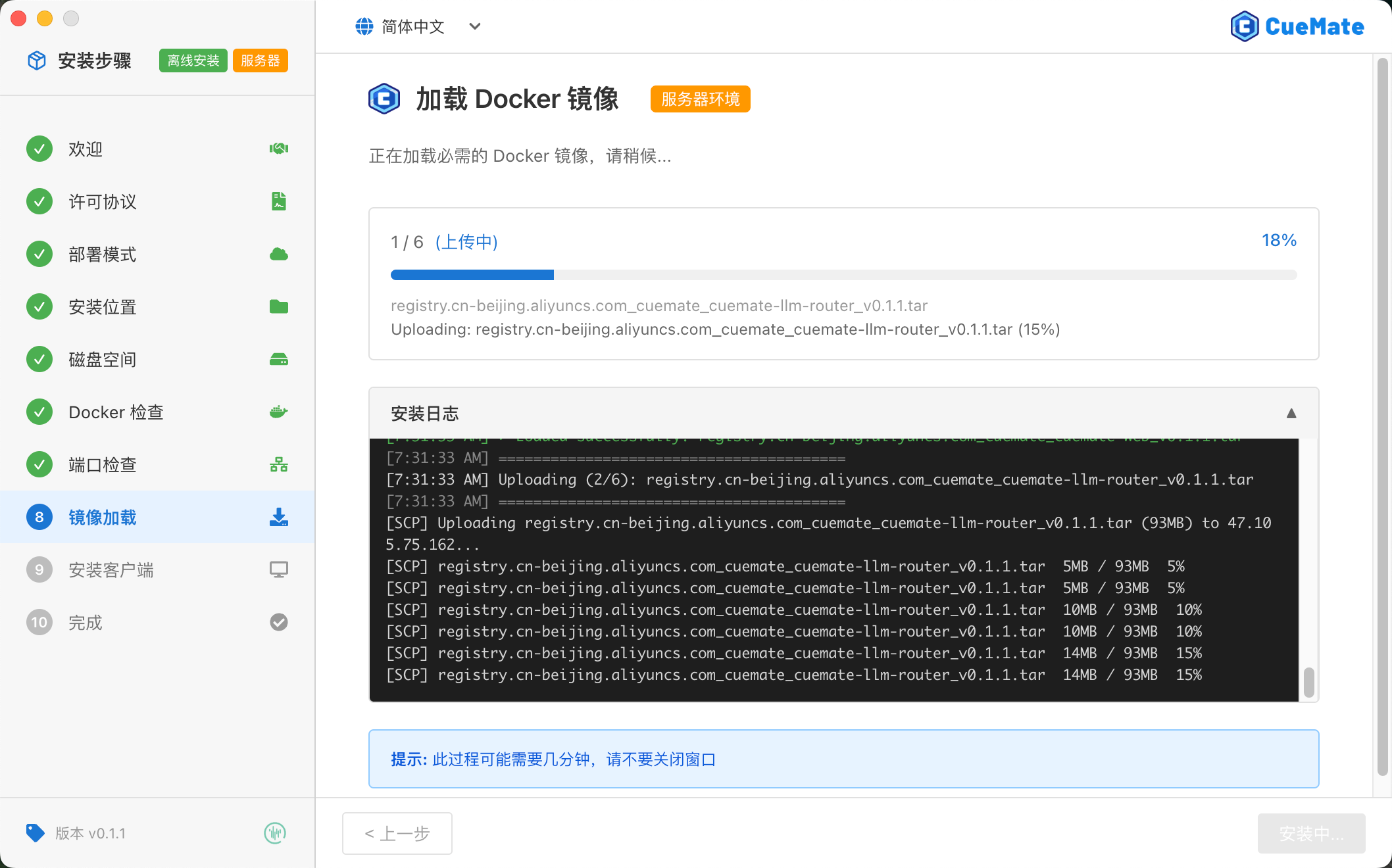
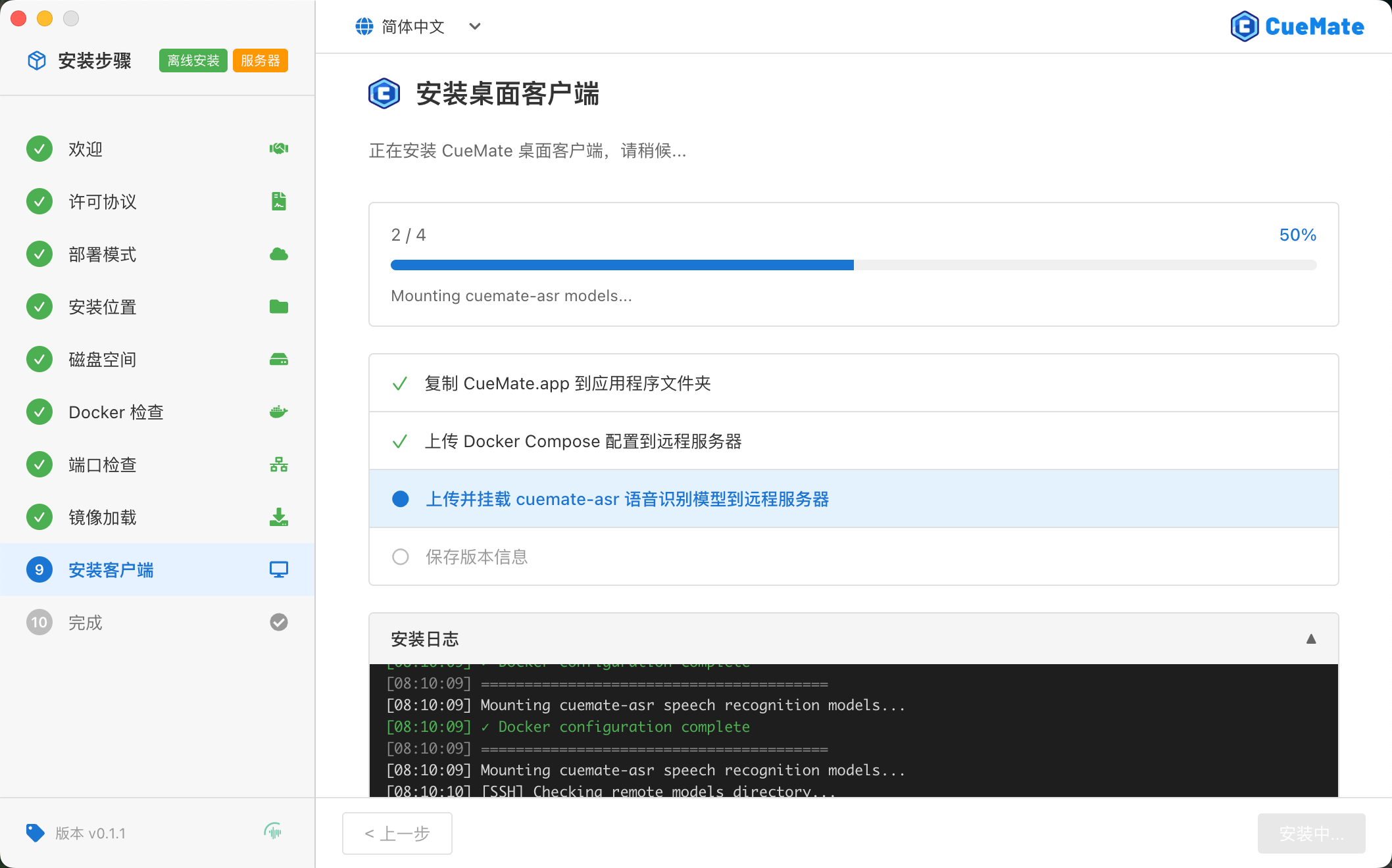
14. refactor(installer): New standalone client installation step page, separates image loading and desktop client installation, prevents users from closing wizard after image loading completes without installing client
Image loading and desktop client installation separated into two independent steps:
| Step | Description |
|---|---|
| Image Loading | Load/pull Docker images to local or server |
| Client Installation | Install desktop client, configure Docker Compose, mount speech model |
This separation prevents users from closing the wizard after image loading completes without installing the client.
15. refactor(installer): FunASR speech model built into installation package, automatically extracted to mount directory during installation, solves server memory insufficient unable to download model issue
FunASR speech model (~1.6GB) is now built into the offline installation package:
- Offline Package: Model automatically extracted to mount directory during installation, no network download needed
- Online Package: Model automatically downloaded on first launch
This improvement solves the problem of being unable to download models inside containers when server memory is insufficient.
16. refactor(build): Optimized offline installation package build process, removed redundant configuration files, compressed DMG offline package size
Optimized the offline installation package build process:
- Removed redundant configuration files
- Compressed DMG offline package size
- Optimized image tar package packaging method
Bug Fixes
17. fix(desktop): Improved main window initialization error handling, solves main window loading failure in some cases
Fixed issues where main window failed to load in some cases:
Symptoms
- No response when clicking tray icon to open main window
- Main window displays blank page
Fixes
- Added exception handling for window initialization
- Added loading timeout retry mechanism
- Optimized window creation order
18. fix(installer): Fixed electron-builder packaging external path error from workspace symlinks
Fixed symlink issues when packaging Monorepo projects:
Symptoms
pnpm buildreports external path error- Workspace dependencies cannot be resolved correctly
Solution
- Handle symlinks in afterPack hook
- Replace symlinks with actual files
- Ensure packaged output is independent and complete
19. fix(installer): Fixed Docker check page only detecting without triggering installation, offline mode supports one-click installation of built-in Docker (local installs macOS Docker Desktop, server mode installs Linux Docker)
Fixed the installation function on Docker check page:
Symptoms
- No response when clicking "Install" button when Docker is not installed
- Only shows detection results, cannot trigger installation process
Fixes
- Offline mode supports one-click installation of built-in Docker
- Local mode: Installs macOS Docker Desktop
- Server mode: Installs Linux Docker via SSH
20. fix(installer): Fixed re-execution of detection when returning via back button/left menu, added step caching mechanism to retain all completed steps data and logs
Fixed step caching issues in the installation wizard:
Symptoms
- After completing a step and going back
- Re-entering the step re-executes detection
- Previous detection results and logs are lost
Fixes
- Added step caching mechanism
- Retained data and logs from all completed steps
- Returning and re-entering directly displays cached results
21. fix(installer): Added FastEmbed embedding model support, offline package includes pre-trained model files
Offline installation package now includes FastEmbed embedding model:
- Pre-trained model files built into offline package
- Automatically extracted to mount directory during installation
- No need to download model on first launch
22. fix(desktop): Get audio device list via renderer process, fixing ASR settings page device detection issue
Fixed issue where ASR settings page could not correctly detect audio devices:
- Changed to get audio device list via renderer process
- Resolved device detection failure caused by main process permission restrictions
- Improved cross-architecture compatibility
23. fix(web): Added initialization API request retry mechanism and HTTP environment clipboard fallback
Improved Web frontend error handling:
- Automatic retry when initialization API requests fail
- Clipboard fallback solution for non-HTTPS environments
- Improved first load success rate
24. fix(infra): Lowered log levels for SSH, WebSocket, JWT and other non-critical errors to reduce log noise
Optimized log output levels:
- SSH connection errors lowered from error to warn
- WebSocket disconnect/reconnect lowered from error to warn
- JWT validation and file parsing errors lowered to warn
- Reduced log interference from non-critical errors
Upgrade Guide
Upgrading from v0.1.0
- Download v0.1.1 installation package
- Run installation wizard, select "Upgrade"
- Existing data (positions, resumes, questions, etc.) will be automatically preserved
- Only updates application and Docker images
Notes
- After upgrade, web service port changes to 3004, please update bookmarks
- To use server mode, re-run the installation wizard
Download
macOS Installation Package
Option 1: Baidu Netdisk (Recommended for China Users)
Download Link: https://pan.baidu.com/s/15jwZHy8YkDa4cEDLIYRo9Q?pwd=3477
Extraction Code: 3477
Download Steps:
- Click the link above to access Baidu Netdisk
- Enter extraction code
3477 - Select
v0.1.1version folder - Choose installation package type:
- Offline (Recommended): ~4.4GB, no network needed
- Online: ~670MB, requires network to pull images
- Download based on chip type:
- Apple Silicon (M1/M2/M3):
arm64version - Intel Chip:
x64version
- Apple Silicon (M1/M2/M3):
Option 2: GitHub Release (Recommended for International Users)
Download URL: https://github.com/cuemate-chat/cuemate/releases/tag/v0.1.1
Feedback Channels
Found an issue or have suggestions? Welcome to provide feedback through:
- GitHub Issues: https://github.com/cuemate-chat/cuemate/issues
- Email: nuneatonhydroplane@gmail.com
- Discussions: https://github.com/cuemate-chat/cuemate/discussions
Thank you for using CueMate!