

Configure Volcengine
Volcengine is ByteDance's cloud service platform, providing the Doubao (meaning "bean bag" in Chinese) large language model series services. It supports text generation, conversational understanding, content creation, and offers enterprise-grade service capabilities with high concurrency and low latency.
1. Get Volcengine API Key
1.1 Access Volcengine Console
Visit Volcengine and log in: https://console.volcengine.com/

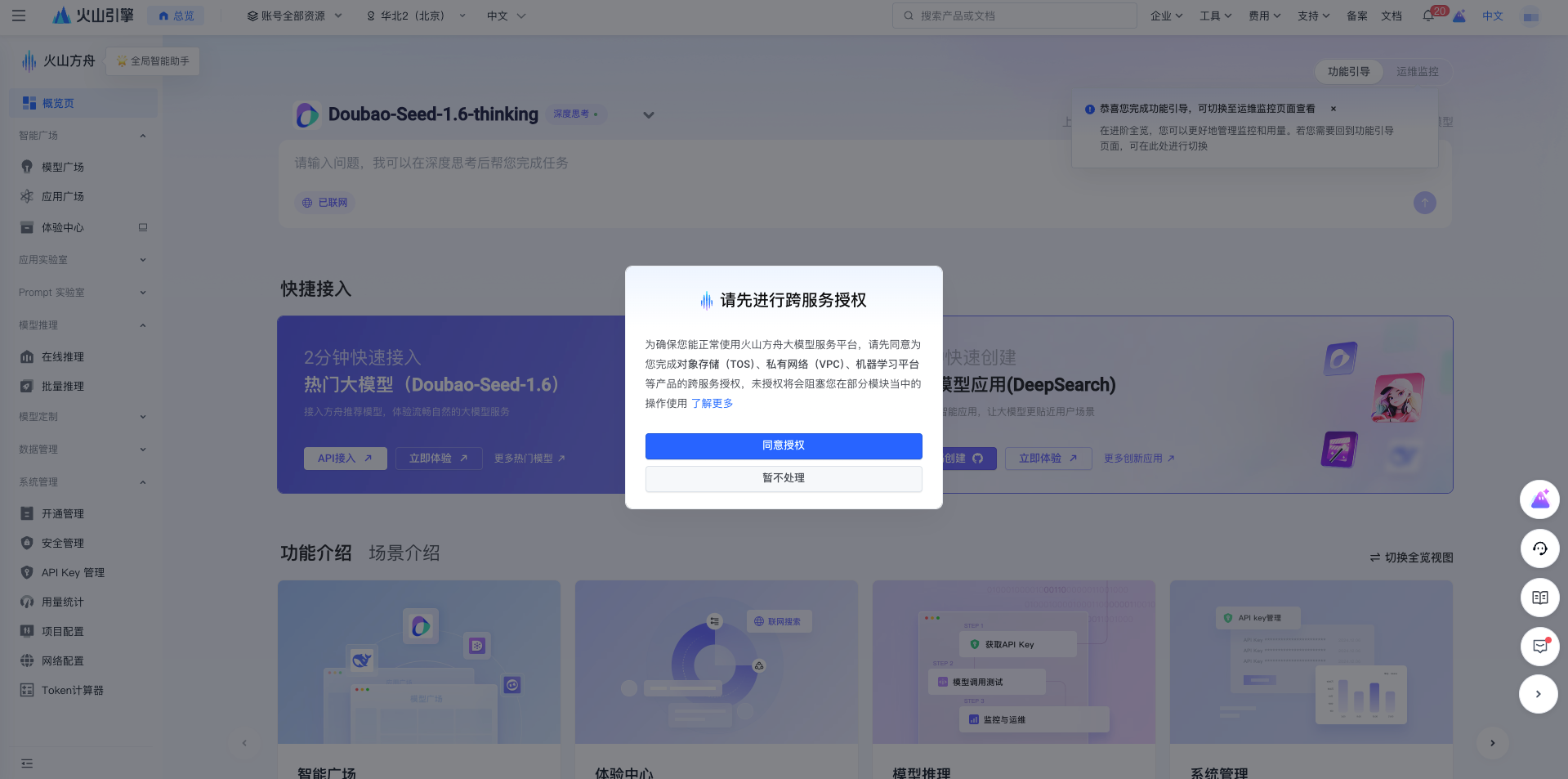
1.2 Enable Doubao Large Model Service
- In the search box, enter Volcano Ark (the AI platform name)
- Click Doubao Large Model (the LLM service entry)
- Click Enable Now (the activation button)
1.3 API Key Management
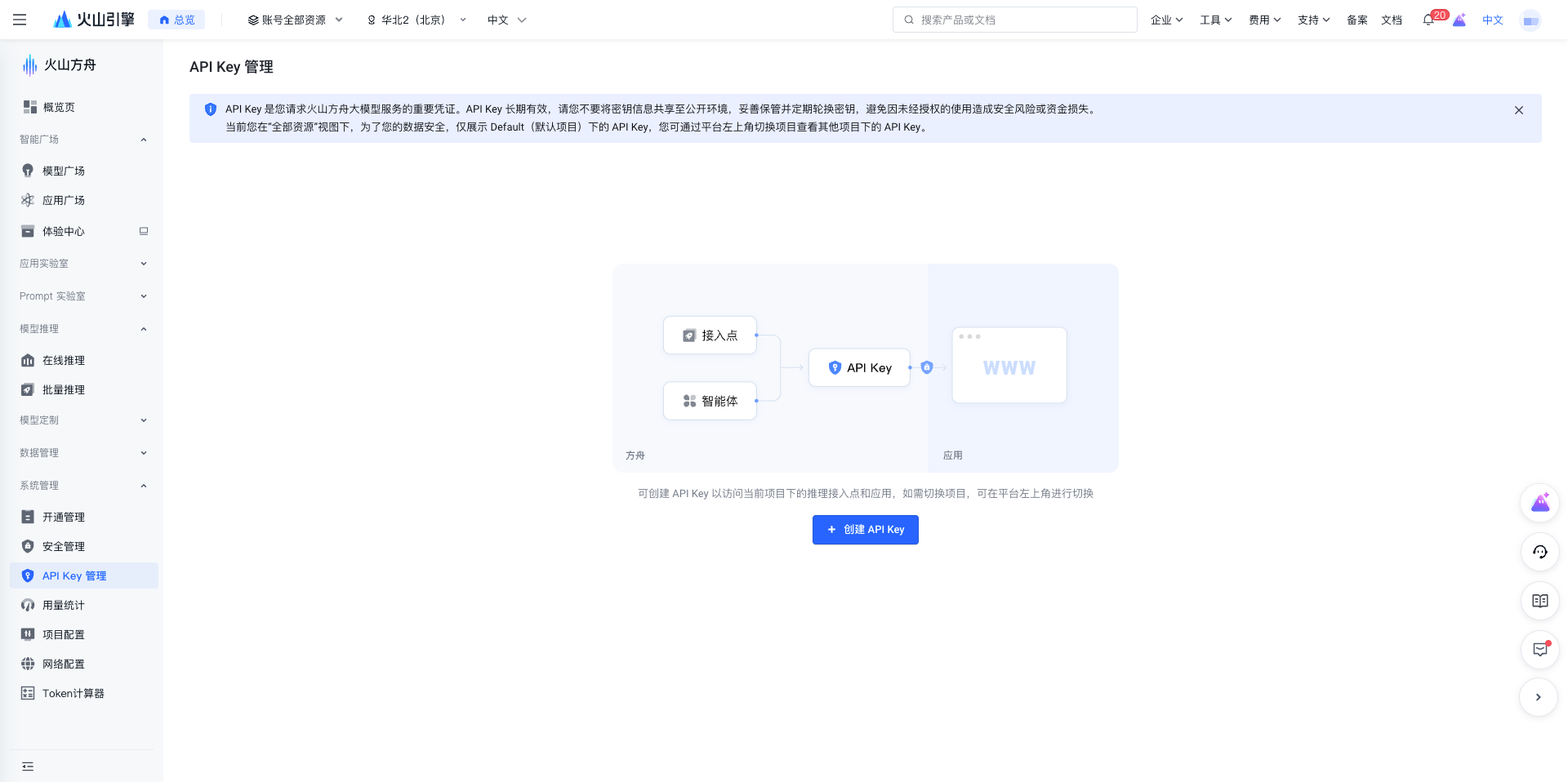
- Click API Access or Key Management in the left menu
- Enter the API Key management page
1.4 Create API Key
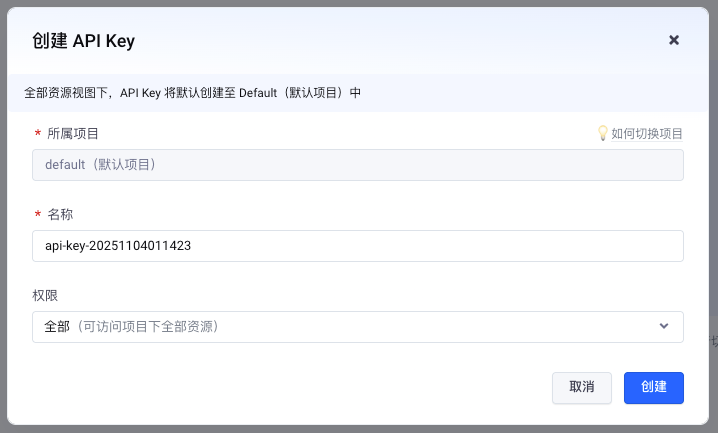
- Click the Create API Key button
- Enter the API Key name
- Click Confirm
1.5 Get API Key
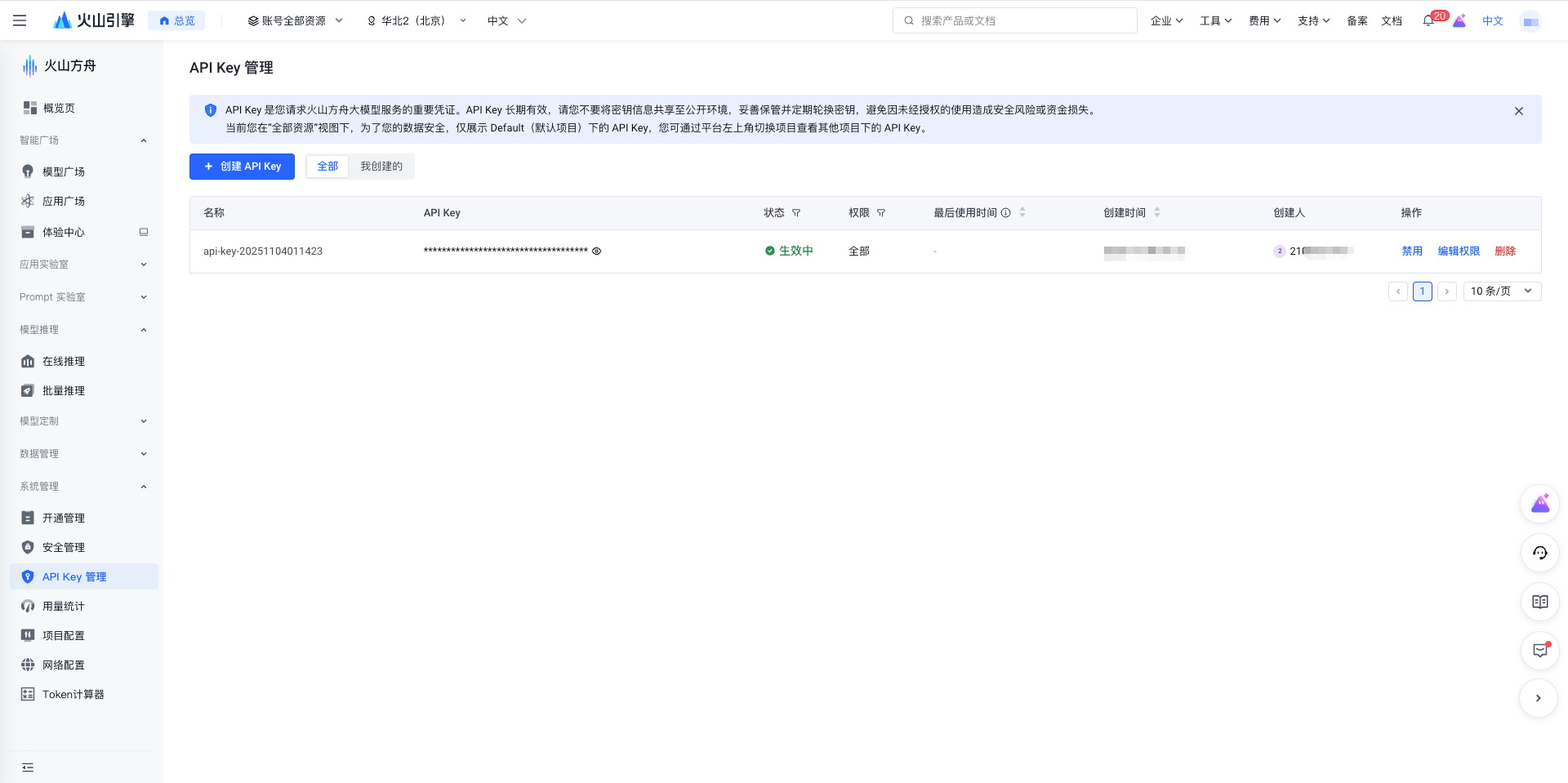
After successful creation, the system will display the API Key.
Important: Please copy and save it immediately. The API Key is in UUID format.
1.6 Enable Online Inference Models
Important: Before using Volcengine models, you must first enable the corresponding model service, otherwise API calls will return the error "InvalidEndpointOrModel.NotFound".
- In the Volcano Ark console left menu, click Online Inference → Preset Inference Endpoints
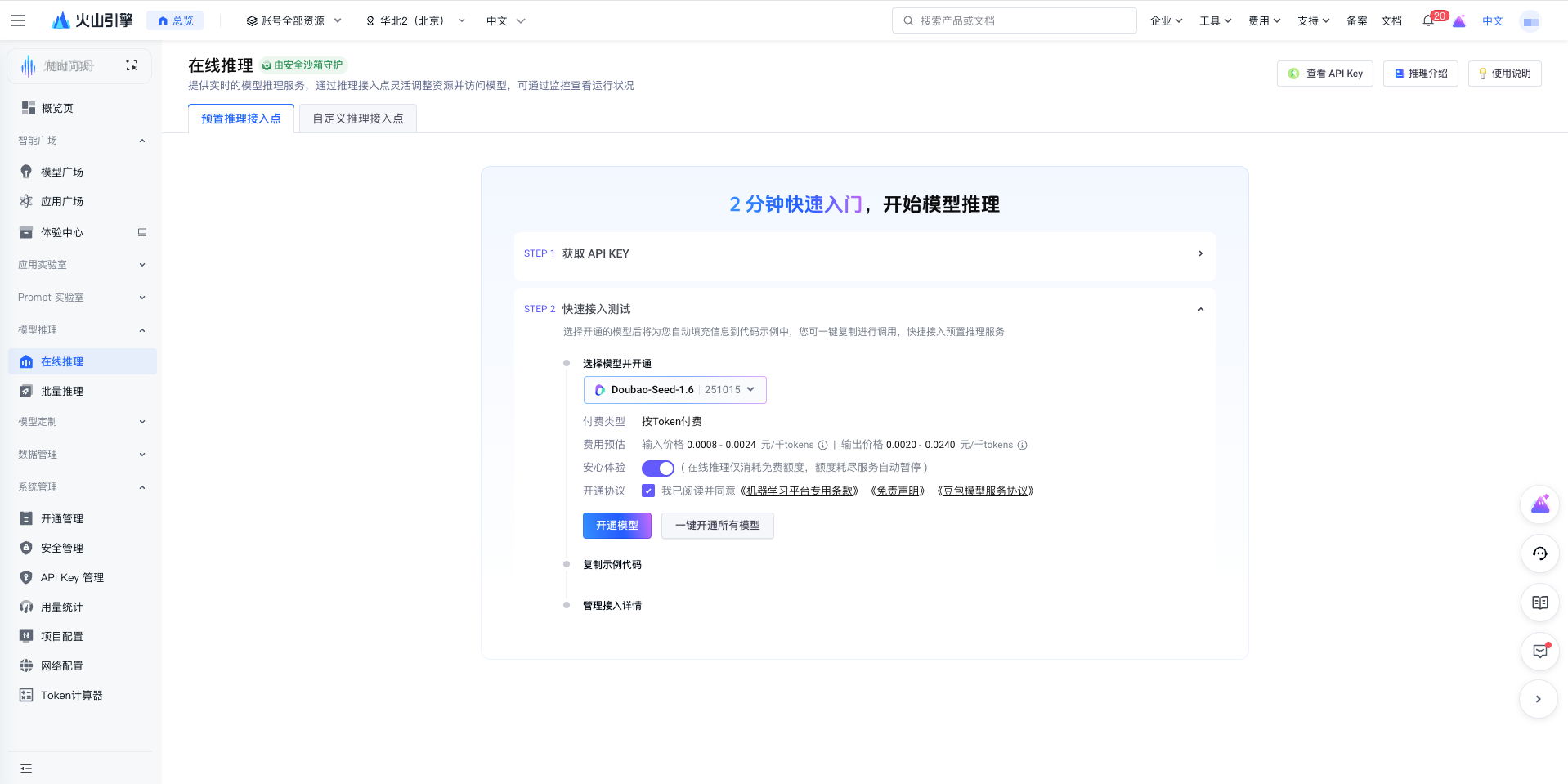
- Select the model you want to use (such as
Doubao-Seed-1.6), check the service agreement, and click the Enable Model button
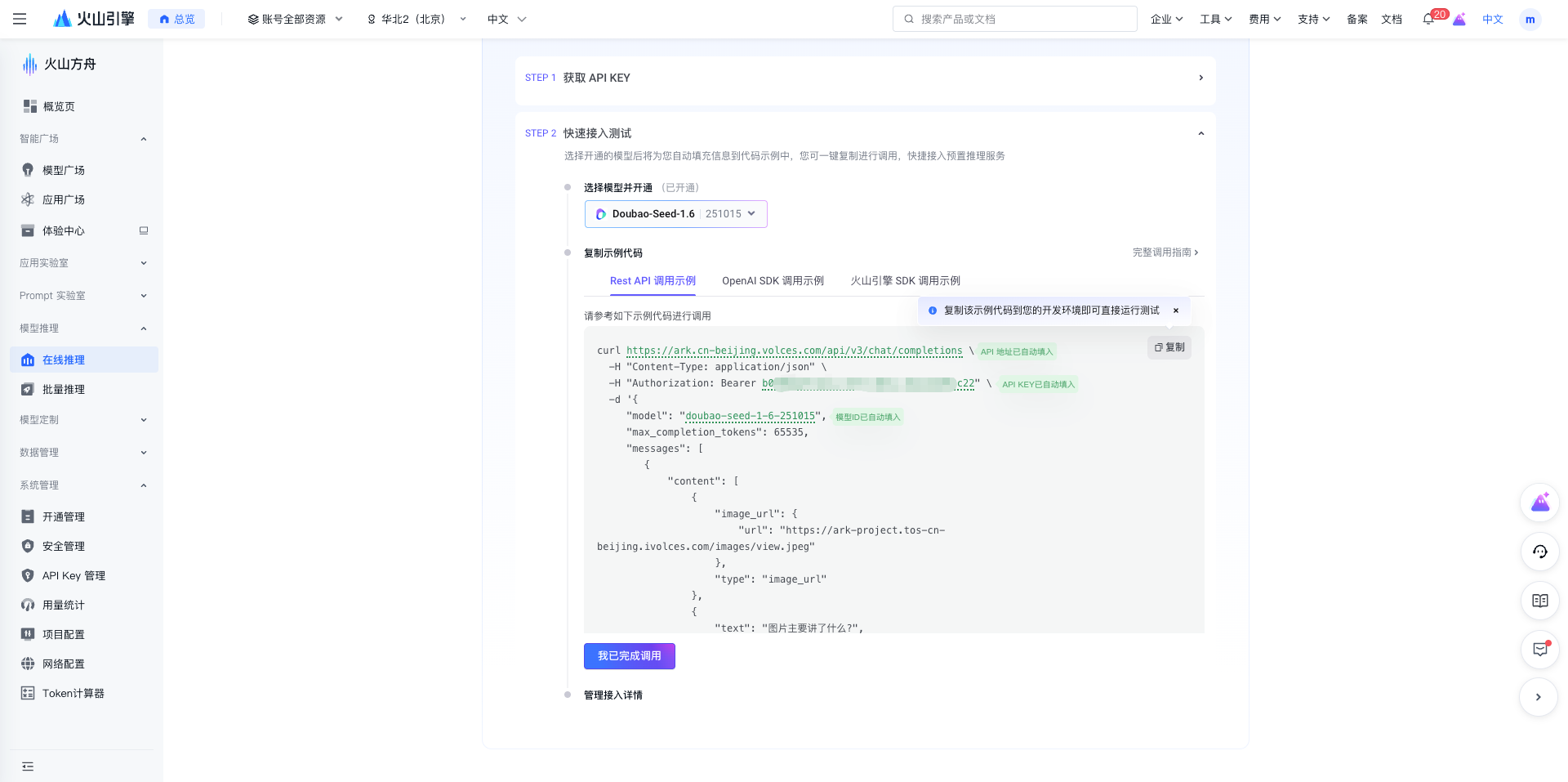
After successful activation, you can use the model name in CueMate.
2. Configure Volcengine Model in CueMate
2.1 Enter Model Settings Page
After logging into CueMate, click Model Settings in the dropdown menu in the upper right corner.
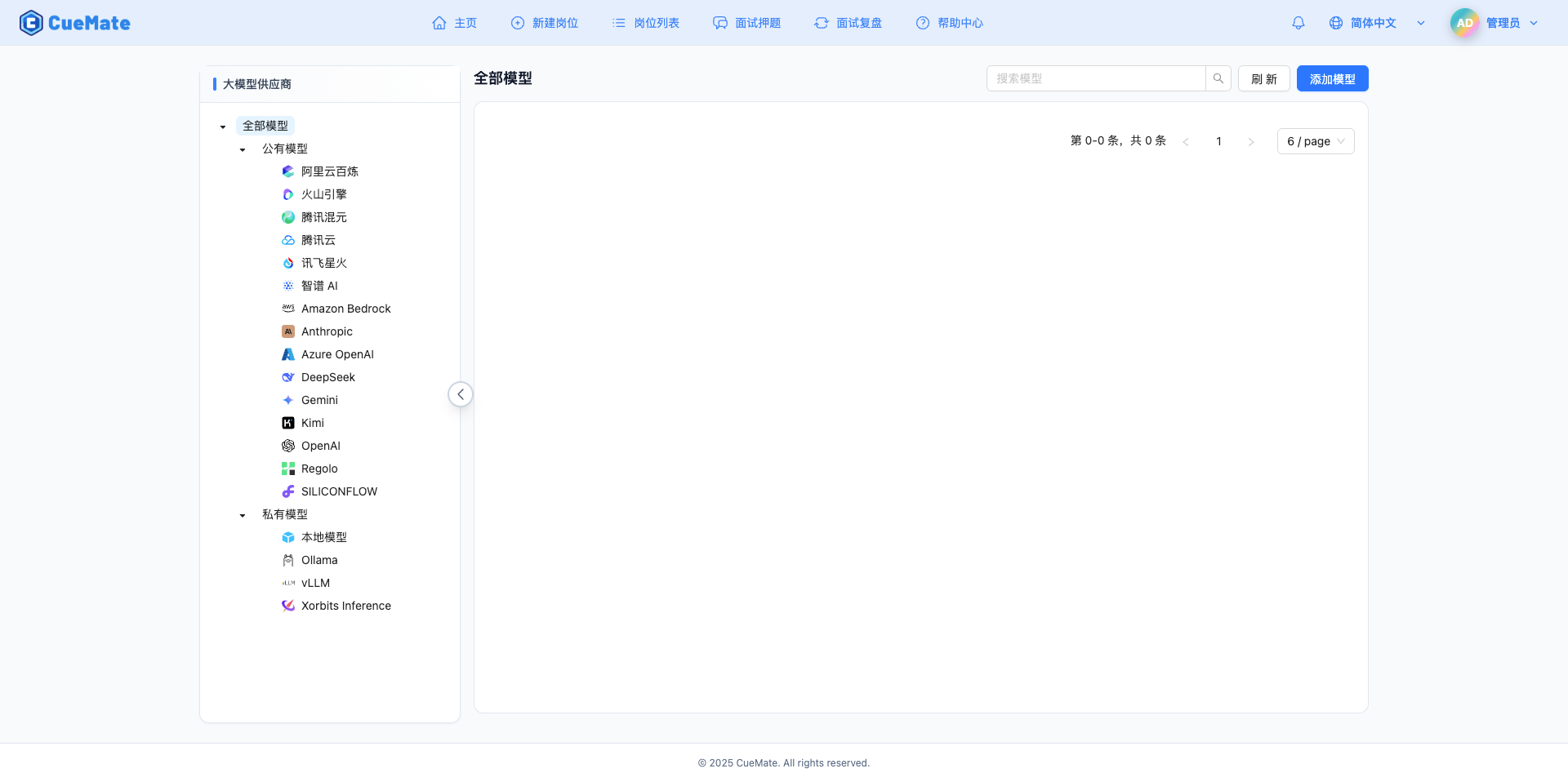
2.2 Add New Model
Click the Add Model button in the upper right corner.

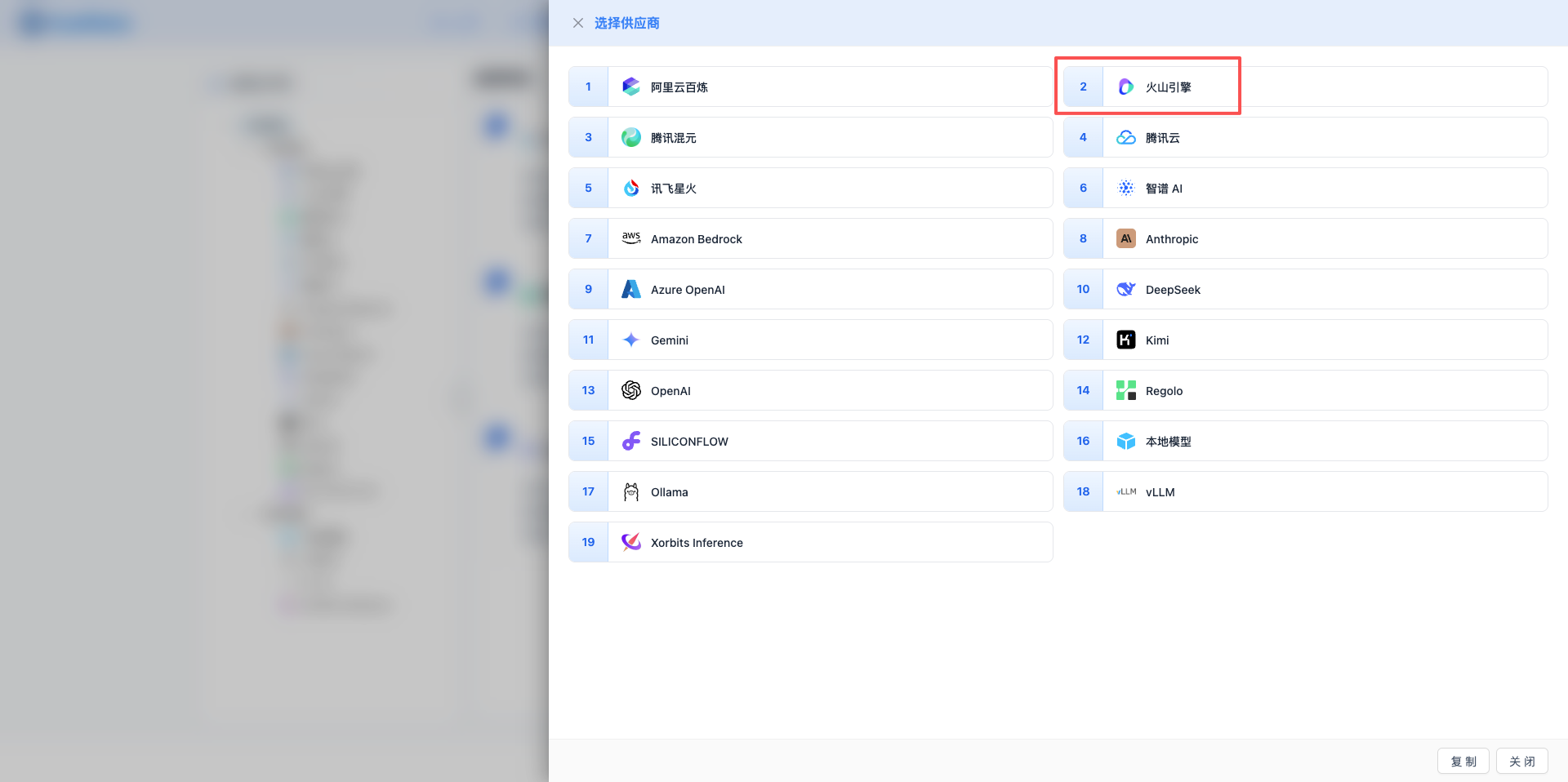
2.3 Select Volcengine Provider
In the pop-up dialog:
- Provider Type: Select Volcengine
- Click to automatically proceed to the next step
2.4 Fill in Configuration Information
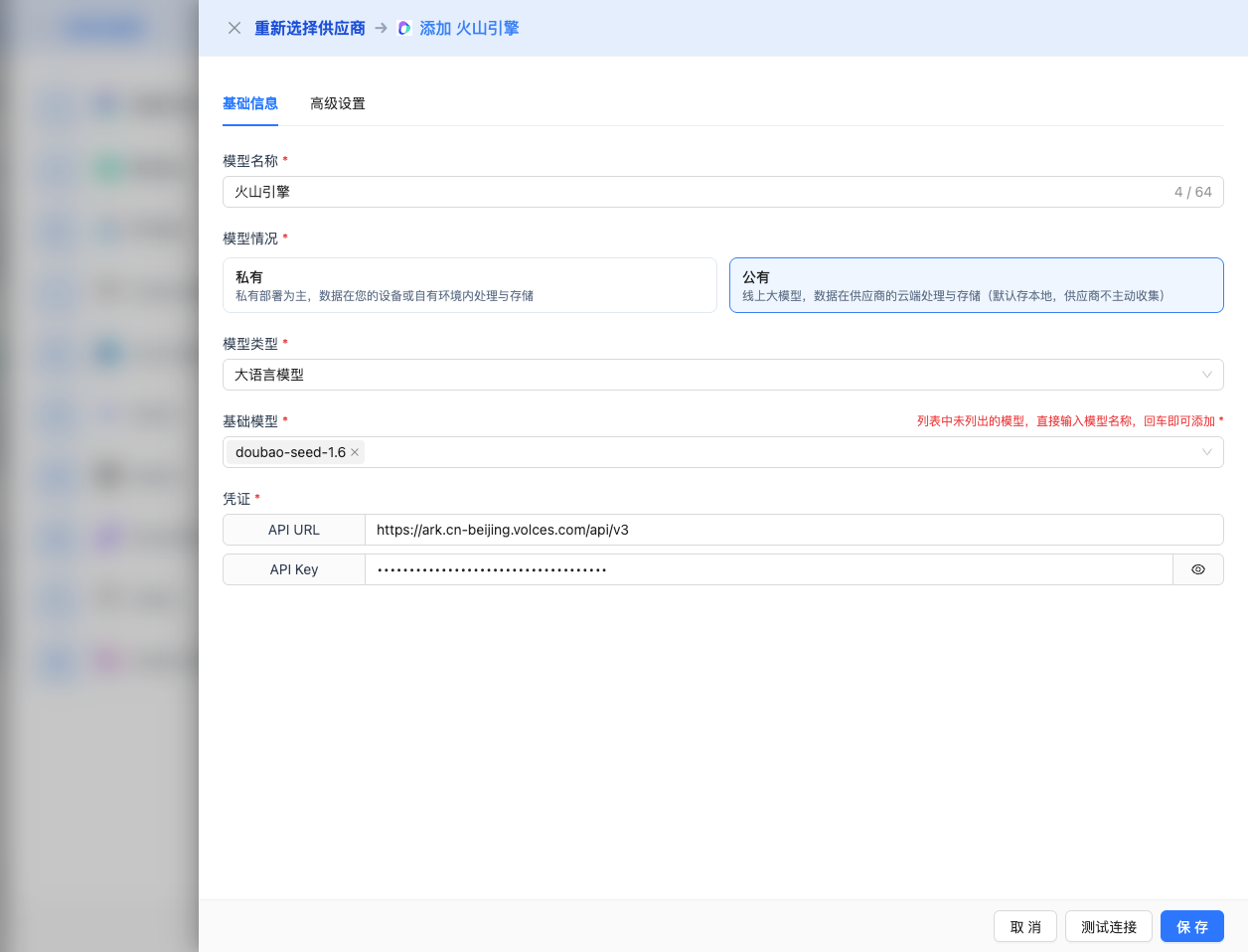
Fill in the following information on the configuration page:
Basic Configuration
- Model Name: Give this model configuration a name (e.g., Doubao Seed 1.6)
- API URL: Keep the default
https://ark.cn-beijing.volces.com/api/v3 - API Key: Paste the Volcengine API Key (UUID format)
- Model Version: Fill in the API name of the model enabled in step 1.6
- Important: Use the API format model name (e.g.,
doubao-seed-1-6-251015), not the console display name - You can also use the inference endpoint ID (e.g.,
ep-xxxxxxxxxx-yyyy)
- Important: Use the API format model name (e.g.,
Model Name Format Explanation:
- Console Display:
Doubao-Seed-1.6(date 251015) - API Call Format:
doubao-seed-1-6-251015(all lowercase, dots replaced with hyphens, date appended)
Available 2026 Latest Models (must be enabled in step 1.6 first, API format names below):
doubao-seed-1-6-251015: Doubao Seed 1.6 (256K context, 16K output)doubao-seed-1-6-thinking-250715: Doubao Seed 1.6 Thinking Modeldoubao-seed-1-6-flash-250828: Doubao Seed 1.6 Ultra-Fast Versiondoubao-seed-1-6-vision-250815: Doubao Seed 1.6 Multimodal Version (64K output)doubao-1-5-thinking-pro-250415: Doubao 1.5 Enhanced Thinking Version (16K output)doubao-1-5-vision-pro-250328: Doubao 1.5 Multimodal Version (16K output)doubao-1-5-ui-tars-250428: Doubao 1.5 UI-TARS (16K output)doubao-1-5-pro-32k-250115: Doubao 1.5 Pro 32K Version (4K output)doubao-1-5-pro-256k-250115: Doubao 1.5 Pro 256K Version (4K output)doubao-1-5-lite-32k-250115: Doubao 1.5 Lite Version (4K output)deepseek-v3-1-terminus: DeepSeek V3.1 Terminus (8K output)deepseek-r1-250528: DeepSeek R1 (8K output)deepseek-v3-250324: DeepSeek V3 (8K output)kimi-k2-250905: Kimi K2 (4K output)
Note: Model names must use the API format (all lowercase, hyphens, with date suffix), otherwise the error "InvalidEndpointOrModel.NotFound" will occur.
Advanced Configuration (Optional)
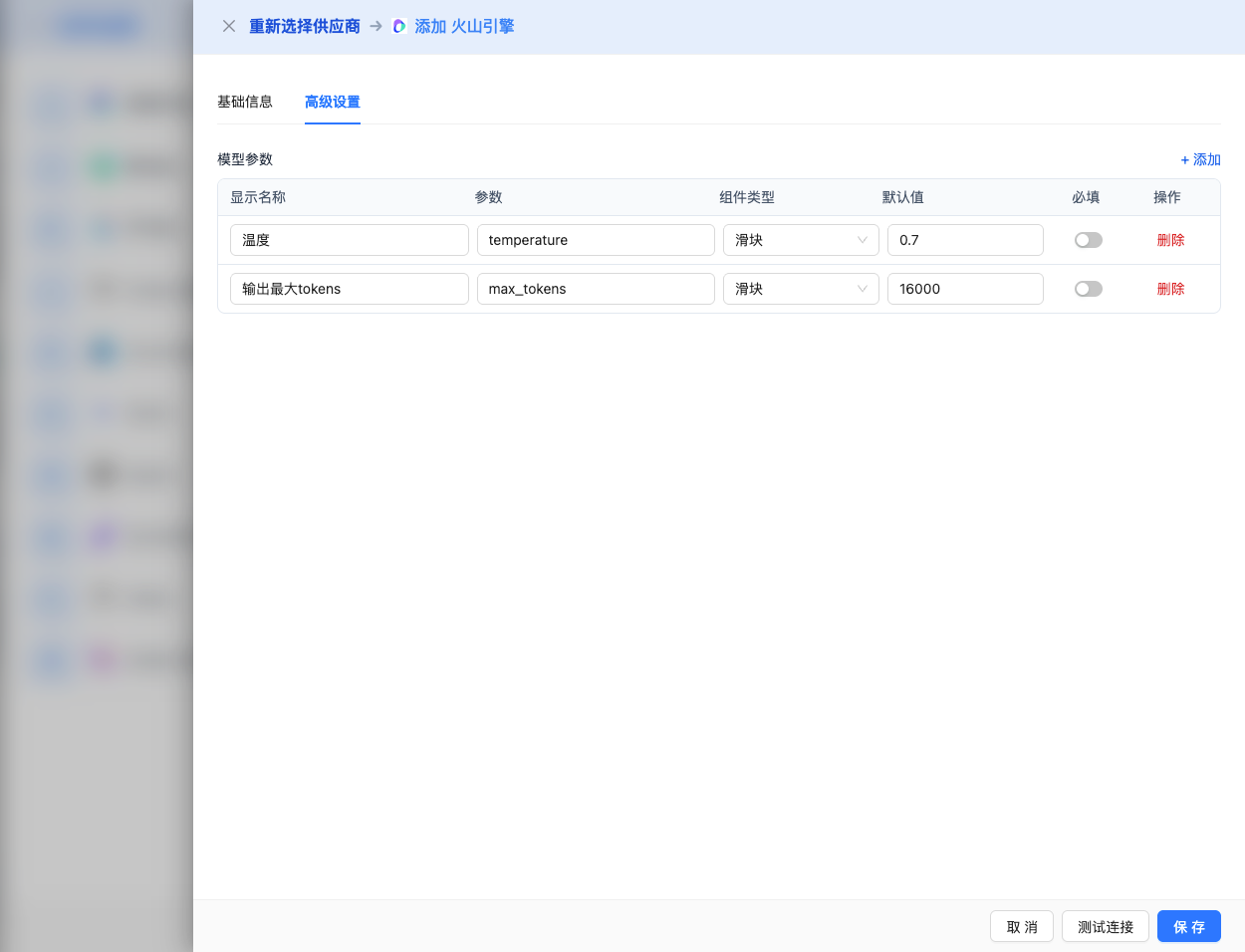
Expand the Advanced Configuration panel to adjust the following parameters:
CueMate Interface Adjustable Parameters:
Temperature: Controls output randomness
- Range: 0-2
- Recommended Value: 0.7
- Effect: Higher values produce more random and creative output, lower values produce more stable and conservative output
- Usage Recommendations:
- Creative writing/brainstorming: 1.0-1.5
- General conversation/Q&A: 0.7-0.9
- Code generation/precise tasks: 0.3-0.5
Max Tokens: Limits the maximum output length
- Range: 256 - 64000 (depending on the model)
- Recommended Value: 8192
- Effect: Controls the maximum number of tokens in a single model response
- Model Limits:
- doubao-seed-1-6-vision: max 64K tokens
- doubao-seed-1-6 series: max 16K tokens
- doubao-1-5 series: max 16K tokens
- Pro/Lite series: max 4K tokens
- deepseek/kimi series: max 8K tokens
- Usage Recommendations:
- Short Q&A: 1024-2048
- General conversation: 4096-8192
- Long text generation: 16384-32768
- Ultra-long output: 65536 (vision model only)
Other Advanced Parameters Supported by Volcengine API:
While the CueMate interface only provides temperature and max_tokens adjustments, if you call Volcengine directly via API, you can also use the following advanced parameters (Volcengine uses OpenAI-compatible API format):
top_p (nucleus sampling)
- Range: 0-1
- Default Value: 1
- Effect: Samples from the smallest candidate set with cumulative probability of p
- Relationship with temperature: Usually only adjust one of them
- Usage Recommendations:
- Maintain diversity while avoiding nonsense: 0.9-0.95
- More conservative output: 0.7-0.8
frequency_penalty
- Range: -2.0 to 2.0
- Default Value: 0
- Effect: Reduces the probability of repeating the same words (based on frequency)
- Usage Recommendations:
- Reduce repetition: 0.3-0.8
- Allow repetition: 0 (default)
presence_penalty
- Range: -2.0 to 2.0
- Default Value: 0
- Effect: Reduces the probability of words that have already appeared appearing again (based on presence)
- Usage Recommendations:
- Encourage new topics: 0.3-0.8
- Allow topic repetition: 0 (default)
stop
- Type: String or array
- Default Value: null
- Effect: Stops generation when the specified string appears in the content
- Example:
["###", "User:", "\n\n"] - Use Cases:
- Structured output: Use delimiters to control format
- Dialogue systems: Prevent the model from speaking for the user
stream
- Type: Boolean
- Default Value: false
- Effect: Enable SSE streaming return, generating and returning incrementally
- In CueMate: Automatically handled, no manual setting required
| No. | Scenario | temperature | max_tokens | top_p | frequency_penalty | presence_penalty |
|---|---|---|---|---|---|---|
| 1 | Creative Writing | 1.0-1.2 | 4096-8192 | 0.95 | 0.5 | 0.5 |
| 2 | Code Generation | 0.2-0.5 | 2048-4096 | 0.9 | 0.0 | 0.0 |
| 3 | Q&A System | 0.7 | 1024-2048 | 0.9 | 0.0 | 0.0 |
| 4 | Summarization | 0.3-0.5 | 512-1024 | 0.9 | 0.0 | 0.0 |
| 5 | Long Text Generation | 0.7 | 16384-32768 | 0.9 | 0.0 | 0.0 |
2.5 Test Connection
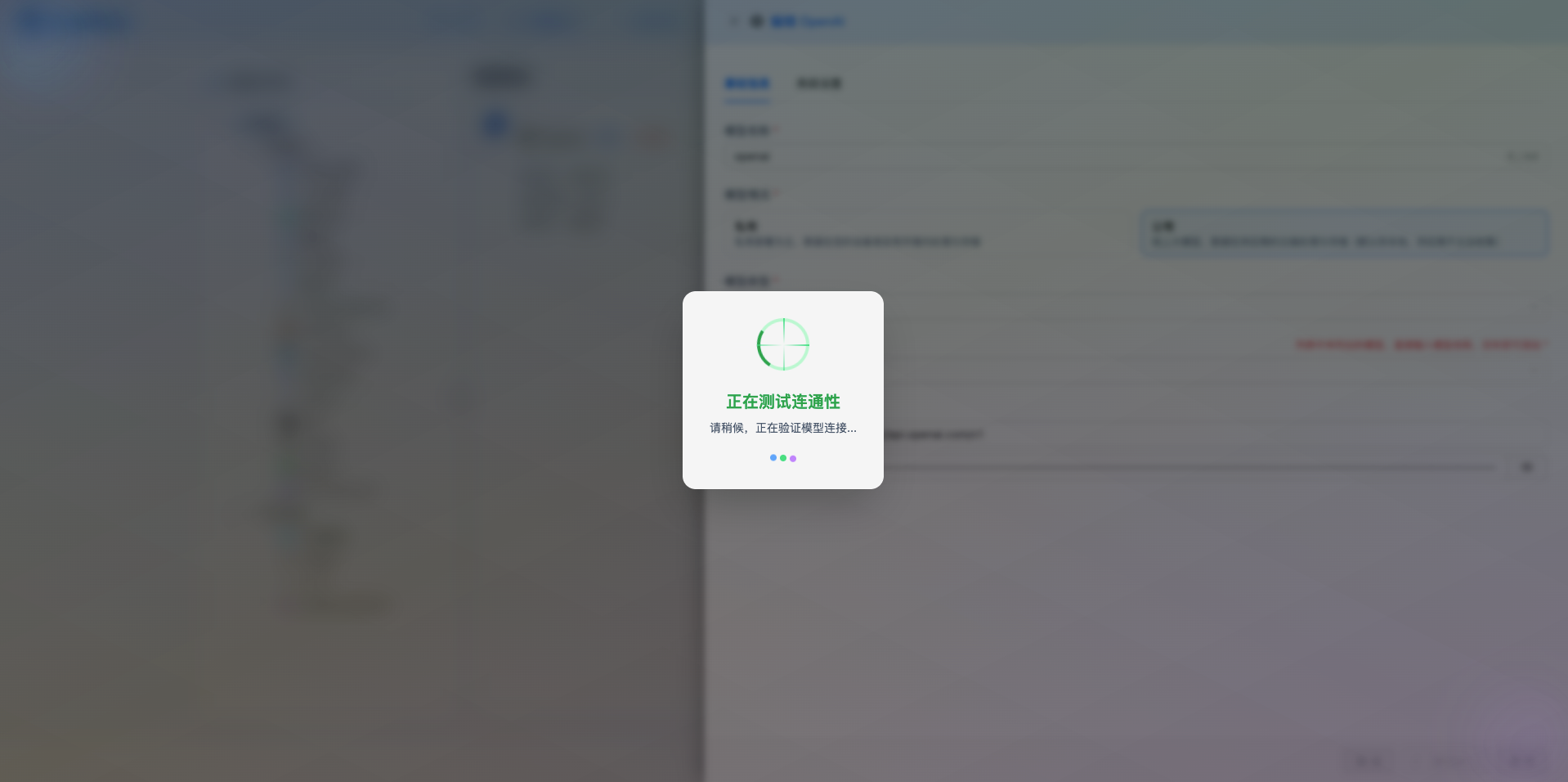
After filling in the configuration, click the Test Connection button to verify if the configuration is correct.
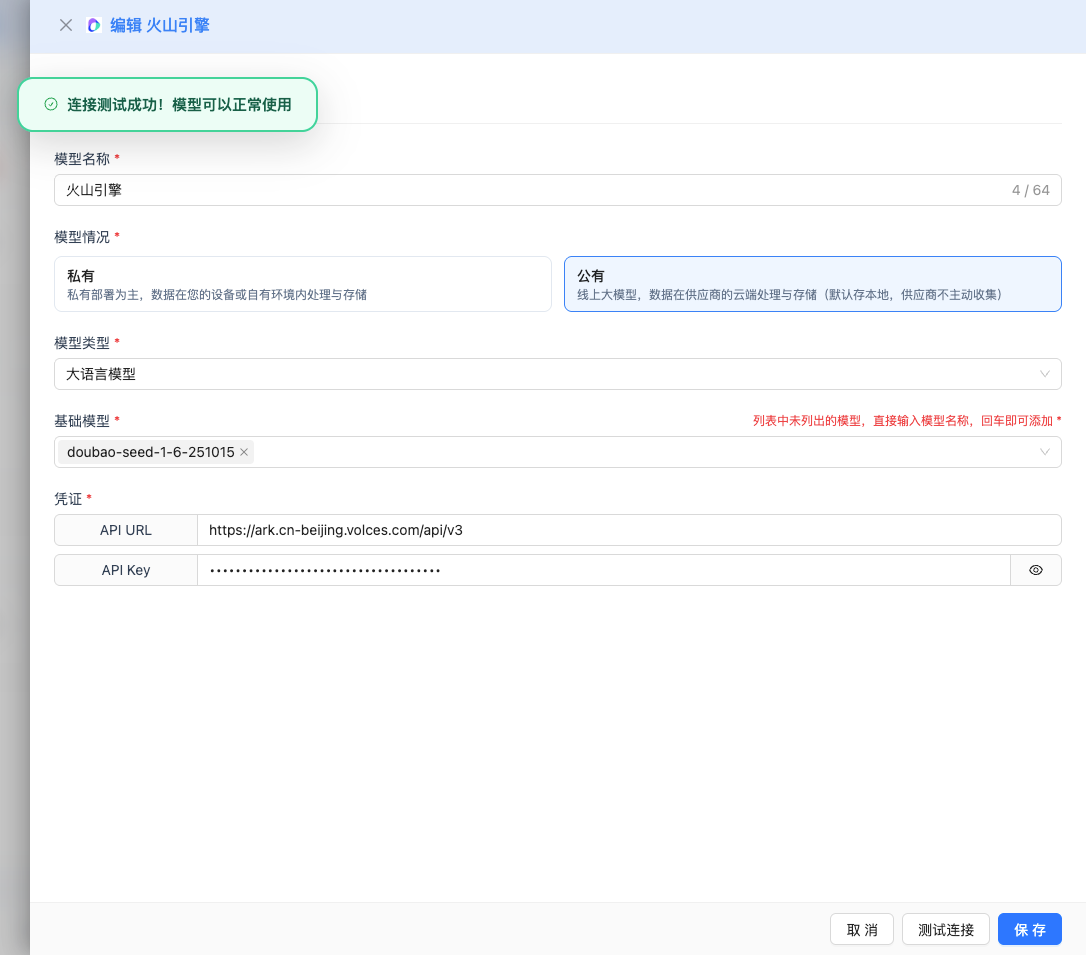
If the configuration is correct, a success message will be displayed with a sample model response.
Common Errors:
- If you see "InvalidEndpointOrModel.NotFound", the model is not enabled or the model name is incorrect. Please return to step 1.6 to enable the model service.
2.6 Save Configuration
After successful testing, click the Save button to complete the model configuration.
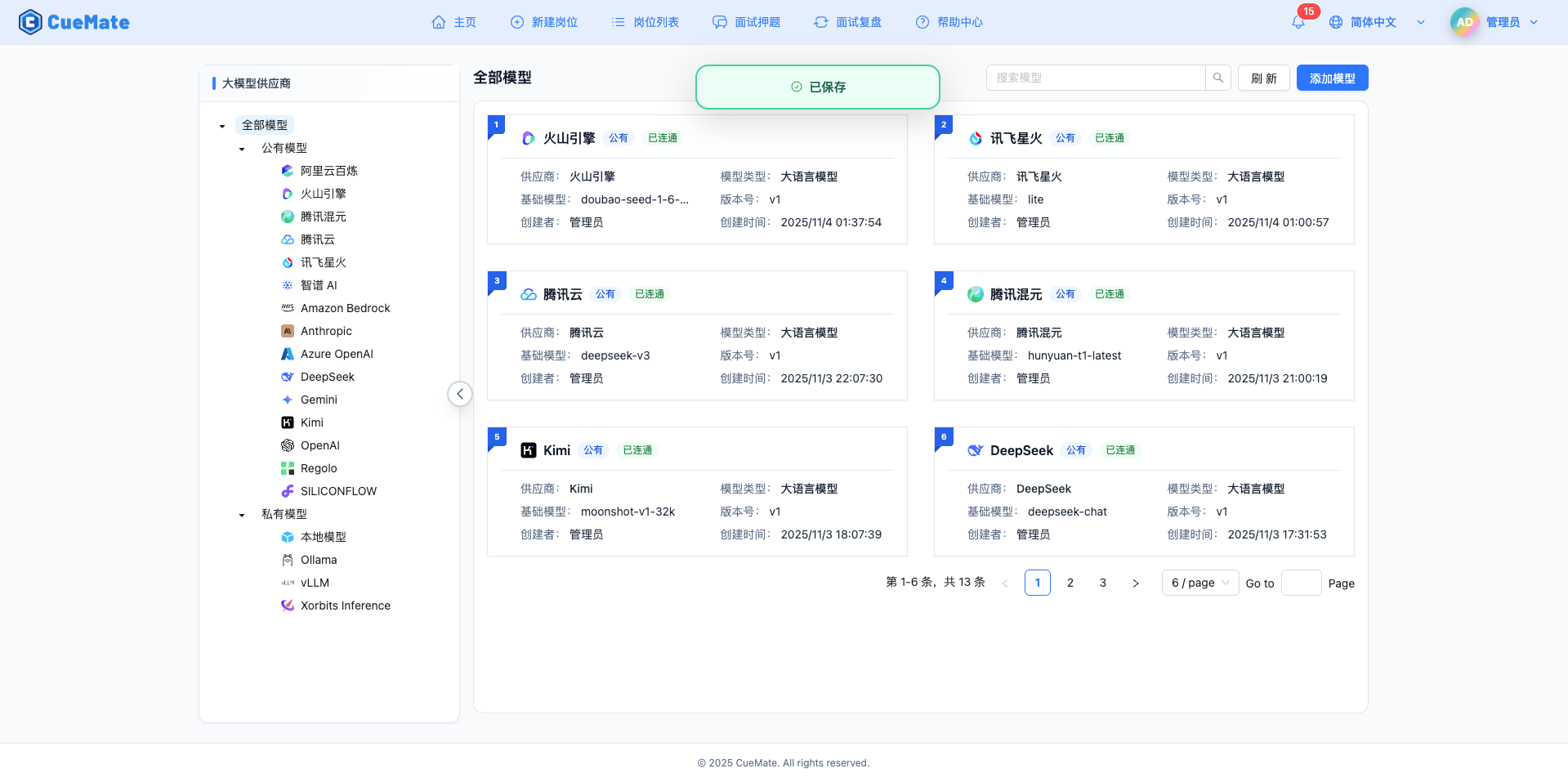
3. Use the Model
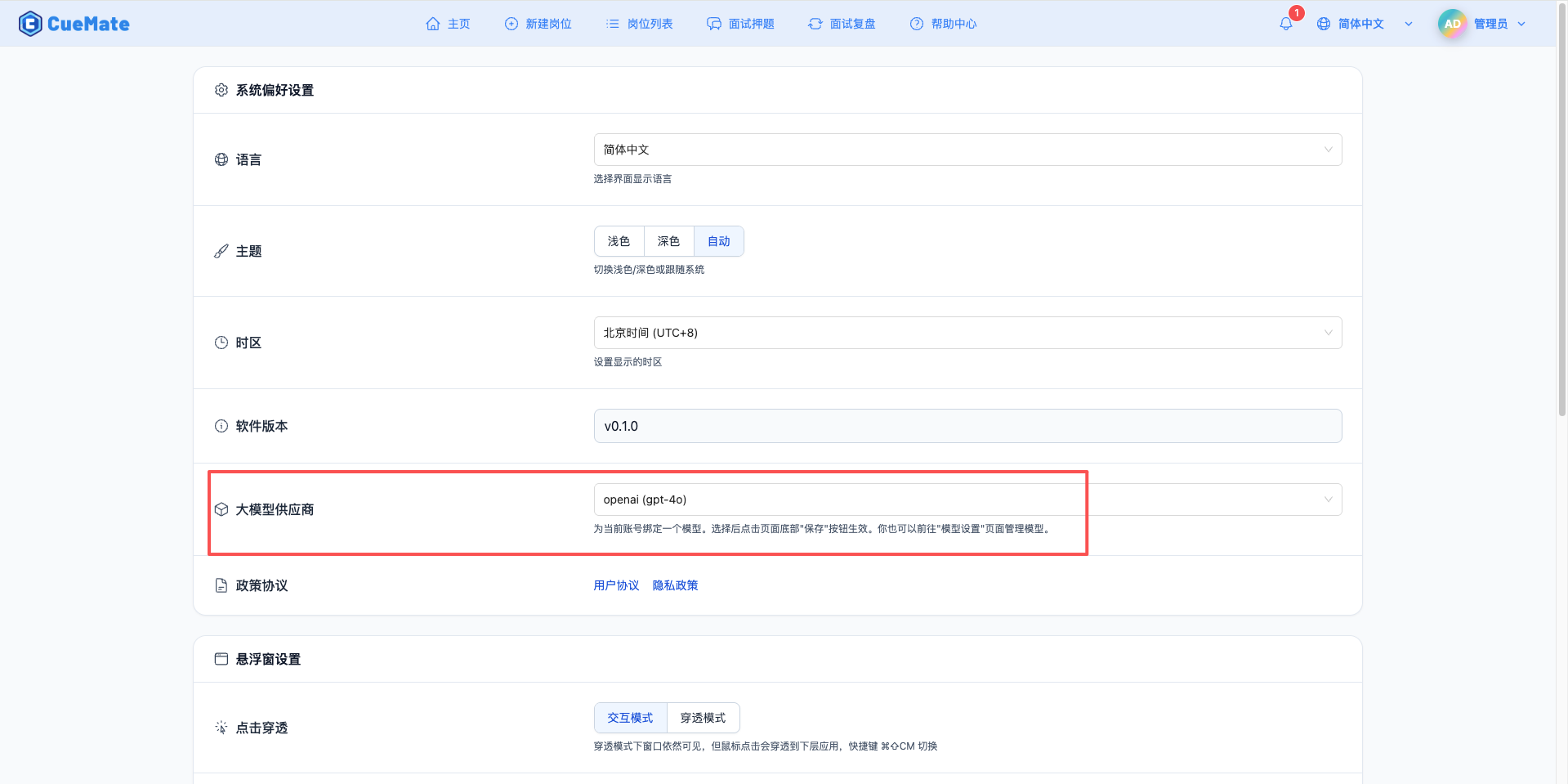
Through the dropdown menu in the upper right corner, enter the system settings interface and select the model configuration you want to use in the large model provider section.
After configuration, you can select to use this model in interview training, question generation, and other functions, or of course, you can individually select the model configuration for each interview in the interview options.
4. Supported Model List
4.1 Doubao Seed 1.6 Series (Latest 2026)
| No. | Model Name | API Call Name | Context Length | Max Output | Use Cases |
|---|---|---|---|---|---|
| 1 | Doubao Seed 1.6 | doubao-seed-1-6-251015 | 256K | 16K tokens | Latest flagship, ultra-long document processing |
| 2 | Doubao Seed 1.6 Thinking | doubao-seed-1-6-thinking-250715 | 256K | 16K tokens | Complex reasoning, technical interviews |
| 3 | Doubao Seed 1.6 Flash | doubao-seed-1-6-flash-250828 | 256K | 16K tokens | Ultra-fast response, real-time interaction |
| 4 | Doubao Seed 1.6 Vision | doubao-seed-1-6-vision-250815 | 256K | 64K tokens | Image understanding, multimodal analysis |
4.2 Doubao 1.5 Series
| No. | Model Name | API Call Name | Context Length | Max Output | Use Cases |
|---|---|---|---|---|---|
| 1 | Doubao 1.5 Enhanced Thinking | doubao-1-5-thinking-pro-250415 | 128K | 16K tokens | Deep reasoning, code analysis |
| 2 | Doubao 1.5 Vision | doubao-1-5-vision-pro-250328 | 128K | 16K tokens | Image understanding, multimodal |
| 3 | Doubao 1.5 UI-TARS | doubao-1-5-ui-tars-250428 | 128K | 16K tokens | UI interaction, interface understanding |
| 4 | Doubao 1.5 Pro 32K | doubao-1-5-pro-32k-250115 | 32K | 4K tokens | Standard scenarios, cost-effective |
| 5 | Doubao 1.5 Pro 256K | doubao-1-5-pro-256k-250115 | 256K | 4K tokens | Ultra-long document processing |
| 6 | Doubao 1.5 Lite | doubao-1-5-lite-32k-250115 | 32K | 4K tokens | Fast response, low cost |
4.3 DeepSeek Series
| No. | Model Name | API Call Name | Context Length | Max Output | Use Cases |
|---|---|---|---|---|---|
| 1 | DeepSeek V3.1 Terminus | deepseek-v3-1-terminus | - | 8K tokens | Code generation, technical reasoning |
| 2 | DeepSeek R1 | deepseek-r1-250528 | - | 8K tokens | Enhanced reasoning, complex problems |
| 3 | DeepSeek V3 | deepseek-v3-250324 | - | 8K tokens | General conversation, code assistance |
4.4 Other Models
| No. | Model Name | API Call Name | Context Length | Max Output | Use Cases |
|---|---|---|---|---|---|
| 1 | Kimi K2 | kimi-k2-250905 | - | 4K tokens | Fast response, conversational interaction |
5. Common Issues
5.1 Endpoint ID Error
Symptom: Error message indicating endpoint does not exist when testing connection
Solution:
- Check endpoint ID format (should be ep-xxxxxxxxxx-yyyy)
- Confirm the inference endpoint has been successfully created
- Verify the endpoint status is "Running"
5.2 Invalid API Key
Symptom: API Key error message
Solution:
- Check if the API Key is in UUID format
- Confirm the API Key has not expired or been disabled
- Verify the account associated with the API Key has model access permissions
5.3 Request Timeout
Symptom: No response for a long time when testing connection or using
Solution:
- Check if the network connection is normal
- Confirm the API URL is configured correctly
- Check firewall settings
5.4 Quota Limit
Symptom: Request quota exceeded error
Solution:
- Log in to the Volcengine console to check quota usage
- Apply for increased quota limit
- Optimize usage frequency