

Configure Ollama
Ollama is a lightweight local large model runtime framework that supports quickly deploying and running open-source large language models on personal computers. It provides simple command-line tools and API interfaces, making local AI deployment simple and efficient.
1. Install Ollama
1.1 Download Ollama
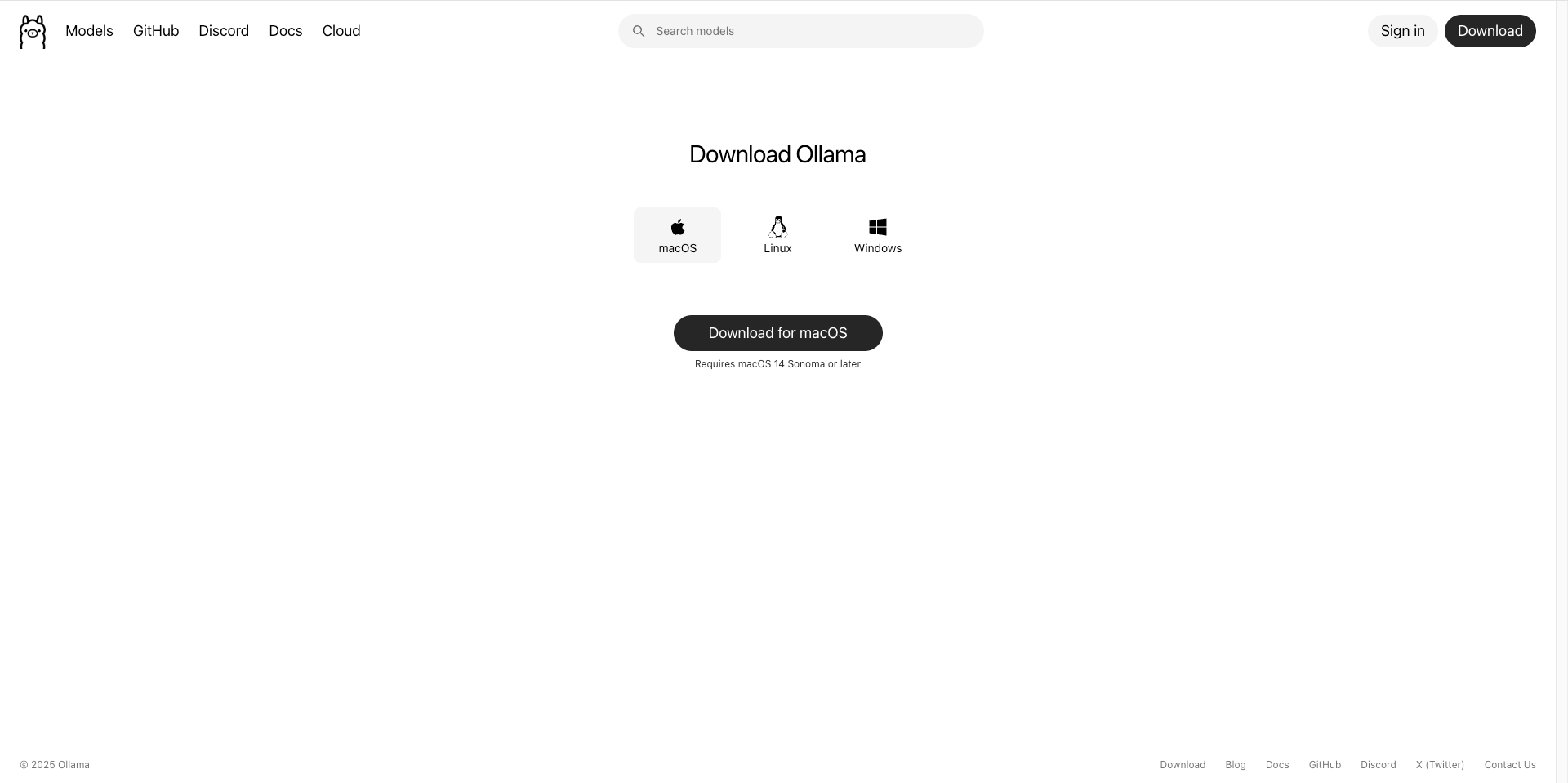
Visit the Ollama official website to download the installation package for your system: https://ollama.com/
1.2 Install Ollama
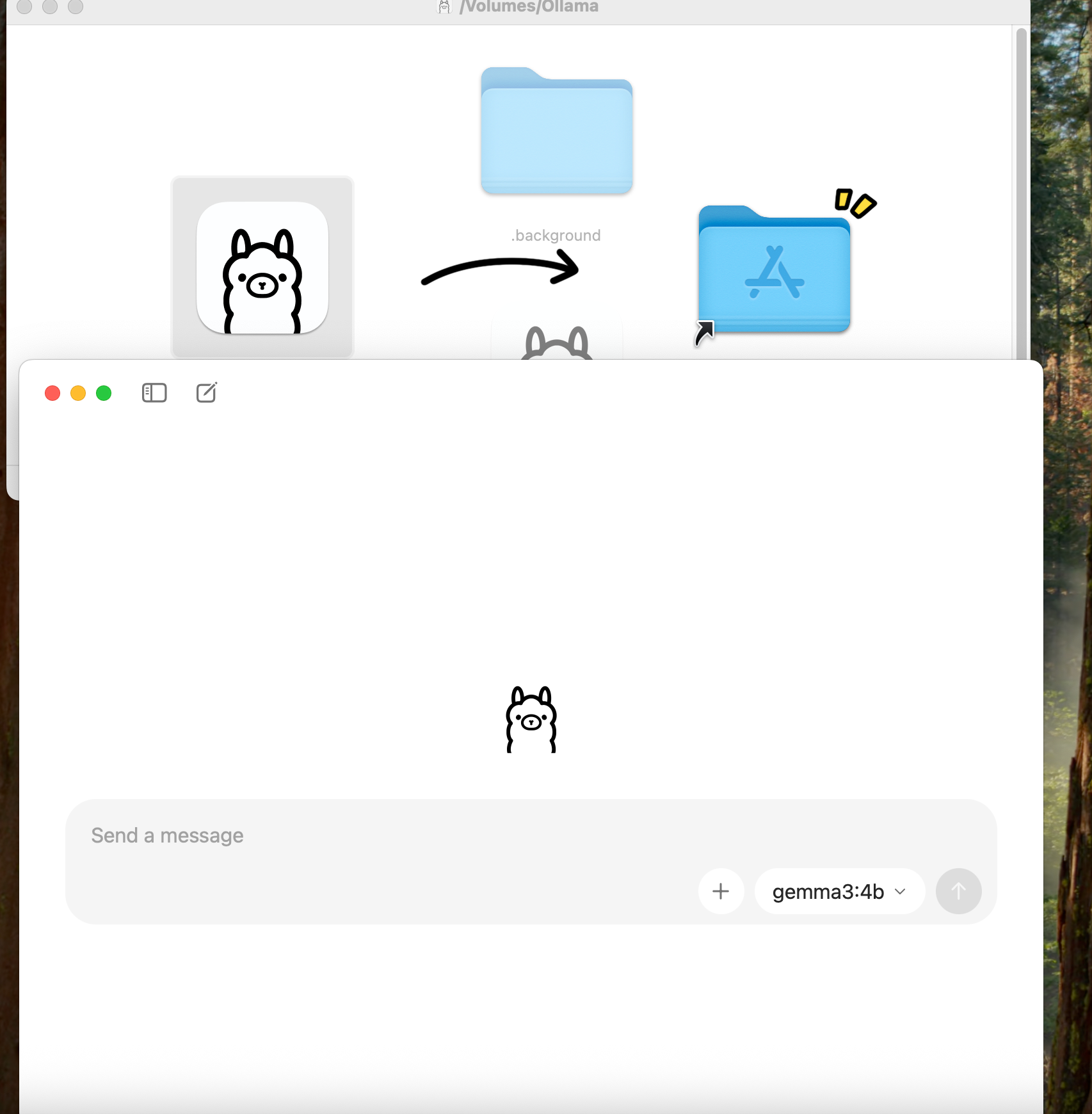
Download the installation package for your system and run the installer:
- macOS: Download the .dmg file and drag it to the Applications folder
- Windows: Download the .exe installer and double-click to run
- Linux: Download the installation package for your distribution (.deb / .rpm) or install using a package manager
1.3 Verify Installation
Open the terminal and run the following command to verify the installation:
ollama --version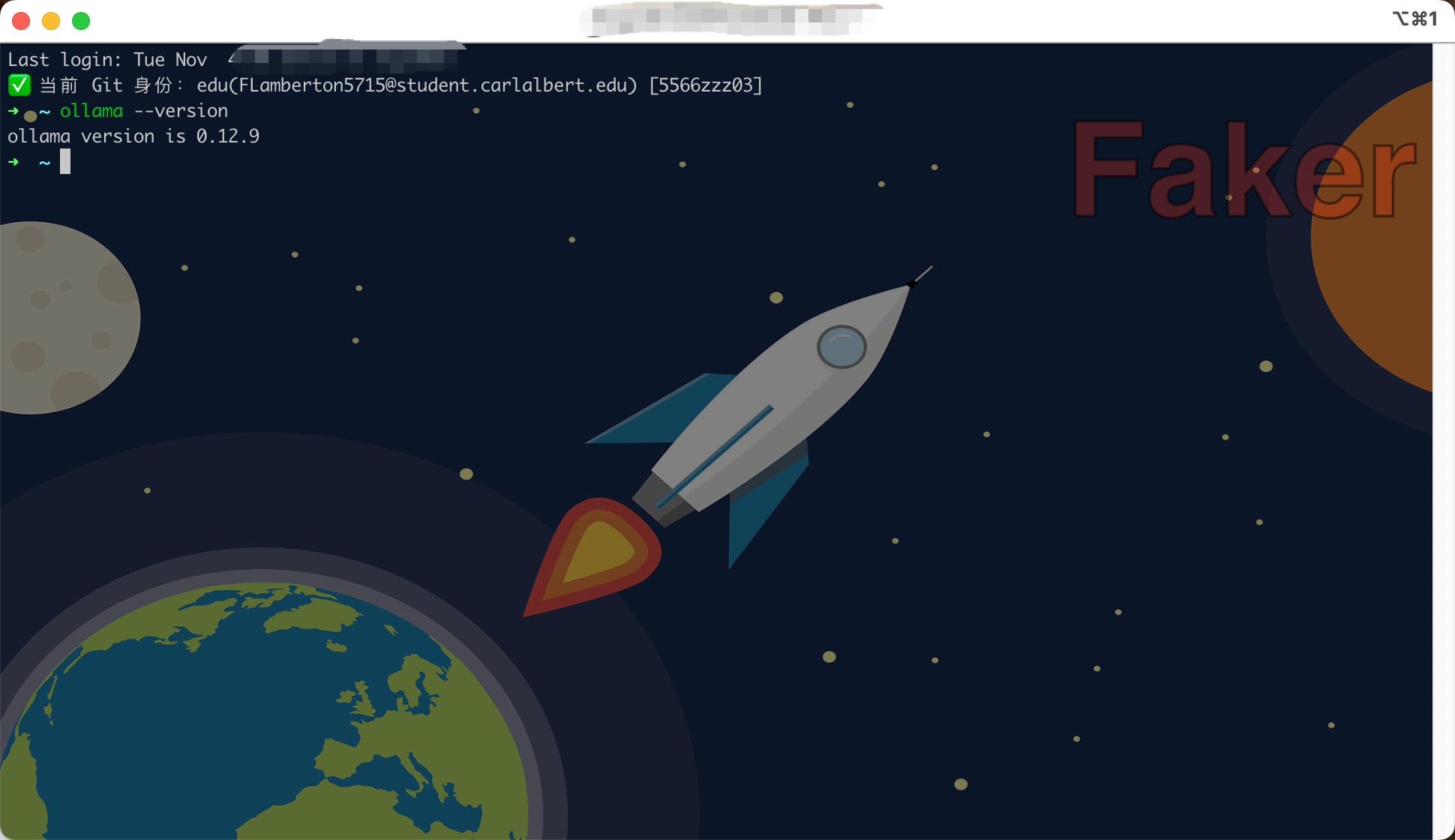
1.4 Select Model
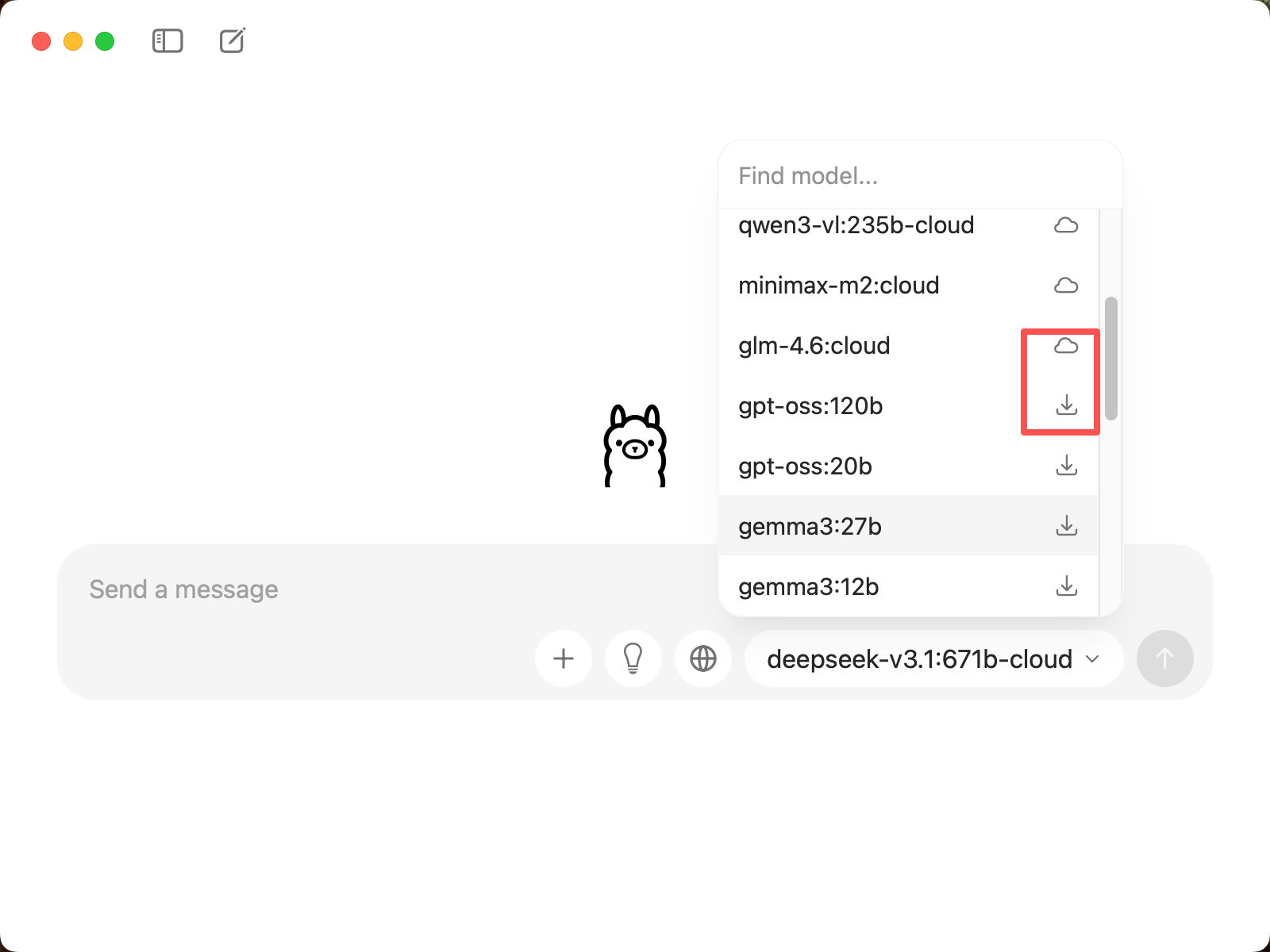
In CueMate's model selection interface, you can see two types of models:
Cloud Models (names include
-cloud):- No download required, directly call through the network
- Examples:
deepseek-v3.1:671b-cloud,qwen3-coder:480b-cloud,glm-4.6:cloud - Advantages: No local storage space required, supports ultra-large parameter models (e.g., 671B)
Local Models (marked with ↓, no
-cloudsuffix):- Will be automatically downloaded locally when selected for the first time
- Examples:
gpt-oss:120b,gemma3:27b,deepseek-r1:8b,qwen3:8b - Advantages: Fast running speed, no network connection required, high data privacy
1.5 Cloud Model Configuration (Required for Cloud Models)
If you choose to use cloud models (e.g., deepseek-v3.1:671b-cloud), you need to first create a model on the Ollama official website:
1.5.1 Visit Ollama Official Website
Visit https://ollama.com/ and log in or register an account.
1.5.2 Create Cloud Model
- After logging in, click the Models menu
- Click the Create a new model button
- Fill in the model name (e.g., CueMate)
- Select Private or Public
- Click Create model to complete creation
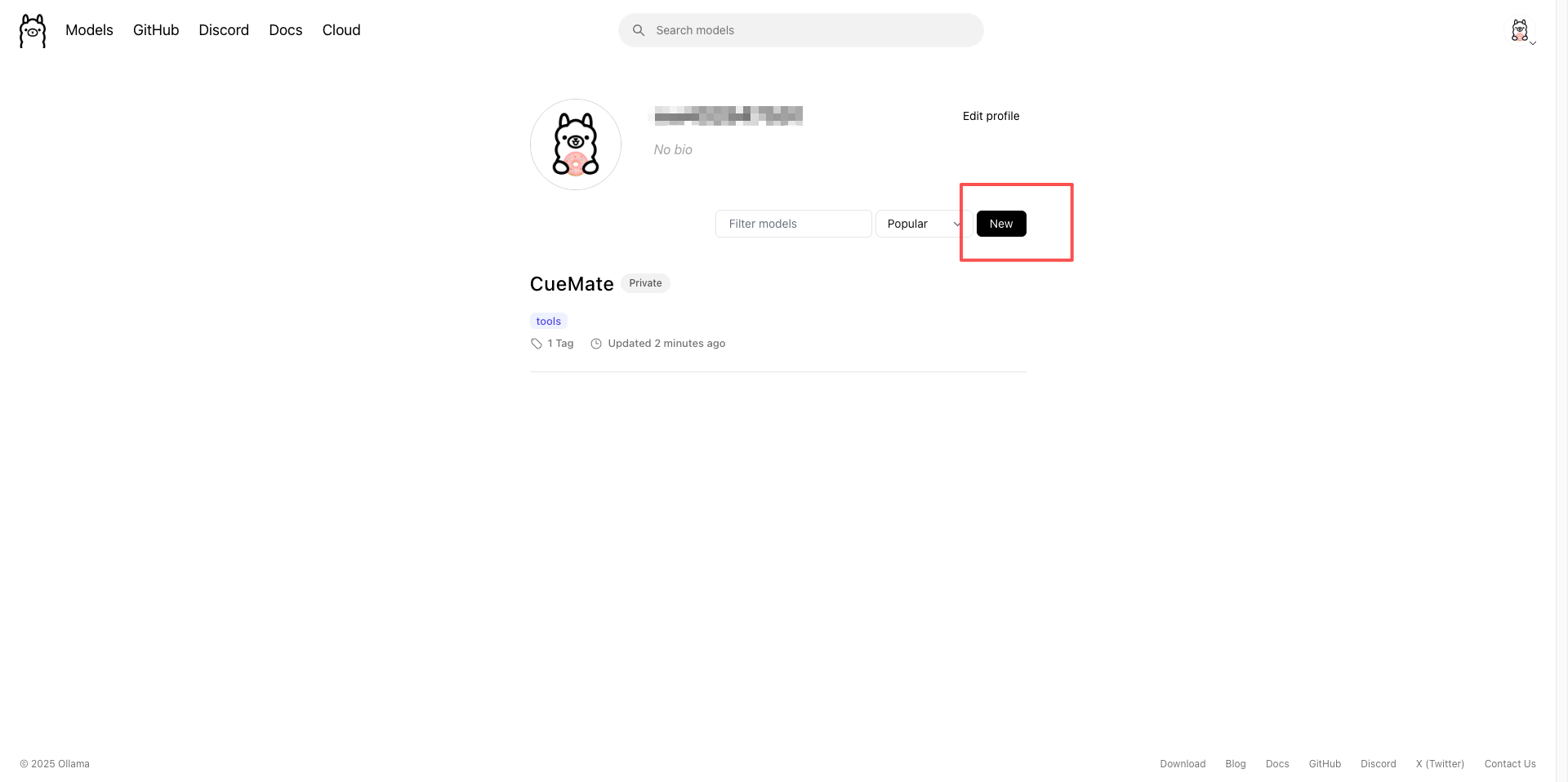
After creation, you will enter the model details page:
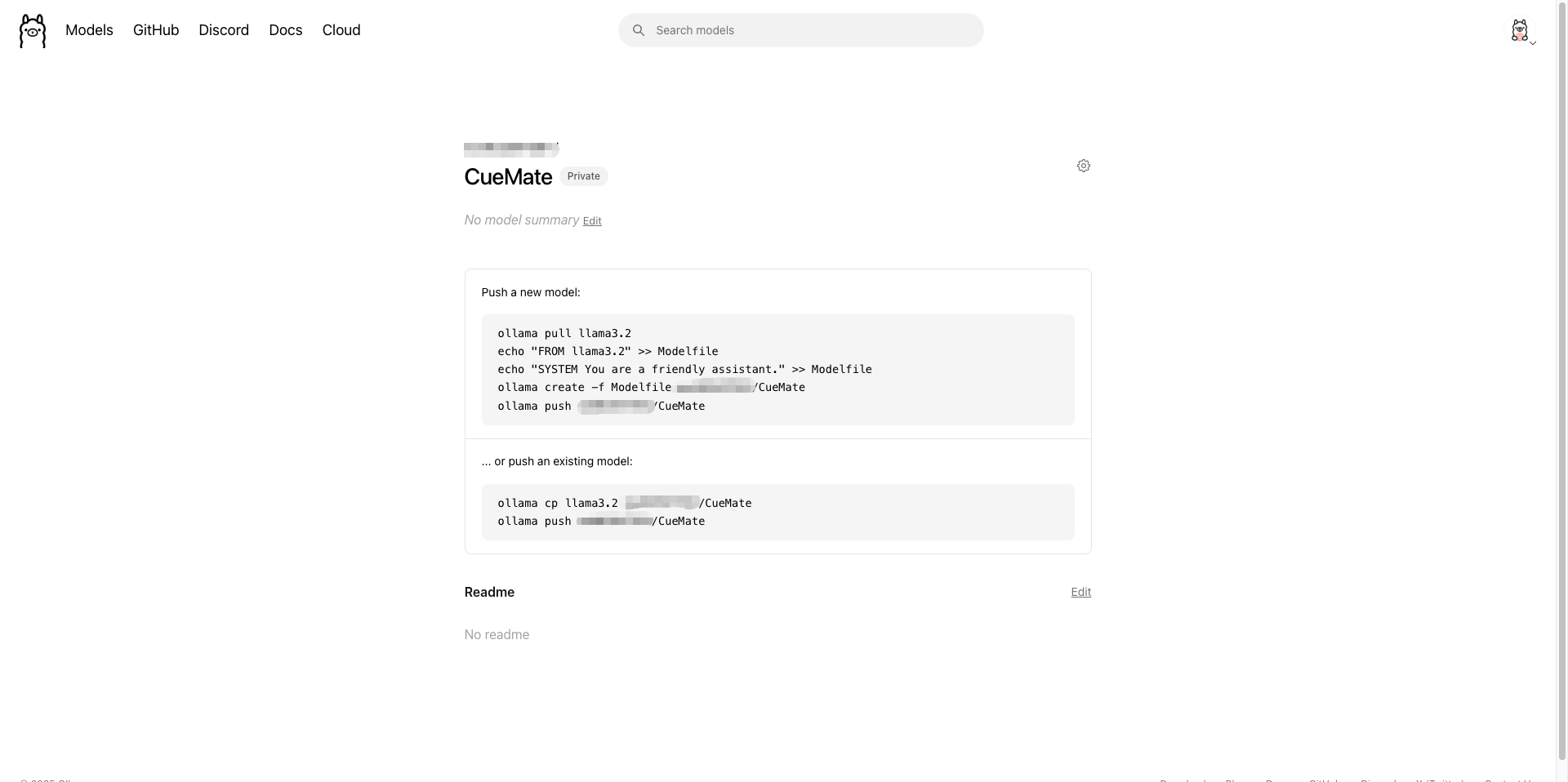
1.5.3 Push Model to Cloud
After creating the model, the page will display push commands. There are two methods:
Method 1: Create and push based on existing model
# 1. Pull base model
ollama pull llama3.2

# 2. Create Modelfile
echo "FROM llama3.2" >> Modelfile
echo "SYSTEM You are a friendly assistant." >> Modelfile

# 3. Create custom model
ollama create -f Modelfile your-username/CueMate

# 4. Push to cloud
ollama push your-username/CueMate
Method 2: Directly copy existing model and push
# Copy existing model
ollama cp llama3.2 your-username/CueMate

# Push to cloud
ollama push your-username/CueMate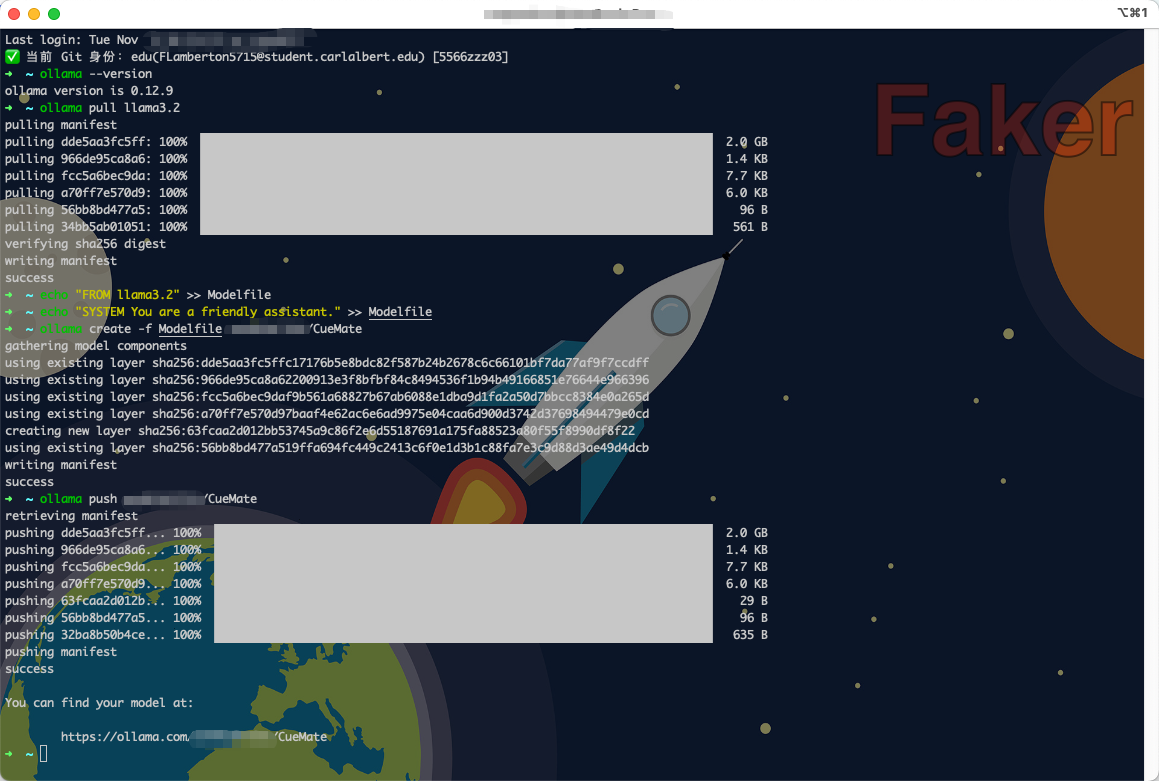
1.5.4 View Cloud Model Address
After successful push, the page will display your cloud model access address:
You can find your model at:
https://ollama.com/your-username/CueMate
This address is your cloud model link, which can be shared with others.
1.5.5 Obtain API Key (For Use in CueMate)
When configuring cloud models in CueMate, you need an API Key:
- Visit Ollama official website settings page: https://ollama.com/settings/keys
- Click Create new key to create a new API Key
- Copy the generated API Key and save it for backup
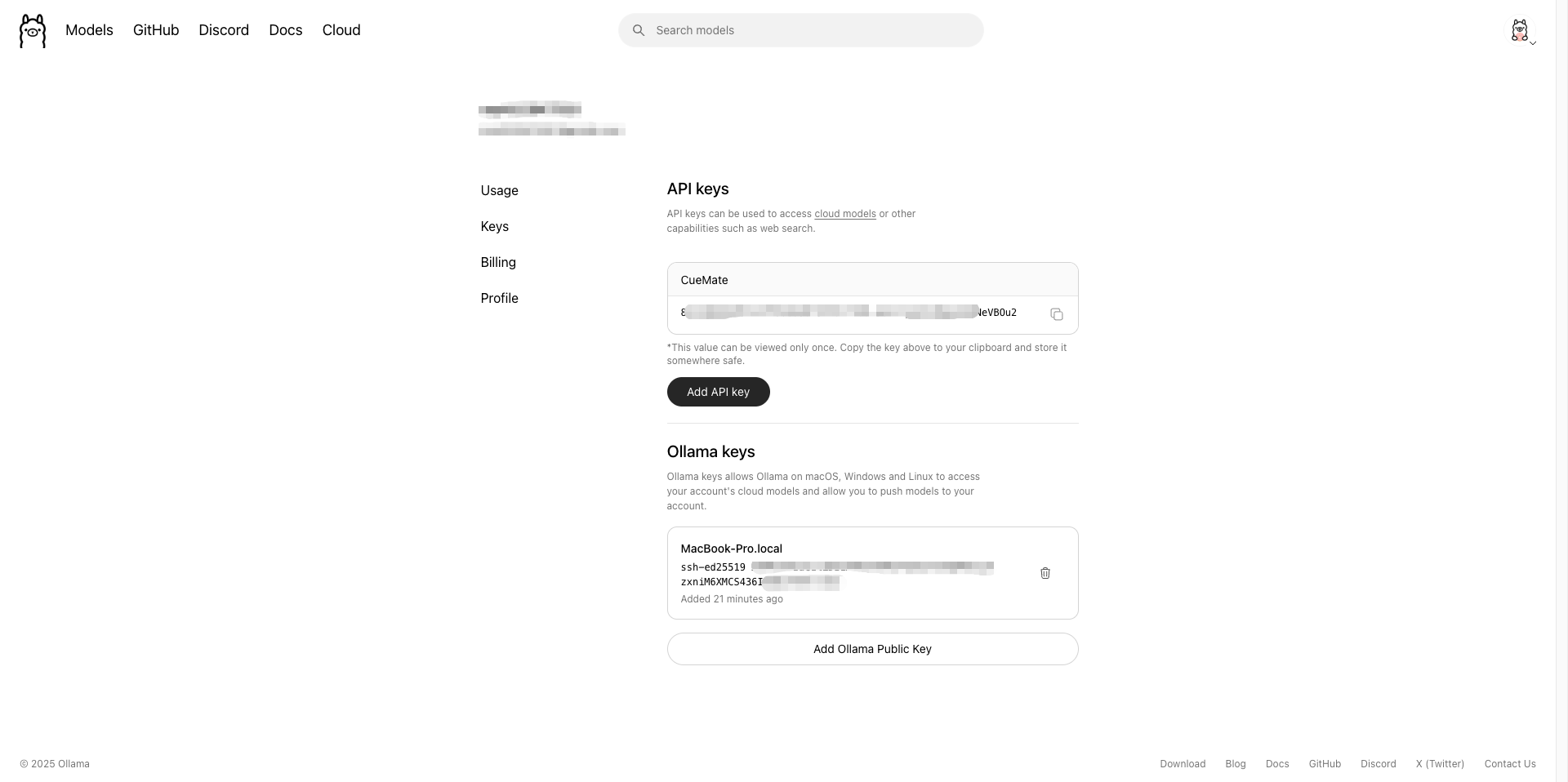
When configuring in CueMate, fill in:
- Model Name:
your-username/CueMate(cloud models do not need to add:cloudsuffix) - API URL:
https://ollama.com - API Key: The API Key you just created
1.6 Local Model Configuration (Required for Local Models)
If you choose to use local models (e.g., gemma3:12b, deepseek-r1:8b), you need to start the local Ollama service:
- Ollama will automatically start the service after installation, listening on
http://localhost:11434by default - Verify if the service is running:bash
curl http://localhost:11434/api/version - Local models will be automatically downloaded on first use
2. Configure Ollama Model in CueMate
2.1 Enter Model Settings Page
After logging into CueMate, click Model Settings in the dropdown menu in the upper right corner.
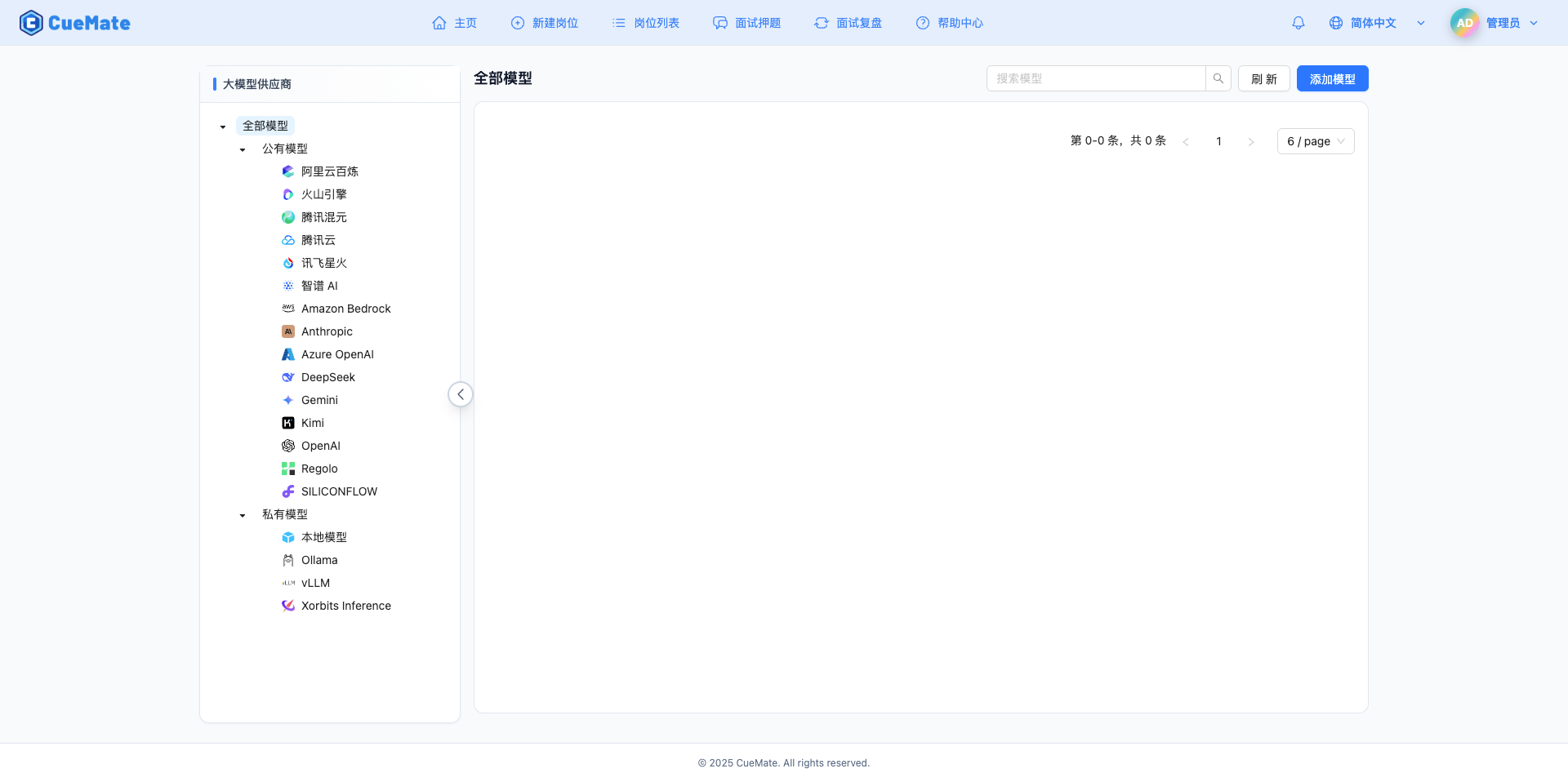
2.2 Add New Model
Click the Add Model button in the upper right corner.

2.3 Select Ollama Provider
In the popup dialog:
- Provider Type: Select Ollama
- After clicking, it will automatically proceed to the next step
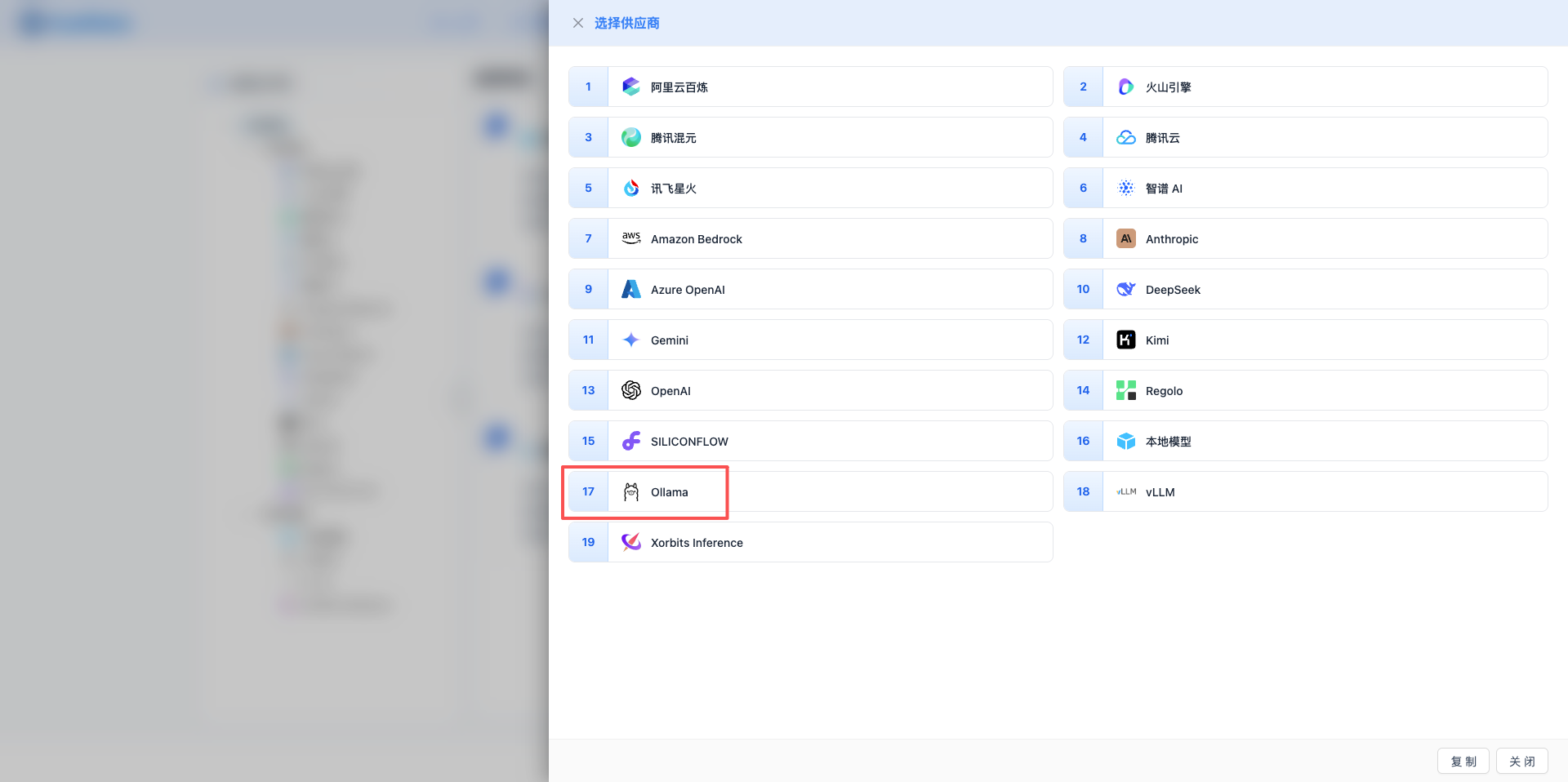
2.4 Fill in Configuration Information
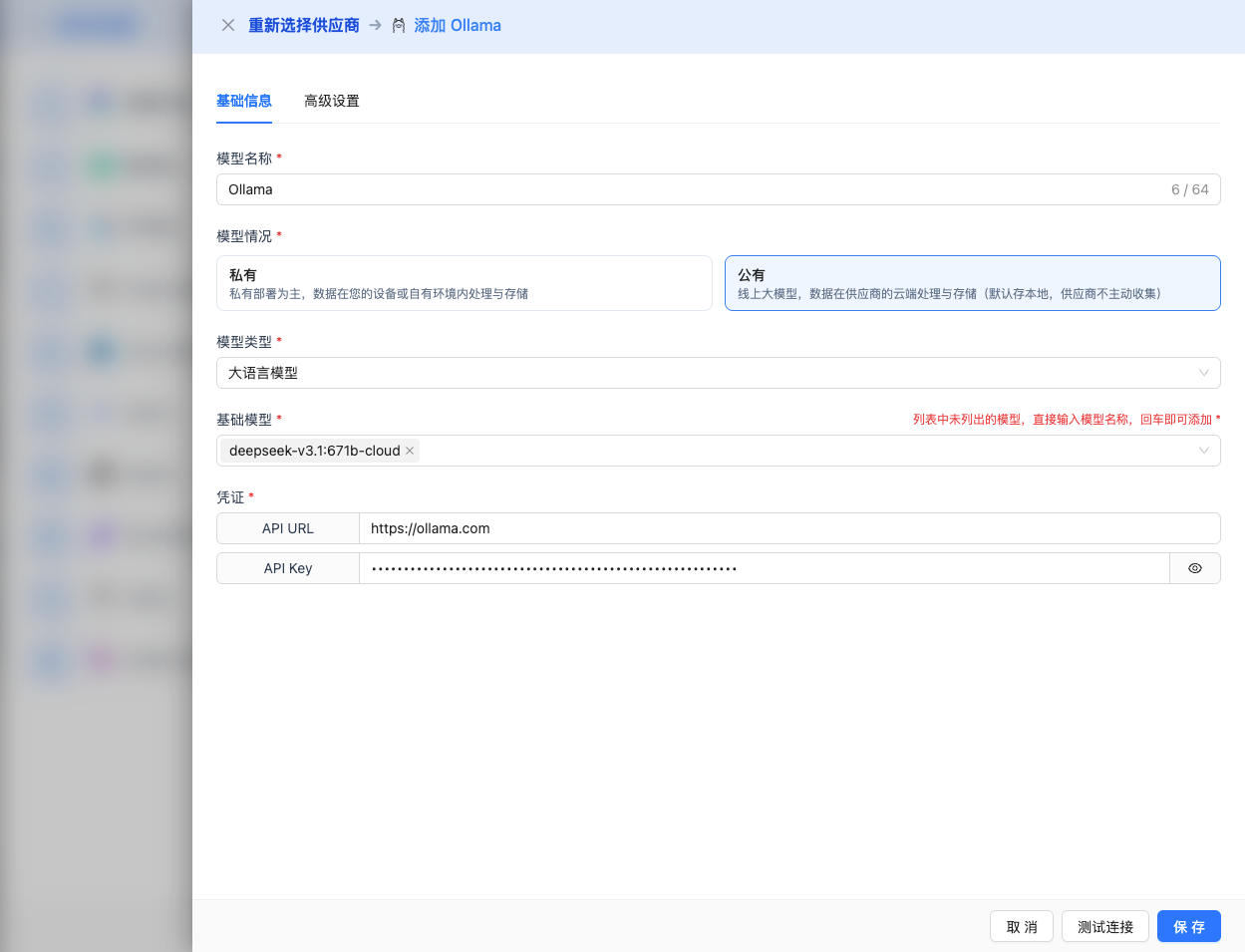
Fill in the following information on the configuration page:
Basic Configuration
- Model Name: Give this model configuration a name (e.g., Local DeepSeek R1)
- API URL: Keep the default
http://localhost:11434(if Ollama is running on another address, modify it) - Model Version: Enter the downloaded model name
2026 Recommended Models:
- Cloud Models:
deepseek-v3.1:671b-cloud,qwen3-coder:480b-cloud,qwen3-vl:235b-cloud,glm-4.6:cloud,minimax-m2:cloud - Local Models:
gpt-oss:120b,gemma3:27b,gemma3:12b,deepseek-r1:8b,qwen3-coder:30b,qwen3-vl:30b,qwen3:30b,qwen3:8b
Note: Local models will be automatically downloaded on first use, cloud models do not require download.
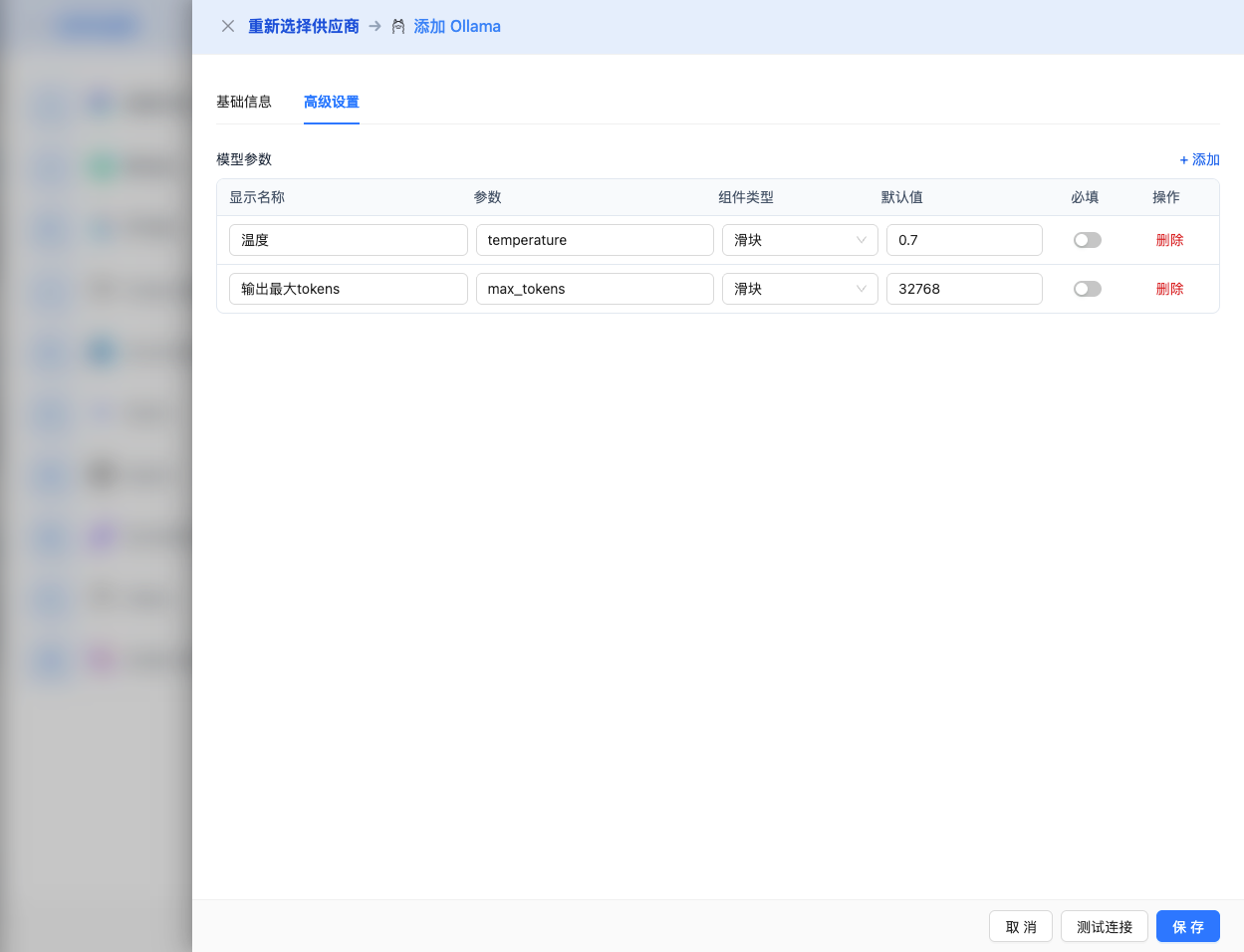
Advanced Configuration (Optional)
Expand the Advanced Configuration panel to adjust the following parameters:
CueMate Interface Adjustable Parameters:
Temperature: Controls output randomness
- Range: 0-2
- Recommended Value: 0.7
- Function: Higher values produce more random and creative output, lower values produce more stable and conservative output
- Usage Suggestions:
- Creative writing/brainstorming: 1.0-1.5
- Regular conversation/Q&A: 0.7-0.9
- Code generation/precise tasks: 0.3-0.5
Max Tokens: Limits single output length
- Range: 256 - 32768 (depending on model)
- Recommended Value: 8192
- Function: Controls the maximum word count of model's single response
- Usage Suggestions:
- Short Q&A: 1024-2048
- Regular conversation: 4096-8192
- Long text generation: 16384-32768
Other Advanced Parameters Supported by Ollama API:
Although CueMate's interface only provides temperature and max_tokens adjustments, if you call Ollama directly through the API, you can also use the following advanced parameters (Ollama uses OpenAI-compatible API format):
top_p (nucleus sampling)
- Range: 0-1
- Default Value: 1
- Function: Samples from the smallest candidate set with cumulative probability reaching p
- Relationship with temperature: Usually only adjust one of them
- Usage Suggestions:
- Maintain diversity but avoid absurdity: 0.9-0.95
- More conservative output: 0.7-0.8
top_k
- Range: 0-100
- Default Value: 40
- Function: Samples from the k candidates with highest probability
- Usage Suggestions:
- More diverse: 50-100
- More conservative: 10-30
frequency_penalty
- Range: -2.0 to 2.0
- Default Value: 0
- Function: Reduces the probability of repeating the same words (based on word frequency)
- Usage Suggestions:
- Reduce repetition: 0.3-0.8
- Allow repetition: 0 (default)
presence_penalty
- Range: -2.0 to 2.0
- Default Value: 0
- Function: Reduces the probability of words that have already appeared appearing again (based on whether they appear)
- Usage Suggestions:
- Encourage new topics: 0.3-0.8
- Allow repeated topics: 0 (default)
stop (stop sequence)
- Type: String or array
- Default Value: null
- Function: Stops when generated content contains specified string
- Example:
["###", "User:", "\n\n"] - Usage Scenarios:
- Structured output: Use delimiters to control format
- Dialogue system: Prevent model from speaking on behalf of users
stream
- Type: Boolean
- Default Value: false
- Function: Enables SSE streaming return, returning as it generates
- In CueMate: Handled automatically, no manual setting required
seed (random seed)
- Type: Integer
- Default Value: null
- Function: Fixes random seed, same input produces same output
- Usage Scenarios:
- Reproducible testing
- Comparative experiments
| No. | Scenario | temperature | max_tokens | top_p | top_k | frequency_penalty | presence_penalty |
|---|---|---|---|---|---|---|---|
| 1 | Creative writing | 1.0-1.2 | 4096-8192 | 0.95 | 50 | 0.5 | 0.5 |
| 2 | Code generation | 0.2-0.5 | 2048-4096 | 0.9 | 40 | 0.0 | 0.0 |
| 3 | Q&A system | 0.7 | 1024-2048 | 0.9 | 40 | 0.0 | 0.0 |
| 4 | Summarization | 0.3-0.5 | 512-1024 | 0.9 | 30 | 0.0 | 0.0 |
| 5 | Brainstorming | 1.2-1.5 | 2048-4096 | 0.95 | 60 | 0.8 | 0.8 |
2.5 Test Connection
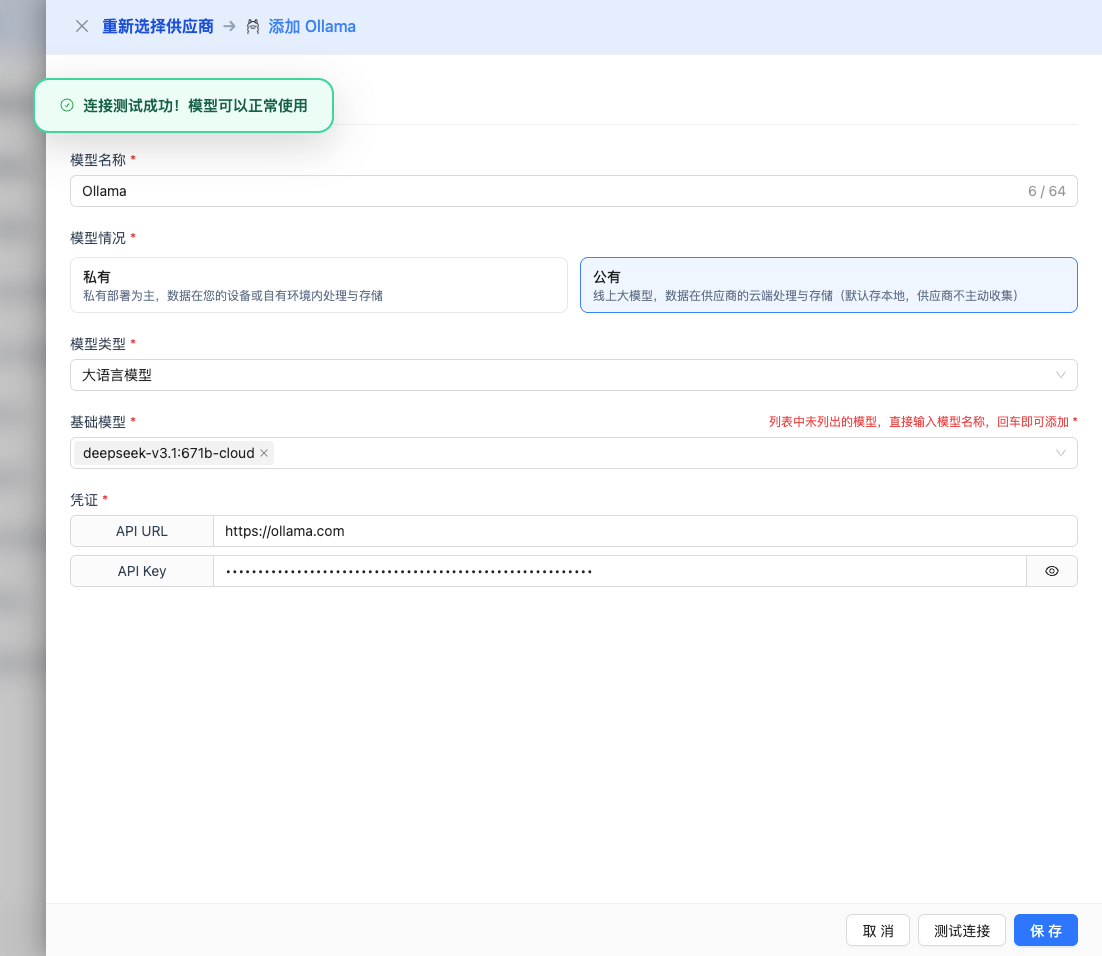
After filling in the configuration, click the Test Connection button to verify if the configuration is correct.
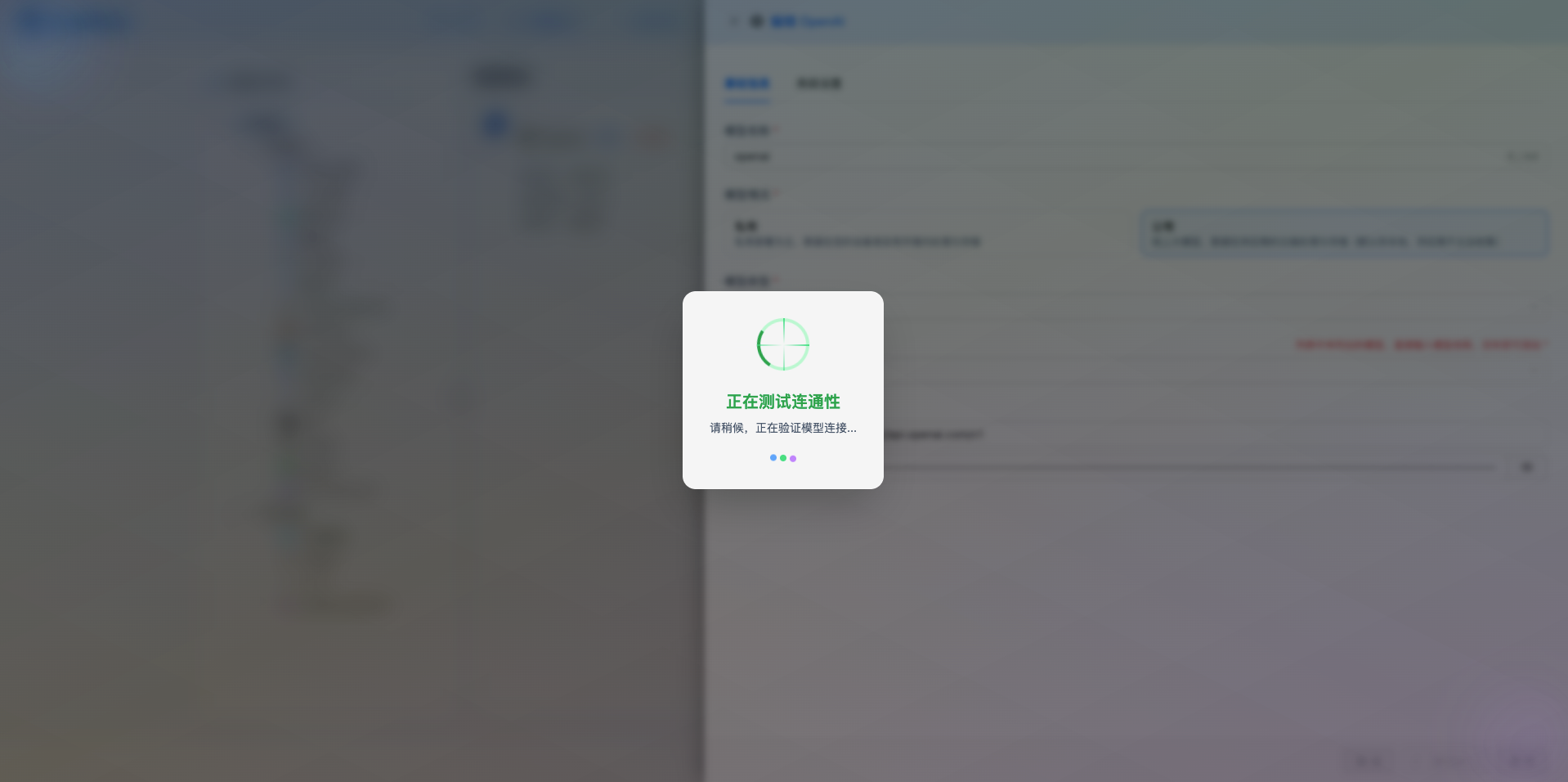
If the configuration is correct, it will display a success message and return a model response example.
If the configuration is incorrect, it will display test error logs, and you can view specific error information through log management.
2.6 Save Configuration
After a successful test, click the Save button to complete the model configuration.
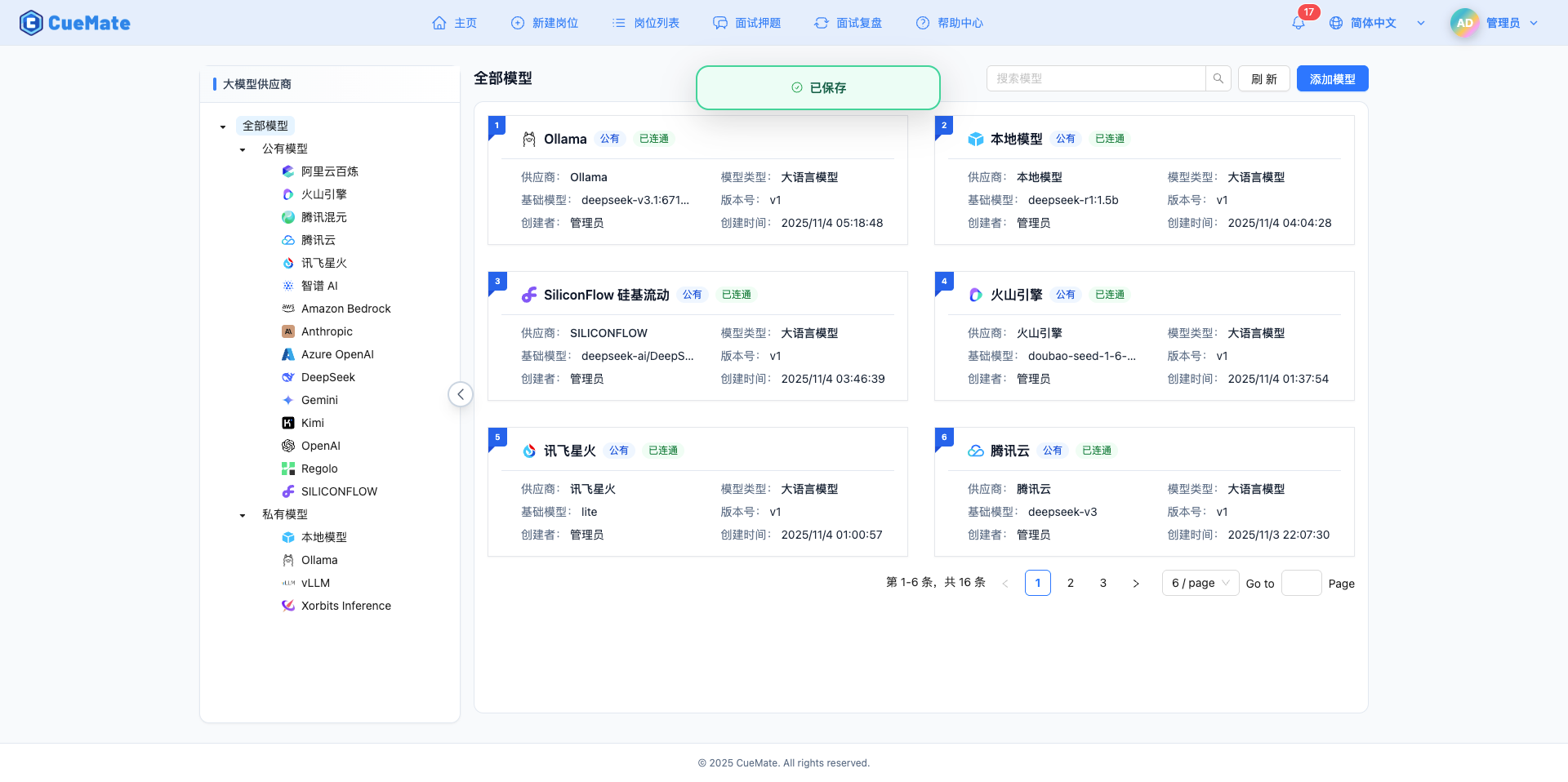
3. Use Model
Through the dropdown menu in the upper right corner, enter the system settings interface and select the model configuration you want to use in the Large Model Provider section.
After configuration, you can select to use this model in functions such as interview training and question generation, or you can individually select the model configuration for a specific interview in the interview options.
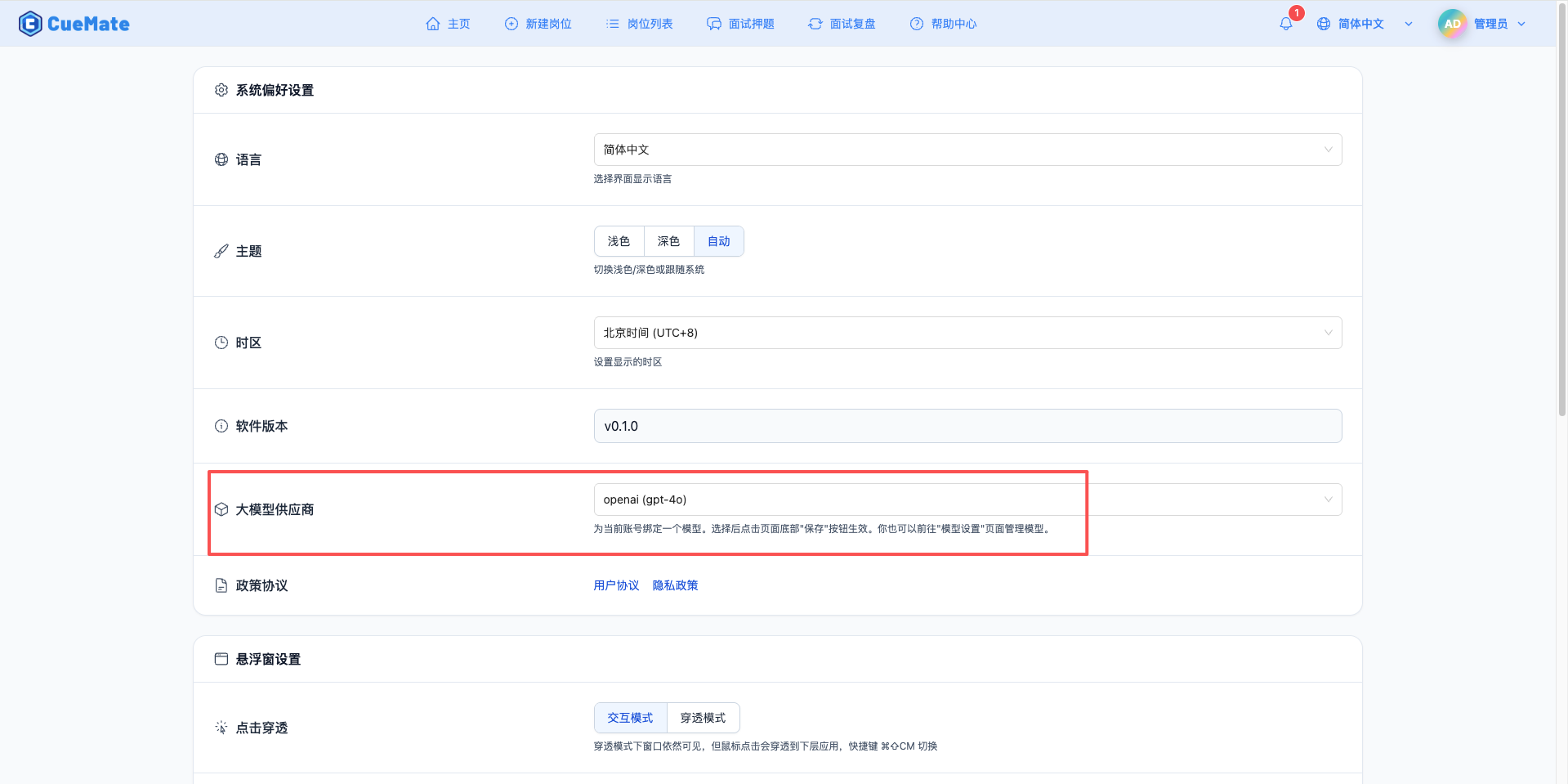
4. Supported Model List
4.1 Cloud Models
| No. | Model Name | Model ID | Parameters | Features |
|---|---|---|---|---|
| 1 | GPT-OSS 120B Cloud | gpt-oss:120b-cloud | 120B | Open-source GPT cloud version |
| 2 | GPT-OSS 20B Cloud | gpt-oss:20b-cloud | 20B | Open-source GPT cloud version |
| 3 | DeepSeek V3.1 | deepseek-v3.1:671b-cloud | 671B | Ultra-large scale reasoning model |
| 4 | Qwen3 Coder | qwen3-coder:480b-cloud | 480B | Code generation specialized |
| 5 | Qwen3 VL | qwen3-vl:235b-cloud | 235B | Vision-language model |
| 6 | MiniMax M2 | minimax-m2:cloud | - | MiniMax cloud model |
| 7 | GLM-4.6 | glm-4.6:cloud | - | Zhipu GLM latest version |
4.2 Local Models
GPT-OSS Series
| No. | Model Name | Model ID | Parameters | Use Case |
|---|---|---|---|---|
| 1 | GPT-OSS 120B | gpt-oss:120b | 120B | Open-source GPT ultra-large model |
| 2 | GPT-OSS 20B | gpt-oss:20b | 20B | Open-source GPT medium model |
Gemma 3 Series (Google)
| No. | Model Name | Model ID | Parameters | Use Case |
|---|---|---|---|---|
| 1 | Gemma3 27B | gemma3:27b | 27B | Google latest flagship model |
| 2 | Gemma3 12B | gemma3:12b | 12B | Medium-scale tasks |
| 3 | Gemma3 4B | gemma3:4b | 4B | Lightweight tasks |
| 4 | Gemma3 1B | gemma3:1b | 1B | Ultra-lightweight |
DeepSeek R1 Series
| No. | Model Name | Model ID | Parameters | Use Case |
|---|---|---|---|---|
| 1 | DeepSeek R1 8B | deepseek-r1:8b | 8B | Reasoning enhancement |
Qwen 3 Series
| No. | Model Name | Model ID | Parameters | Use Case |
|---|---|---|---|---|
| 1 | Qwen3 Coder 30B | qwen3-coder:30b | 30B | Code generation |
| 2 | Qwen3 VL 30B | qwen3-vl:30b | 30B | Vision-language |
| 3 | Qwen3 VL 8B | qwen3-vl:8b | 8B | Vision-language |
| 4 | Qwen3 VL 4B | qwen3-vl:4b | 4B | Vision-language |
| 5 | Qwen3 30B | qwen3:30b | 30B | General conversation |
| 6 | Qwen3 8B | qwen3:8b | 8B | General conversation |
| 7 | Qwen3 4B | qwen3:4b | 4B | Lightweight tasks |
5. Common Issues
5.1 Ollama Service Not Started
Symptom: Connection failure prompt during test connection
Solution:
- Confirm if Ollama service is running:
ollama list - Restart Ollama service
- Check if port 11434 is occupied:
lsof -i :11434
5.2 Model Not Downloaded
Symptom: Model does not exist prompt
Solution:
- Use
ollama listto view downloaded models - Use
ollama pull <model-name>to download models - Confirm model name spelling is correct
5.3 Performance Issues
Symptom: Slow model response speed
Solution:
- Select models with smaller parameters (e.g., 7B instead of 70B)
- Ensure sufficient GPU memory or system memory
- Check system resource usage
5.4 API URL Error
Symptom: Cannot connect to Ollama service
Solution:
- Confirm API URL is configured correctly (default http://localhost:11434)
- If Ollama is running in Docker, use the container's internal address
- Check firewall settings
5.5 Model Selection
- Development and Testing: Use 7B-14B parameter models, fast response, low resource consumption
- Production Environment: Select 14B-32B parameter models based on performance requirements
- Resource Constrained: Use 0.5B-3B parameter lightweight models
5.6 Hardware Requirements
| Model Parameters | Minimum Memory | Recommended Memory | GPU |
|---|---|---|---|
| 0.5B-3B | 4GB | 8GB | Optional |
| 7B-14B | 8GB | 16GB | Recommended |
| 32B-70B | 32GB | 64GB | Required |