

Configure Anthropic
Anthropic is a leading AI safety research company that developed the Claude series of large language models. Claude is known for its powerful reasoning capabilities, long context processing, and safety alignment features, providing multi-tiered AI services from fast responses to deep analysis.
1. Get Anthropic API Key
1.1 Access Anthropic Platform
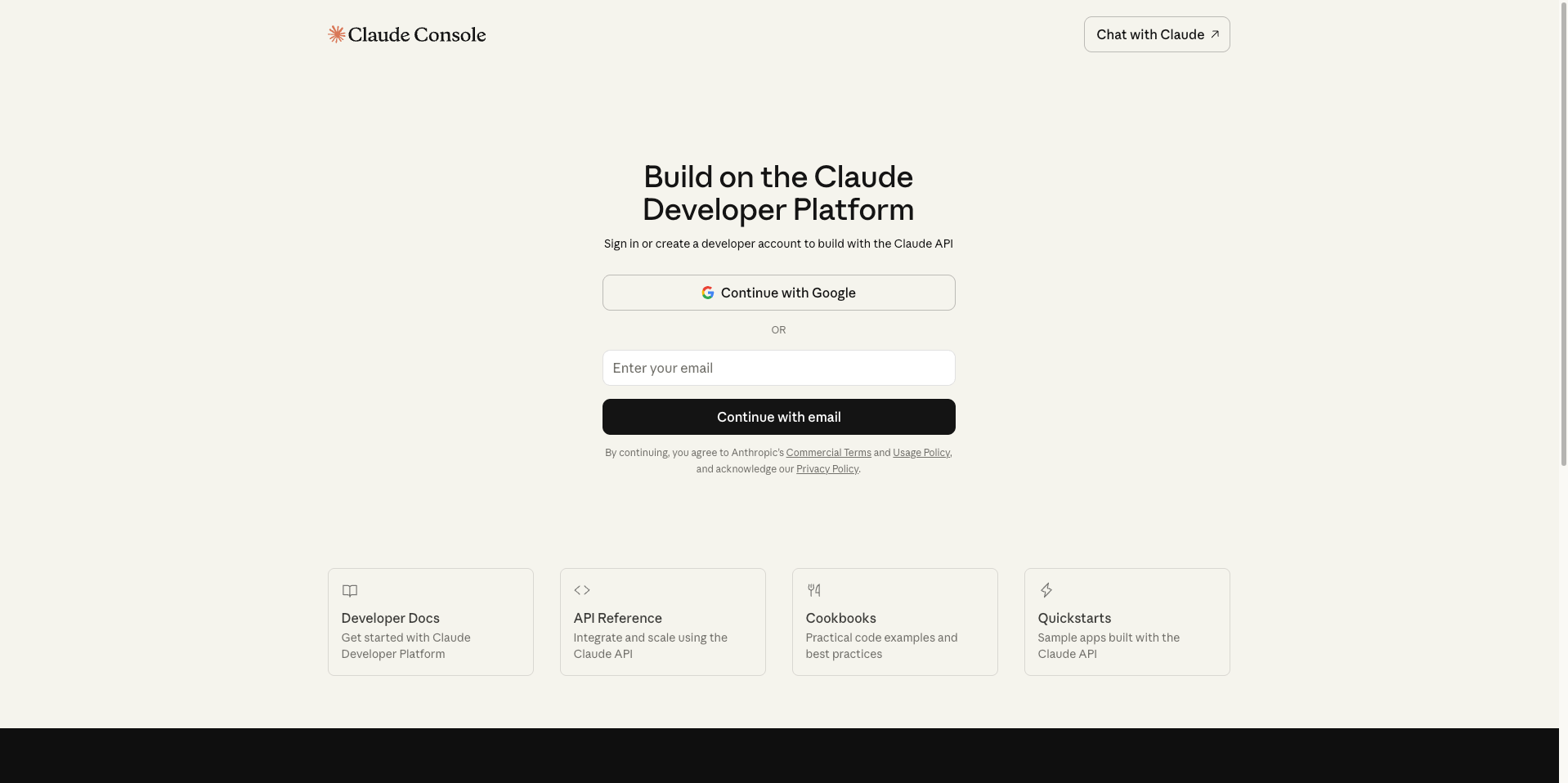
Visit Anthropic Console and log in: https://console.anthropic.com/
1.2 Go to API Keys Page
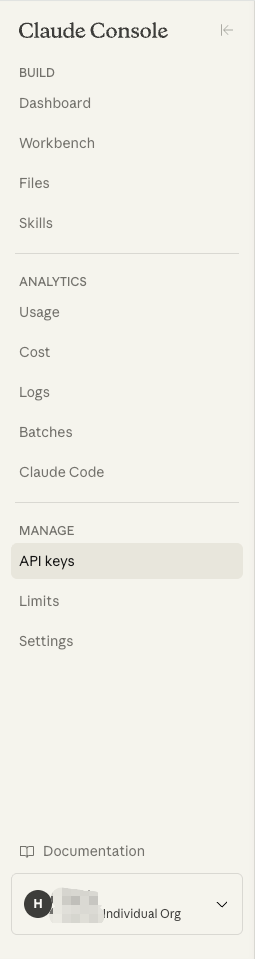
After logging in, click API Keys in the left menu.
1.3 Create a New API Key
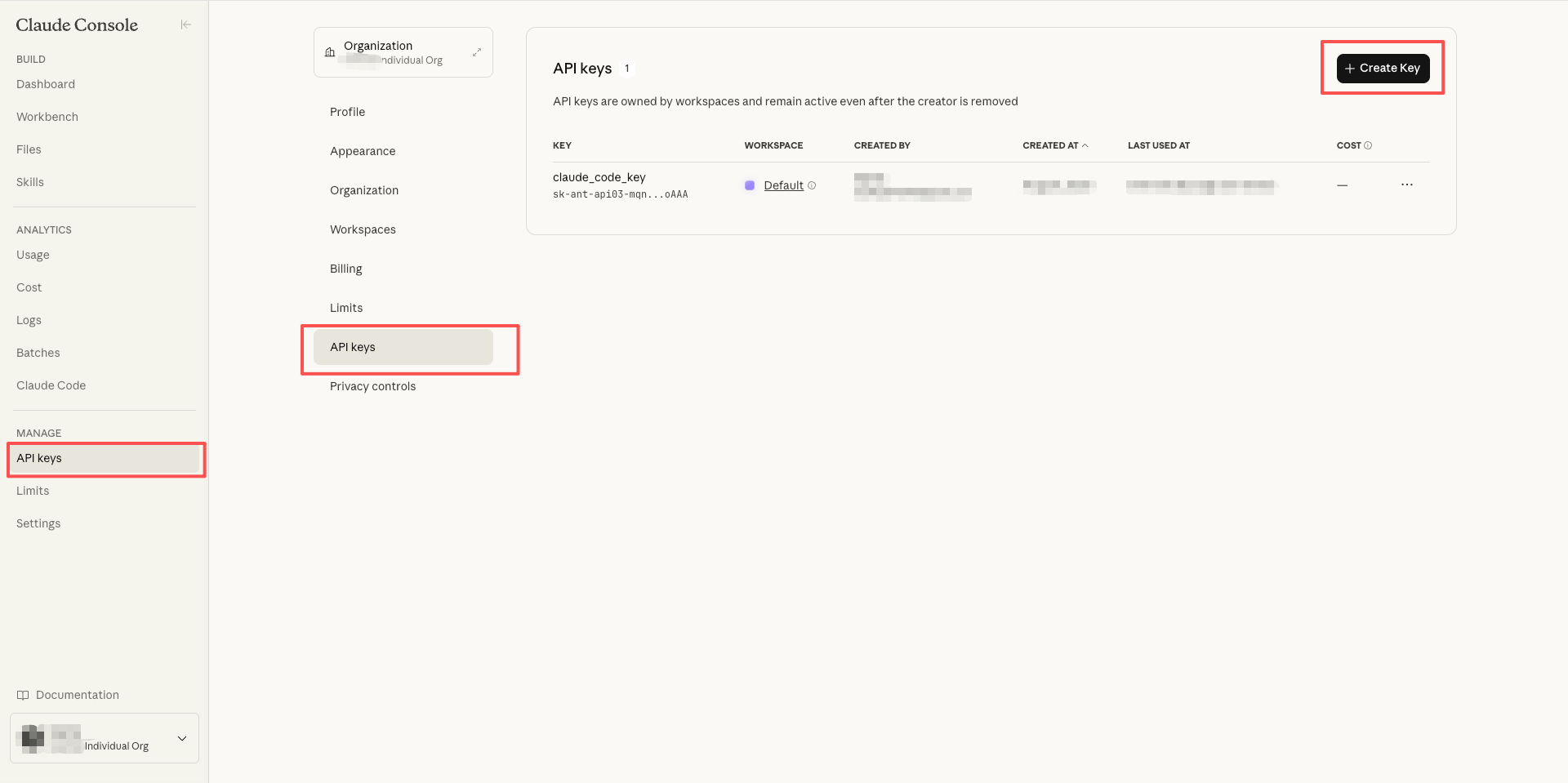
Click the Create Key button in the upper right corner.
1.4 Set API Key Information
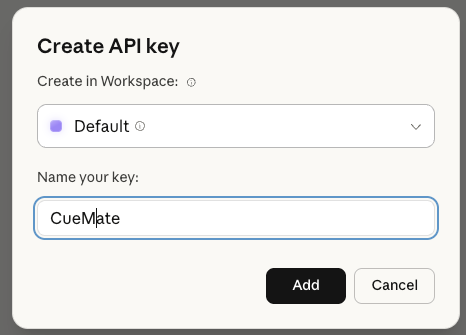
In the popup dialog:
- Enter a name for the API Key (e.g., CueMate)
- Click the Create Key button
1.5 Copy API Key
After successful creation, the system will display the API Key.
Important: Please copy and save it securely immediately. The API Key starts with sk-ant-api03-.
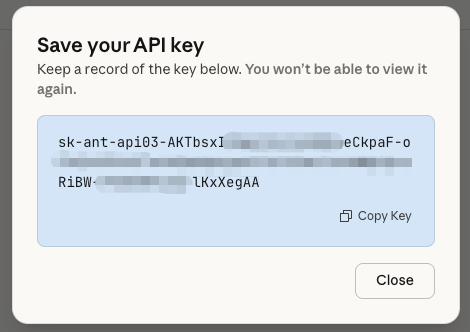
Click the copy button, and the API Key will be copied to your clipboard.
2. Configure Anthropic Model in CueMate
2.1 Go to Model Settings Page
After logging into the CueMate system, click Model Settings in the dropdown menu in the upper right corner.
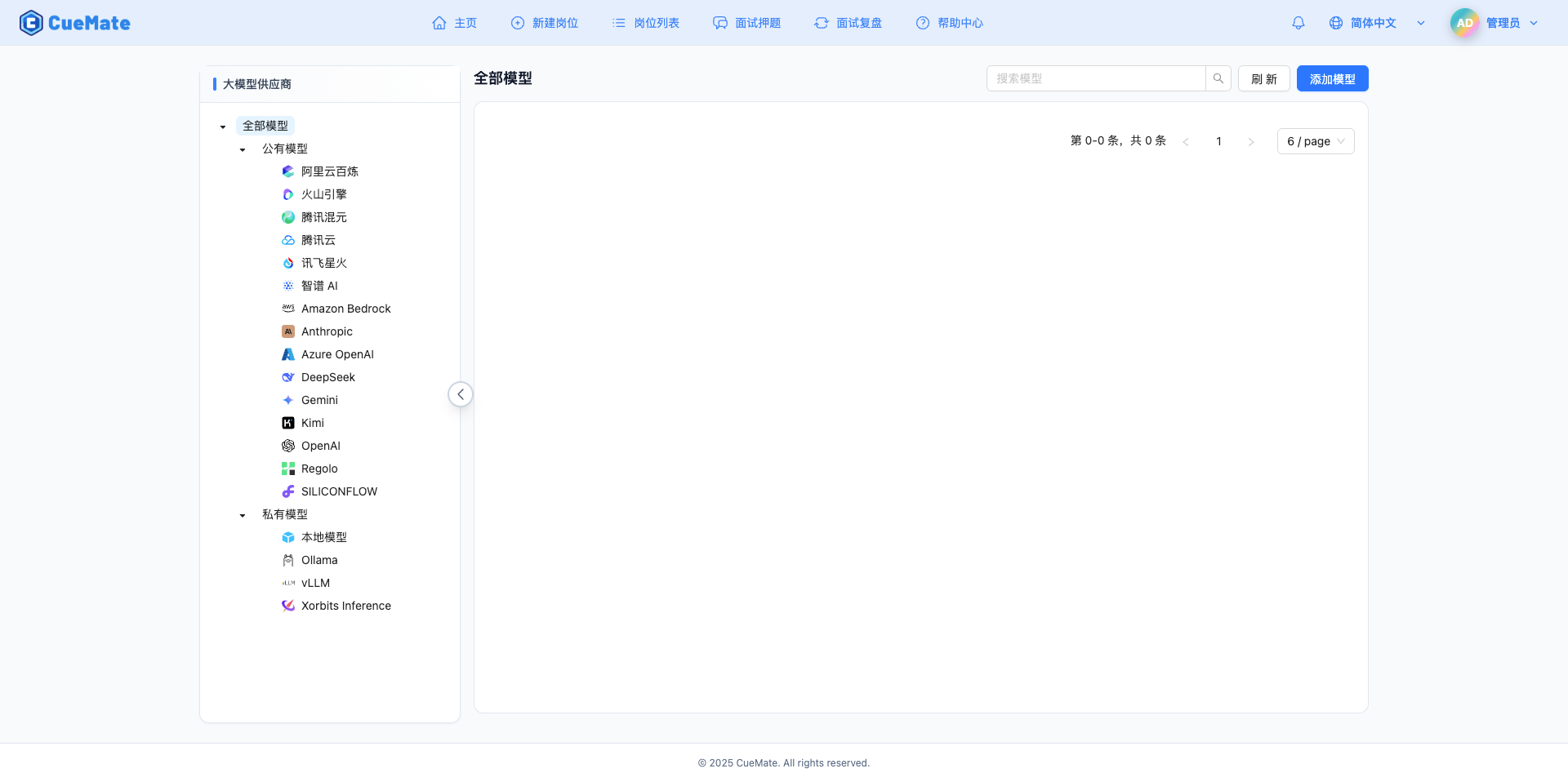
2.2 Add New Model
Click the Add Model button in the upper right corner.

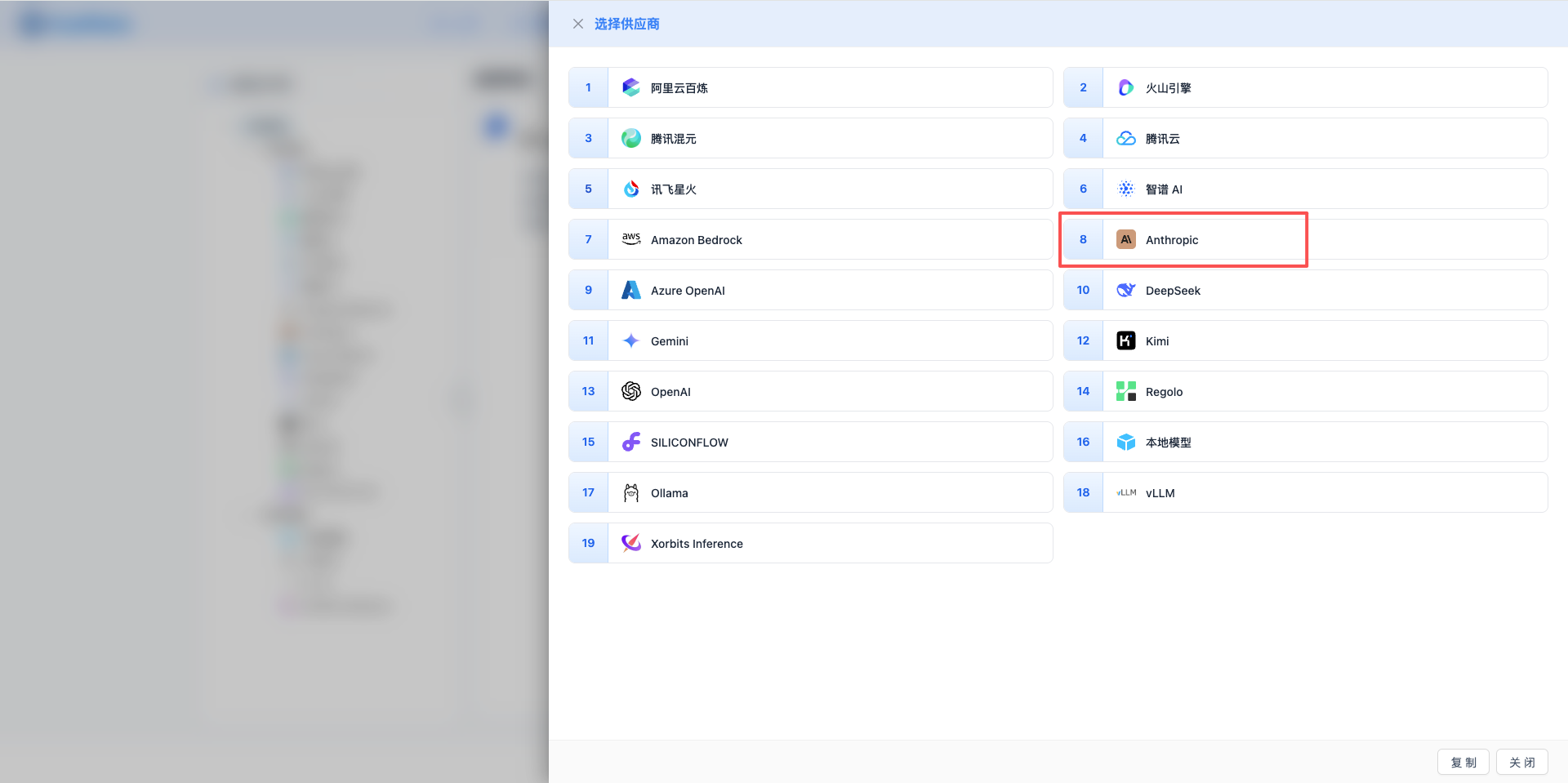
2.3 Select Anthropic Provider
In the popup dialog:
- Provider Type: Select Anthropic
- Click to automatically proceed to the next step
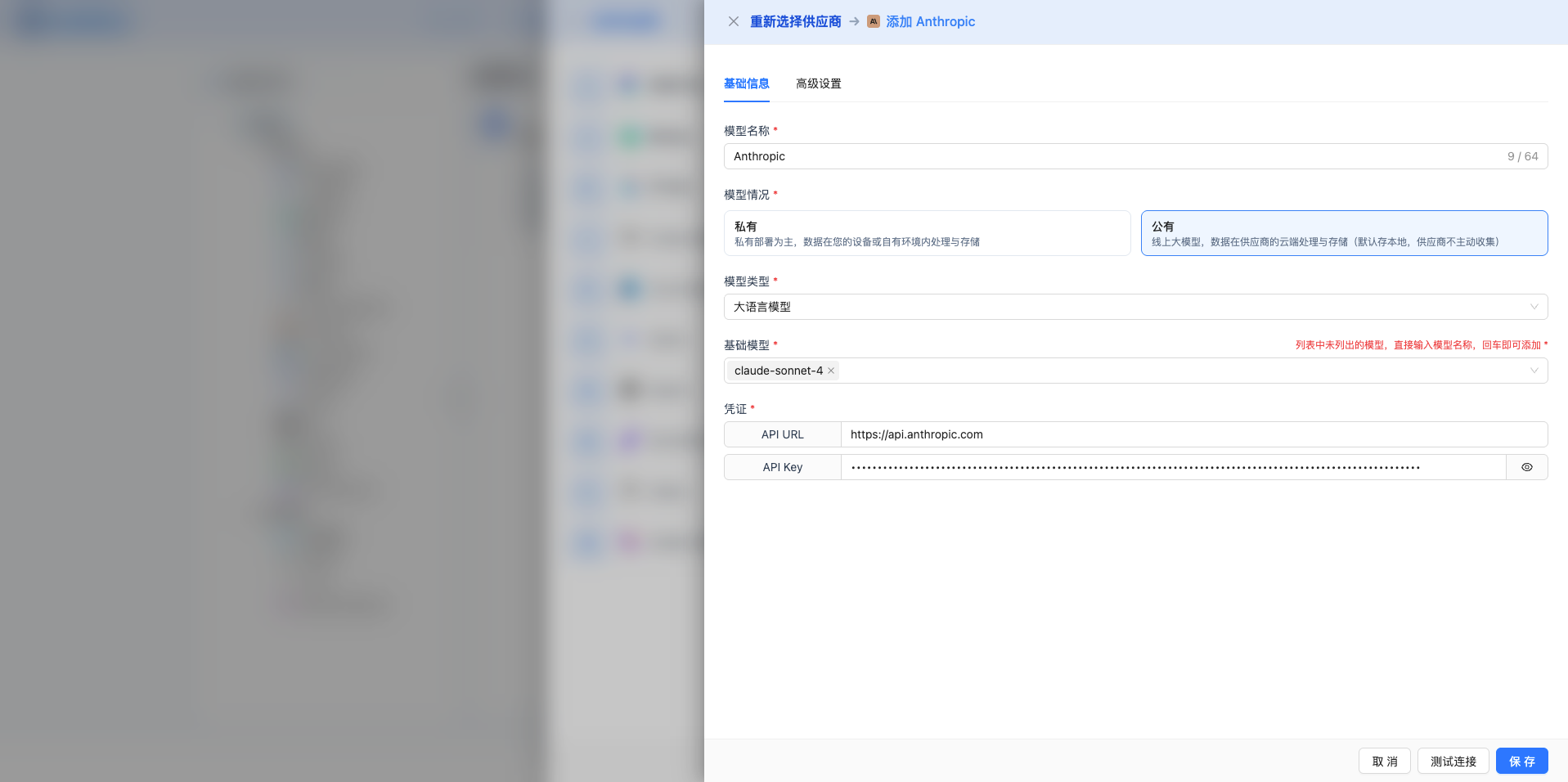
2.4 Fill in Configuration Information
Fill in the following information on the configuration page:
Basic Configuration
- Model Name: Give this model configuration a name (e.g., Claude-Sonnet-4.5)
- API Key: Paste the Anthropic API Key you just copied
- API URL: Keep the default
https://api.anthropic.com - Model Version: Select or enter the model to use (recommend using full version numbers)
claude-sonnet-4-5orclaude-sonnet-4-5-20250929: Latest and strongest, top-tier coding capabilityclaude-haiku-4-5orclaude-haiku-4-5-20251001: High value, fast and low costclaude-opus-4-1orclaude-opus-4-1-20250805: Top-tier reasoning, suitable for complex tasksclaude-sonnet-4-20250514: Claude 4 Sonnet (must use full version number)claude-3-7-sonnet: Claude 3.7 Sonnetclaude-3-5-sonnet-20241022: Claude 3.5 Sonnet (October 2024)claude-3-5-sonnet-20240620: Claude 3.5 Sonnet (June 2024)claude-3-5-haiku-20241022: Claude 3.5 Haikuclaude-3-opus-20240229: Claude 3 Opus (retiring soon)claude-3-sonnet-20240229: Claude 3 Sonnet (retired)claude-3-haiku-20240307: Claude 3 Haiku
Advanced Configuration (Optional)
Expand the Advanced Configuration panel to adjust the following parameters:
Parameters adjustable in CueMate interface:
Temperature: Controls output randomness
- Range: 0-1
- Recommended Value: 0.7
- Function: Higher values produce more random and creative output, lower values produce more stable and conservative output
- Usage Suggestions:
- Creative writing/brainstorming: 0.8-1.0
- Regular conversation/Q&A: 0.6-0.8
- Code generation/precise tasks: 0.3-0.5
- Note: Claude's temperature range is 0-1, different from OpenAI's 0-2
Max Tokens: Limits single output length
- Range: 256 - 64000 (depending on model)
- Recommended Value: 8192
- Function: Controls the maximum word count per model response
- Model Limits:
- Claude Sonnet 4.5: Max 64K tokens
- Claude Haiku 4.5: Max 64K tokens
- Claude Opus 4.1: Max 32K tokens
- Claude Sonnet 4: Max 64K tokens
- Claude 3.7 Sonnet: Max 64K tokens
- Claude 3.5 series: Max 8K tokens
- Claude 3 series: Max 4K tokens
- Usage Suggestions:
- Brief Q&A: 1024-2048
- Regular conversation: 4096-8192
- Long text generation: 16384-32768
- Ultra-long output: 65536 (4.5/4/3.7 series only)
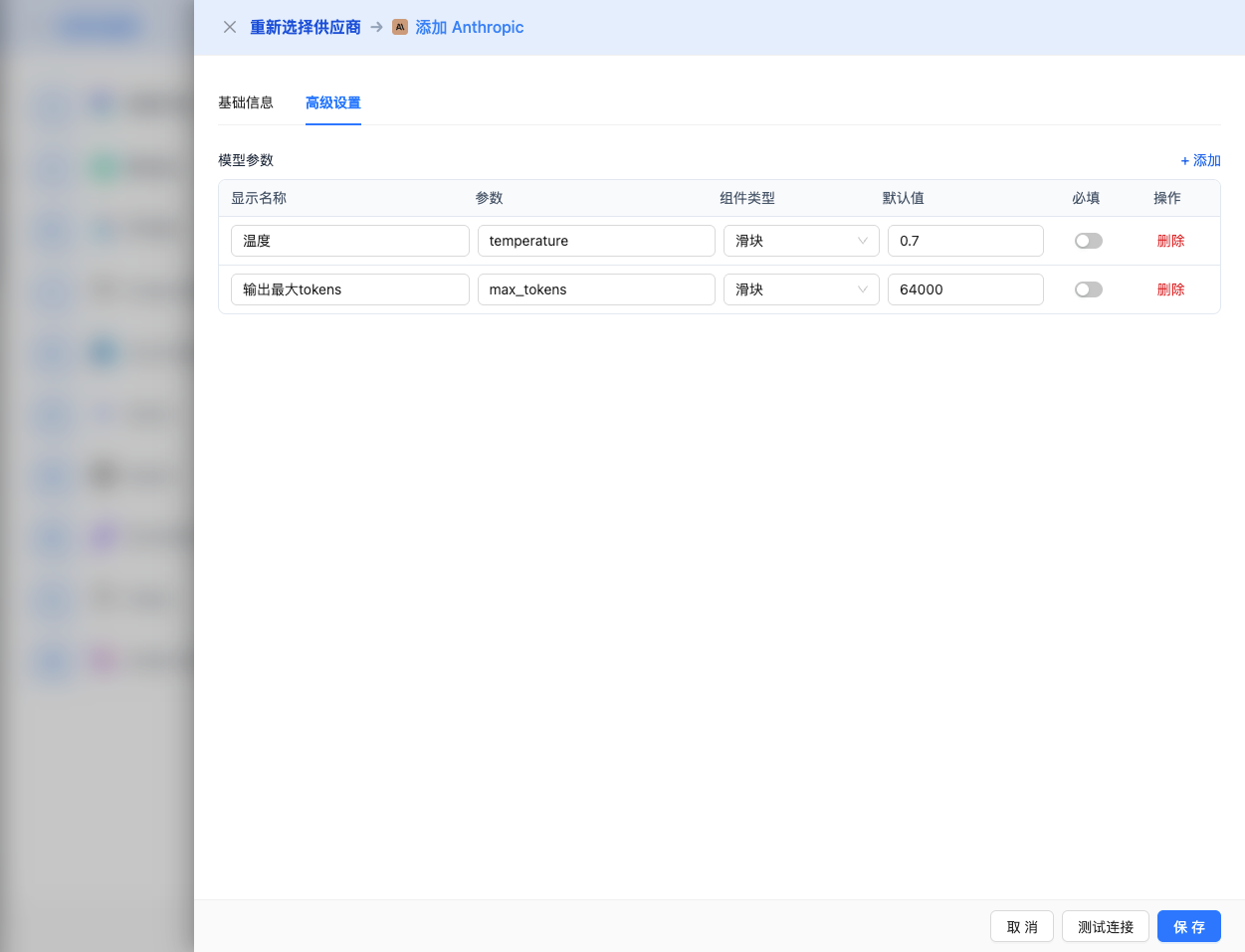
Other advanced parameters supported by Anthropic Claude API:
While the CueMate interface only provides temperature and max_tokens adjustments, if you call Claude directly via API, you can also use the following advanced parameters:
top_p (nucleus sampling)
- Range: 0-1
- Default: -1 (disabled, uses temperature)
- Function: Samples from the smallest candidate set whose cumulative probability reaches p
- Relationship with temperature:
- Claude officially recommends adjusting only one of them
- If setting top_p, recommend setting temperature to 1.0
- Usage Suggestions:
- Maintain diversity but avoid extremes: 0.9-0.95
- More conservative output: 0.7-0.8
- Note: Setting to -1 disables this parameter
top_k
- Range: Positive integer (usually 1-100)
- Default: -1 (disabled)
- Function: Samples from the k tokens with highest probability
- Usage Suggestions:
- More diversity: 40-100
- More conservative: 5-20
- Note: Claude supports both top_p and top_k, but recommend using only one
stop_sequences
- Type: String array
- Default: null
- Maximum: 4 strings
- Function: Stops when generated content contains specified strings
- Example:
["\n\nHuman:", "\n\nAssistant:", "###"] - Use Cases:
- Structured output: Use delimiters to control format
- Dialogue systems: Prevent model from continuing to generate dialogue turns
- Code block control: Use code block end markers
stream (streaming output)
- Type: Boolean
- Default: false
- Function: Enables SSE streaming return, returns as it generates
- In CueMate: Automatically handled, no manual setting needed
- Advantages:
- Faster time to first byte
- Better user experience
- Suitable for long text generation scenarios
metadata
- Type: Object
- Function: Attaches metadata for logging and analysis
- Example:
{"user_id": "12345"} - Use Cases: Tracking user sessions, A/B testing, usage analysis
Claude Special Features:
- system (system prompt)
- Type: String
- Function: Sets system-level prompts, defines model behavior and role
- Maximum Length: 32K tokens (Claude 4.5/4/3.7)
- Usage Suggestions:
- Define professional domain roles
- Set output format requirements
- Specify language and style preferences
- Example:
"You are a senior technical interviewer, skilled at evaluating candidates' programming abilities and technical depth."
| Scenario | temperature | max_tokens | top_p | top_k | stop_sequences |
|---|---|---|---|---|---|
| Creative Writing | 0.8-1.0 | 4096-8192 | -1 | -1 | null |
| Code Generation | 0.2-0.5 | 2048-4096 | -1 | -1 | null |
| Q&A System | 0.6-0.8 | 1024-2048 | -1 | -1 | null |
| Summarization | 0.3-0.5 | 512-1024 | -1 | -1 | null |
| Structured Output | 0.5 | 2048 | -1 | -1 | ["###", "\n\n"] |
2.5 Test Connection
After filling in the configuration, click the Test Connection button to verify if the configuration is correct.
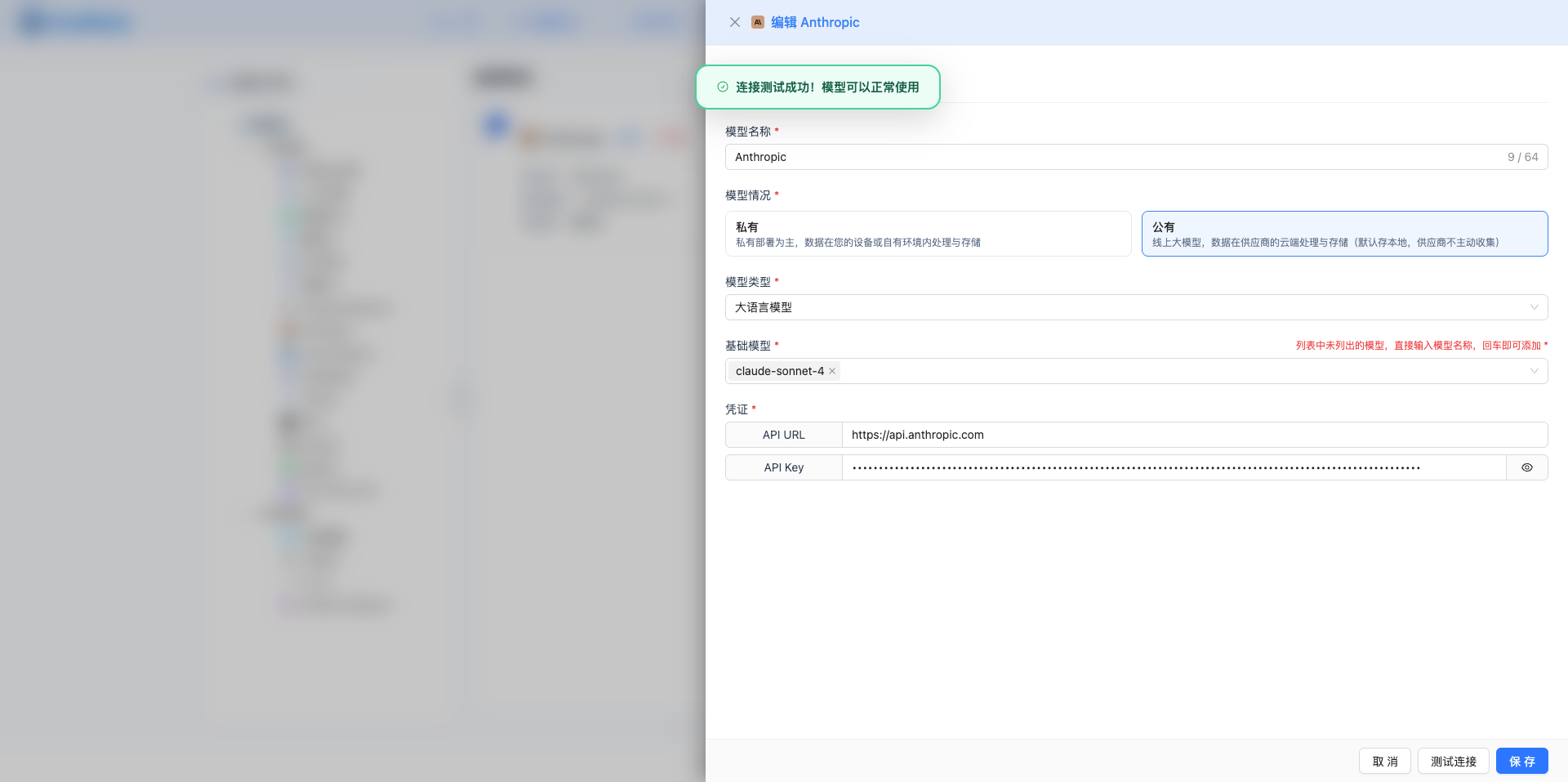
If the configuration is correct, a success message will be displayed along with a sample response from the model.
If the configuration is incorrect, an error log will be displayed, and you can view specific error information through log management.
2.6 Save Configuration
After successful testing, click the Save button to complete the model configuration.
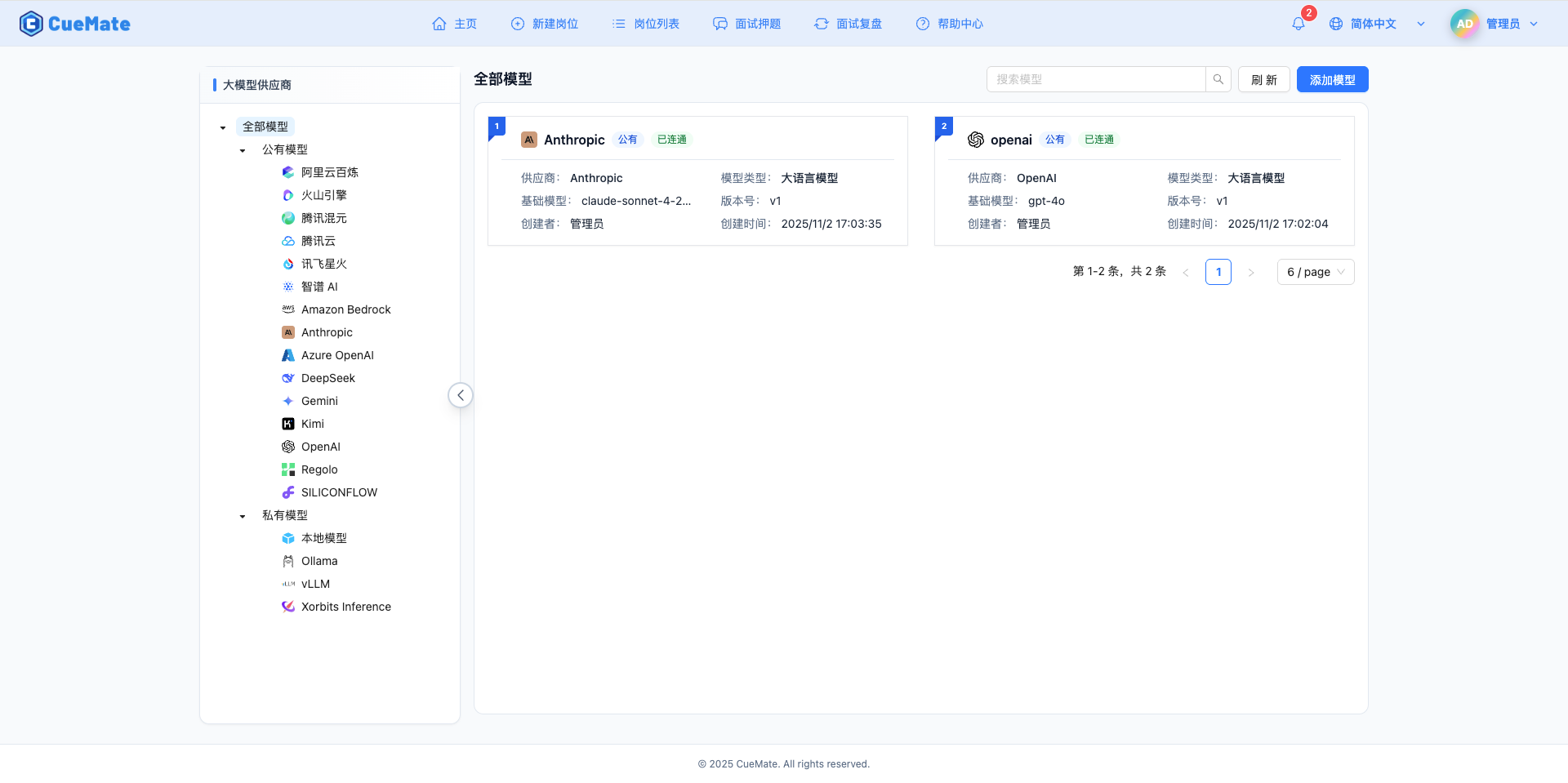
3. Use the Model
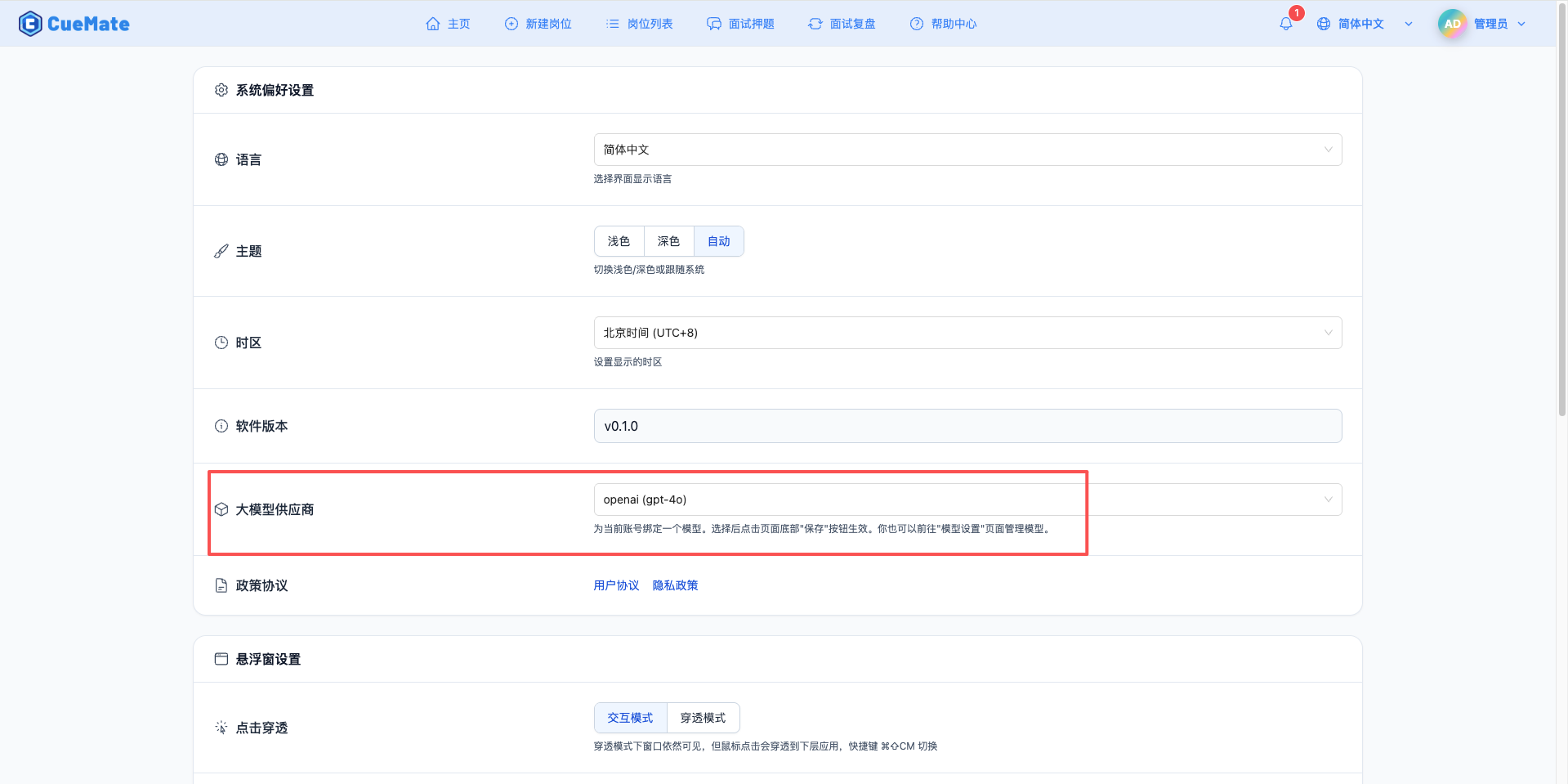
Go to the system settings page through the dropdown menu in the upper right corner, and select the model configuration you want to use in the LLM provider section.
After configuration, you can select this model in features like interview training and question generation. You can also select this model configuration for a specific interview in the interview options.
4. Supported Model List
4.1 Claude 4.5 Series (2026 Latest)
| No. | Model Name | Model ID | Max Output | Use Case | Release Date |
|---|---|---|---|---|---|
| 1 | Claude Sonnet 4.5 | claude-sonnet-4-5 or claude-sonnet-4-5-20250929 | 64K tokens | World's strongest coding model, AI Agent | 2025-09 |
| 2 | Claude Haiku 4.5 | claude-haiku-4-5 or claude-haiku-4-5-20251001 | 64K tokens | High value, fast, low cost | 2025-10 |
4.2 Claude 4 Series
| No. | Model Name | Model ID | Max Output | Use Case | Release Date |
|---|---|---|---|---|---|
| 1 | Claude Opus 4.1 | claude-opus-4-1 or claude-opus-4-1-20250805 | 32K tokens | Top-tier reasoning, complex tasks | 2025-08 |
| 2 | Claude Sonnet 4 | claude-sonnet-4-20250514 | 64K tokens | Flagship model, high value | 2025-05 |
4.3 Claude 3.7 Series
| No. | Model Name | Model ID | Max Output | Use Case | Release Date |
|---|---|---|---|---|---|
| 1 | Claude 3.7 Sonnet | claude-3-7-sonnet | 64K tokens | High performance, long text processing | 2025-02 |
4.4 Claude 3.5 Series
| No. | Model Name | Model ID | Max Output | Use Case | Release Date |
|---|---|---|---|---|---|
| 1 | Claude 3.5 Sonnet (Oct) | claude-3-5-sonnet-20241022 | 8K tokens | Regular dialogue, coding assistance | 2024-10 |
| 2 | Claude 3.5 Sonnet (Jun) | claude-3-5-sonnet-20240620 | 8K tokens | General scenarios | 2024-06 |
| 3 | Claude 3.5 Haiku | claude-3-5-haiku-20241022 | 8K tokens | Fast response, lightweight | 2024-10 |
4.5 Claude 3 Series (Classic Versions)
| No. | Model Name | Model ID | Max Output | Use Case | Status |
|---|---|---|---|---|---|
| 1 | Claude 3 Opus | claude-3-opus-20240229 | 4K tokens | Deep analysis, classic model | Retiring soon |
| 2 | Claude 3 Sonnet | claude-3-sonnet-20240229 | 4K tokens | General scenarios | Retired |
| 3 | Claude 3 Haiku | claude-3-haiku-20240307 | 4K tokens | Ultra-lightweight tasks | Available |
4.6 Recommended Selection
- Coding/Agent Scenarios:
claude-sonnet-4-5(strongest) - High Value Scenarios:
claude-haiku-4-5(fast, low cost) - Complex Reasoning Scenarios:
claude-opus-4-1(top-tier reasoning) - General Dialogue Scenarios:
claude-3-5-sonnet-20241022
5. FAQ
5.1 Model Name Not Found (404 Error)
Symptom: model: xxx not found or 404 error when testing connection
Solutions:
- Check if model name is correct, must use complete API model name
- Recommend using full version numbers with date suffix, such as
claude-3-5-sonnet-20241022 - Some models support short aliases (like
claude-sonnet-4-5), but some models must use full version numbers - Wrong example:
claude-sonnet-4(short alias not supported, will return 404) - Correct examples:
claude-sonnet-4-20250514(Claude 4 must use full version number)claude-sonnet-4-5orclaude-sonnet-4-5-20250929(4.5 supports short alias)claude-3-5-sonnet-20241022(3.5 uses full version number)
5.2 Invalid API Key
Symptom: API Key error when testing connection
Solutions:
- Check if API Key starts with
sk-ant-api03- - Confirm API Key is completely copied
- Check if account has available credits
5.3 Request Timeout
Symptom: Long wait time with no response when testing connection or using the model
Solutions:
- Check if network connection is normal
- If in China, may need to use a proxy
- Check firewall settings
5.4 Insufficient Quota
Symptom: Quota exhausted or insufficient balance message
Solutions:
- Log in to Anthropic Console to check account balance
- Top up or upgrade account plan
- Check API Key usage limits