

Configure SenseNova
SenseNova is a large language model series launched by SenseTime, providing the SenseChat series models. It supports multimodal capabilities, excels at Chinese understanding and generation, and supports personal users after identity verification, providing free quotas.
Platform Description: After logging in, you will see "SenseNova Model Development Platform" or "SenseTime Platform" wording. This is SenseTime's unified development platform brand, where SenseNova large models are deployed.
1. Obtain SenseNova API Key
1.1 Visit SenseNova Open Platform
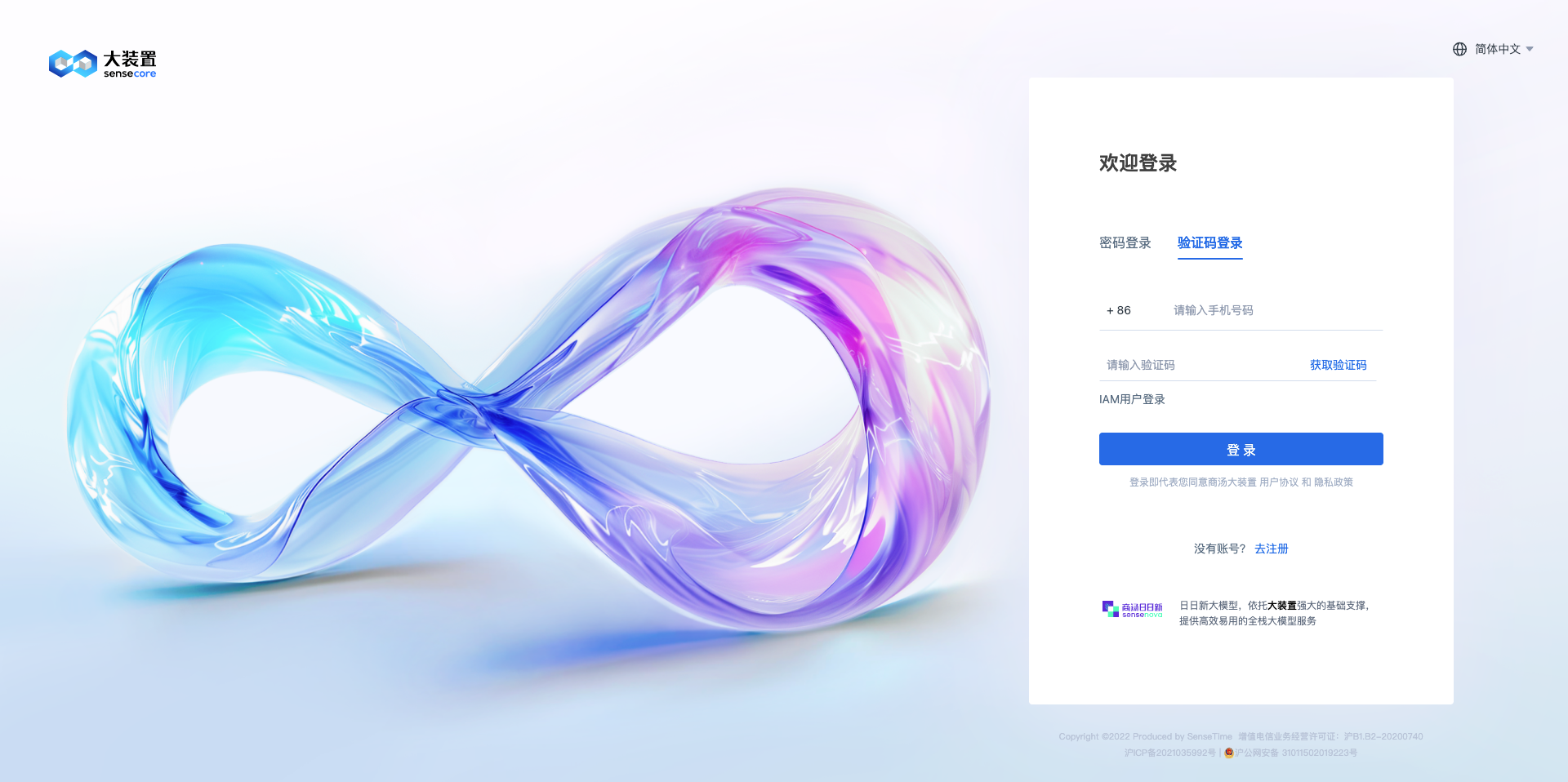
Visit the SenseNova Open Platform and log in: https://platform.sensenova.cn/
Note: The platform interface shows "SenseNova Model Development Platform", which is the correct platform where the SenseNova model API is obtained.
1.2 Complete Identity Verification
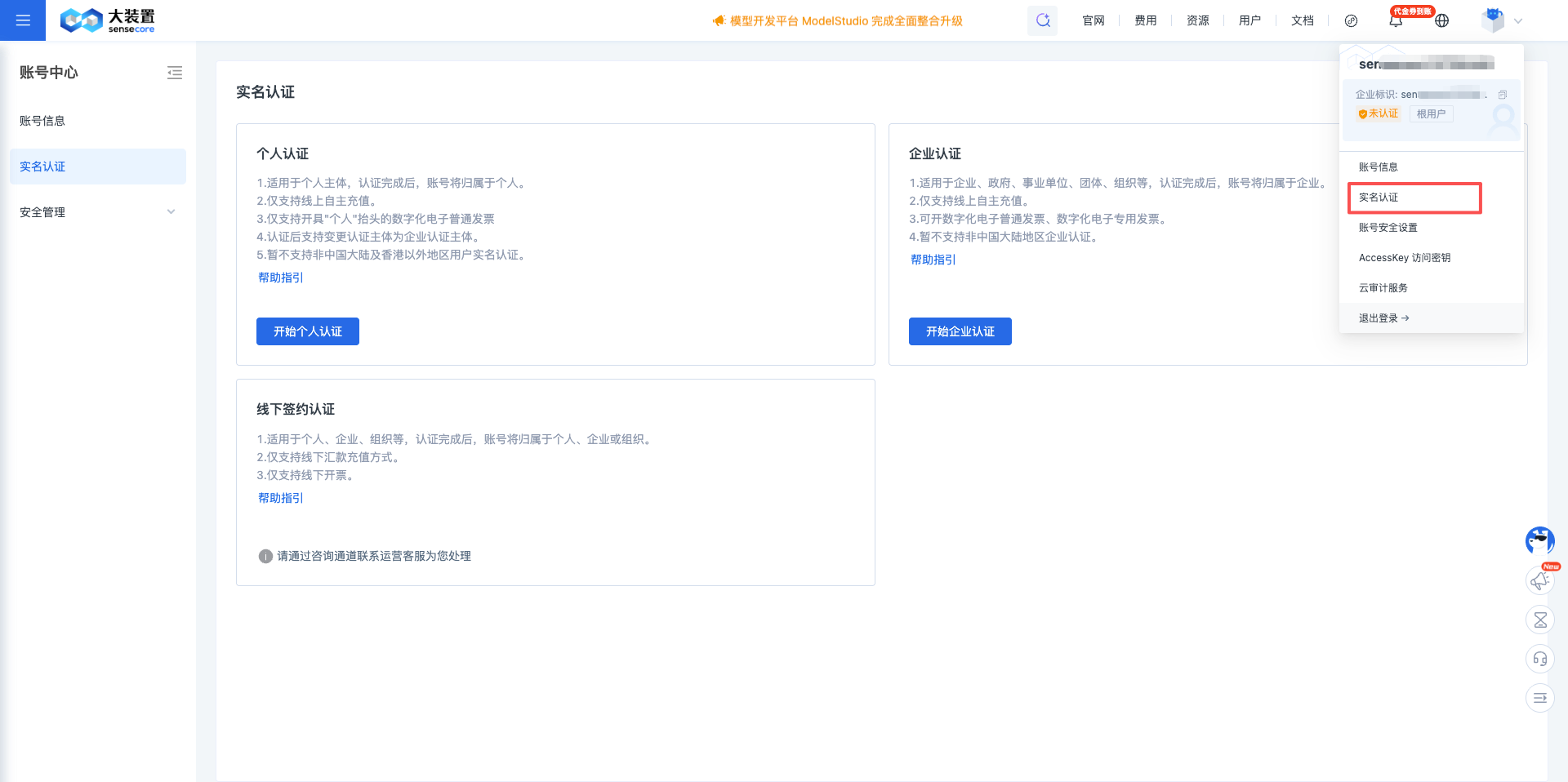
First-time use requires personal identity verification:
- Click Identity Verification in the upper right corner
- Select Identity Verification from the left menu
- Select "Start Personal Verification" on the page, fill in identity information and submit
1.3 Enter API Keys Page
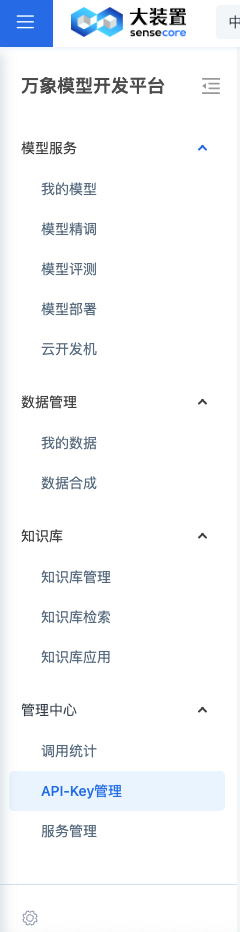
After verification is approved, click API Keys in the left menu to enter the key management page.
1.4 Create New API Key
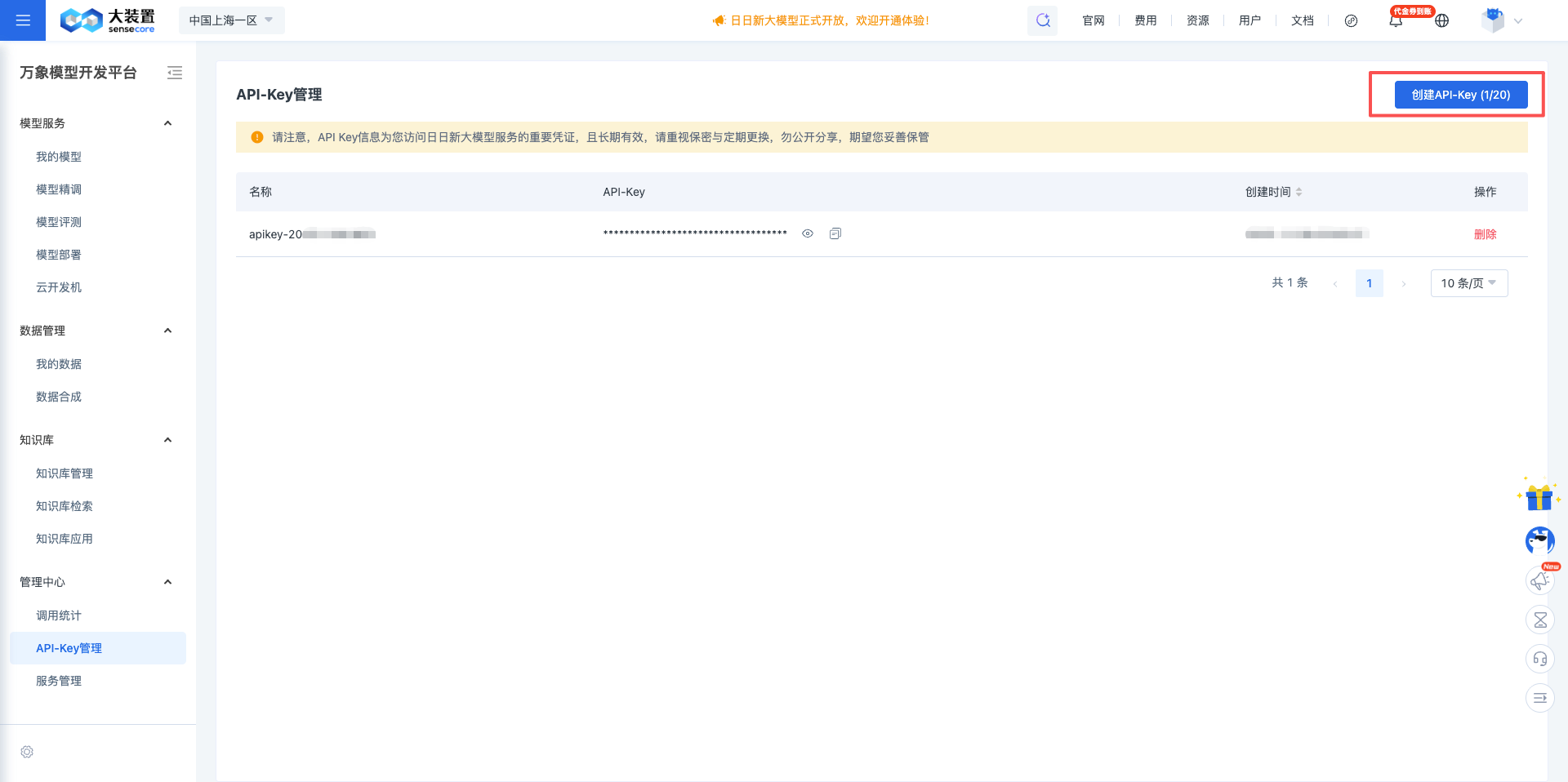
Click the Create API-Key (1/20) button in the upper right corner.
Note: When you register an account and enter, there will be a default key data named "apikey-2025xxxxxxx".
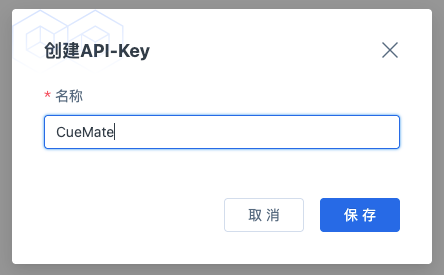
1.5 Set API Key Information
In the popup dialog:
- Enter the API Key name (e.g., CueMate)
- Click the Save button
1.6 Copy API Key
After successful creation, the system will display the API Key.
Important: This is the only time you can see the complete API Key, please copy and save it immediately.
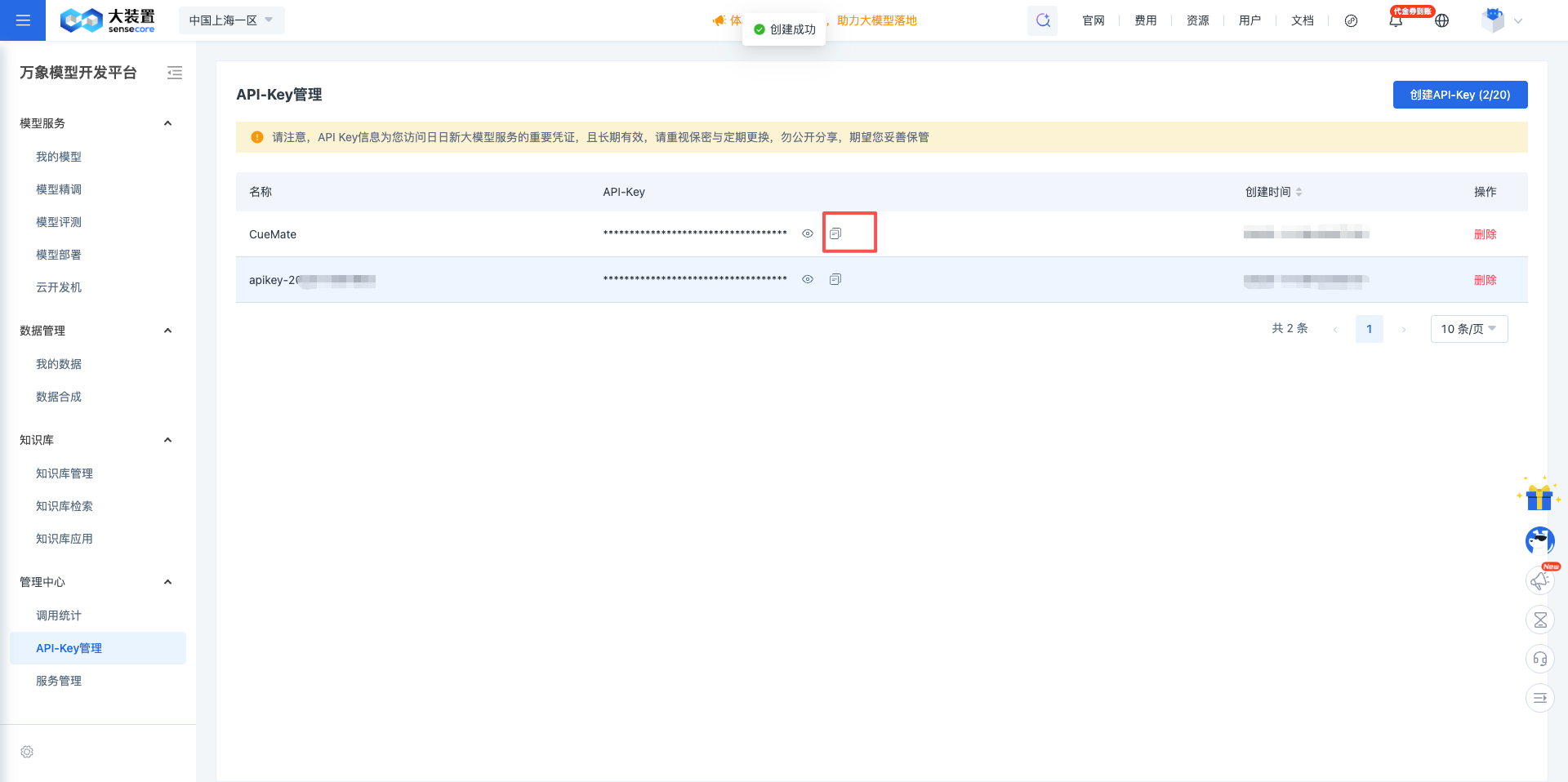
Click the copy button, and the API Key has been copied to the clipboard.
2. Configure SenseNova Model in CueMate
2.1 Enter Model Settings Page
After logging into CueMate, click Model Settings in the dropdown menu in the upper right corner.
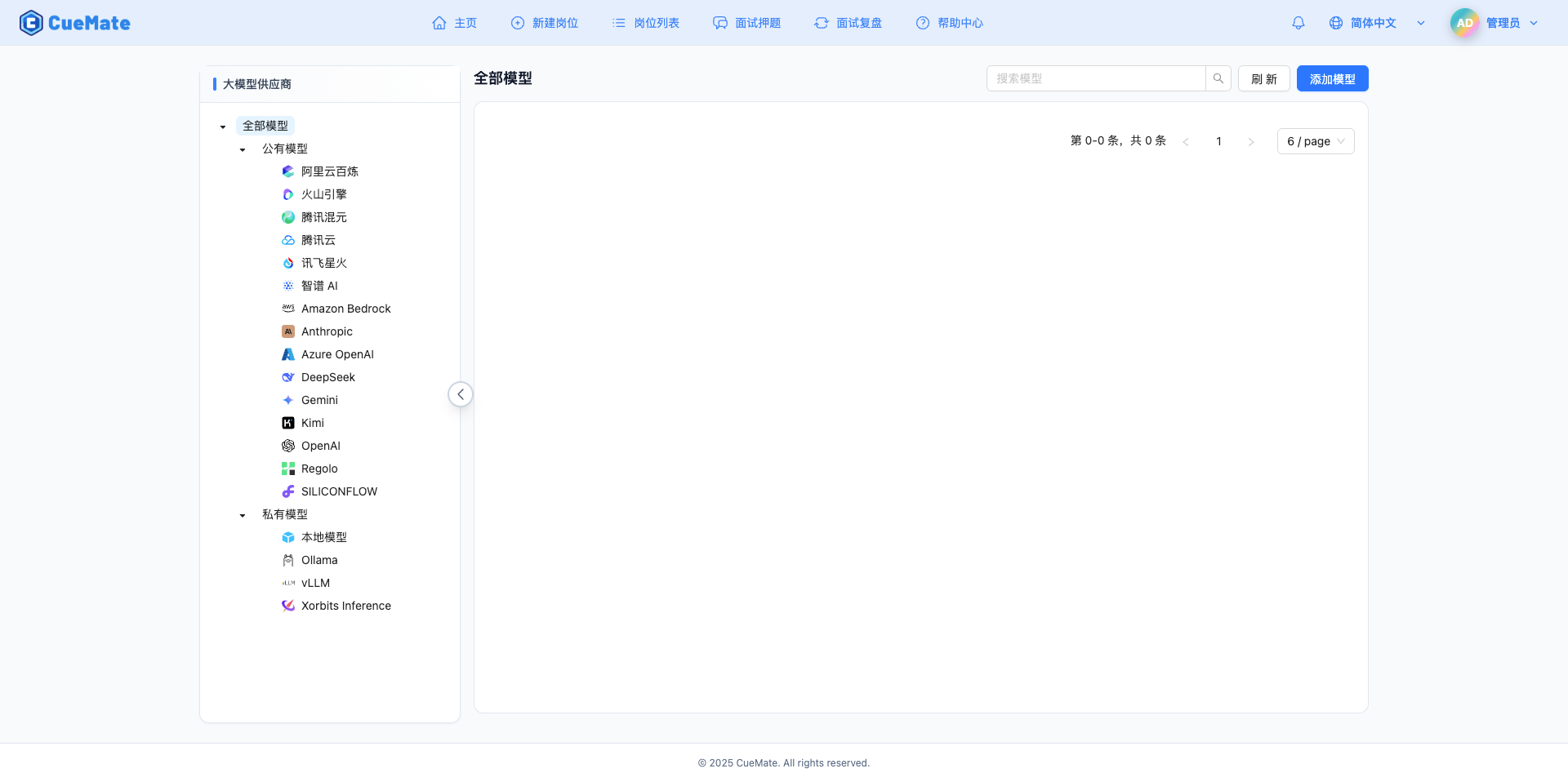
2.2 Add New Model
Click the Add Model button in the upper right corner.

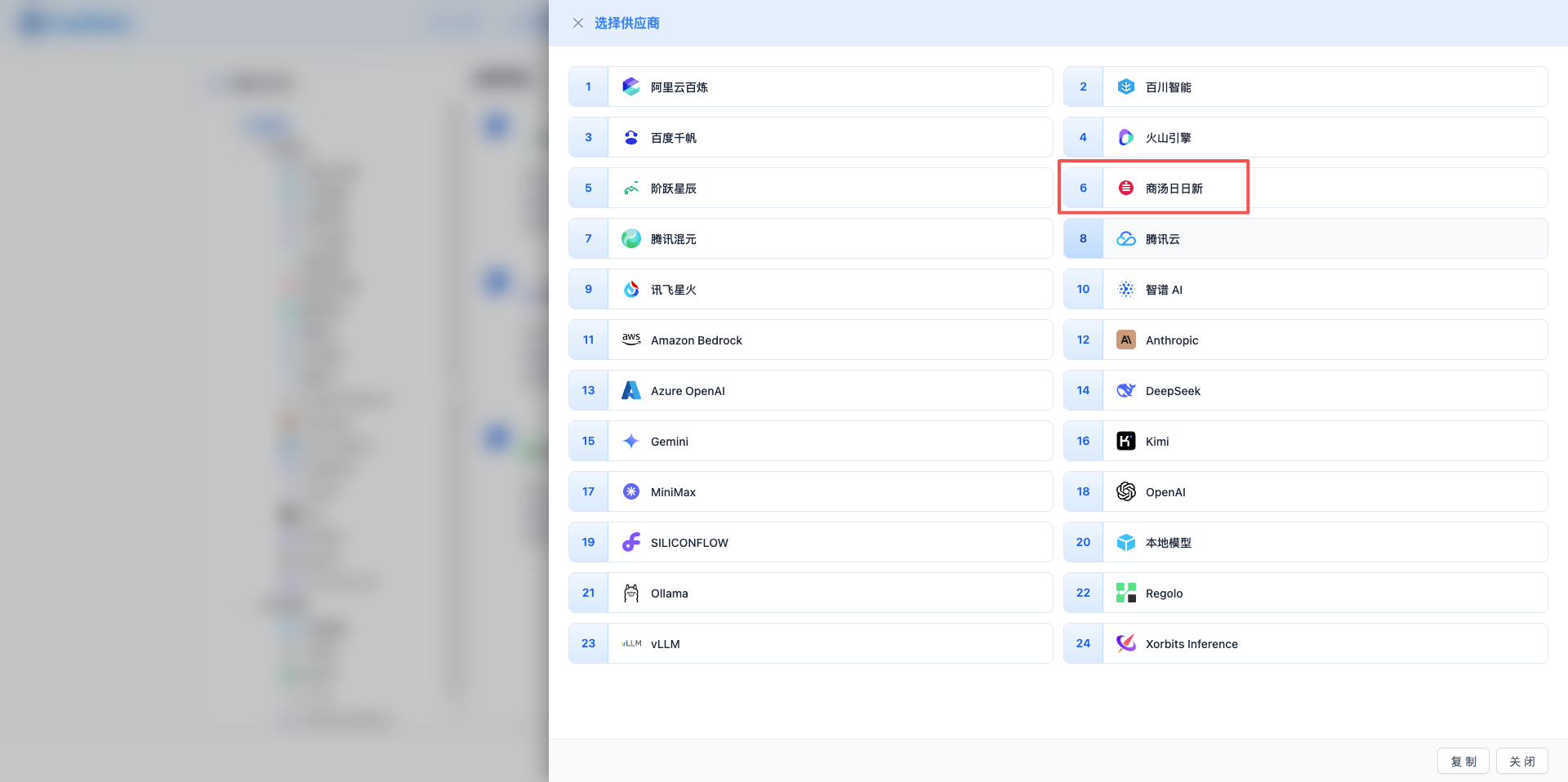
2.3 Select SenseNova Provider
In the popup dialog:
- Provider Type: Select SenseNova
- After clicking, it will automatically proceed to the next step
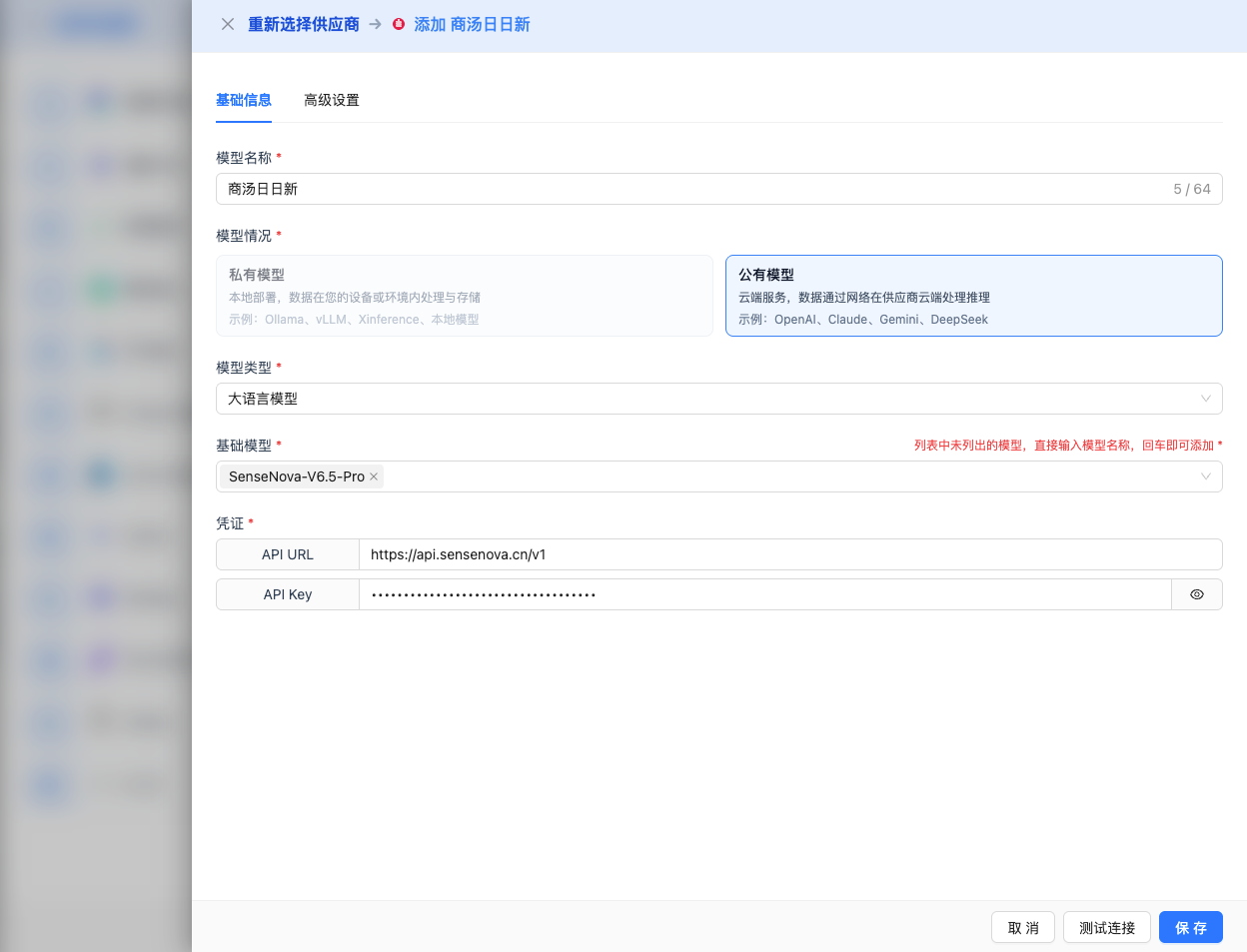
2.4 Fill in Configuration Information
Fill in the following information on the configuration page:
Basic Configuration
- Model Name: Give this model configuration a name (e.g., SenseChat-5)
- API URL: Keep the default
https://api.sensenova.cn - API Key: Paste the SenseNova API Key you just copied
- Model Version: Select the model ID you want to use. Common models include:
SenseNova-V6-5-Pro: Latest V6.5 flagship model, strongest capabilitySenseNova-V6-5-Turbo: V6.5 fast model, high cost-performanceSenseChat-5: SenseChat 5.0 flagship modelQwen3-Coder: Qwen code model- And 18 other models (see complete list below)
Advanced Configuration (Optional)
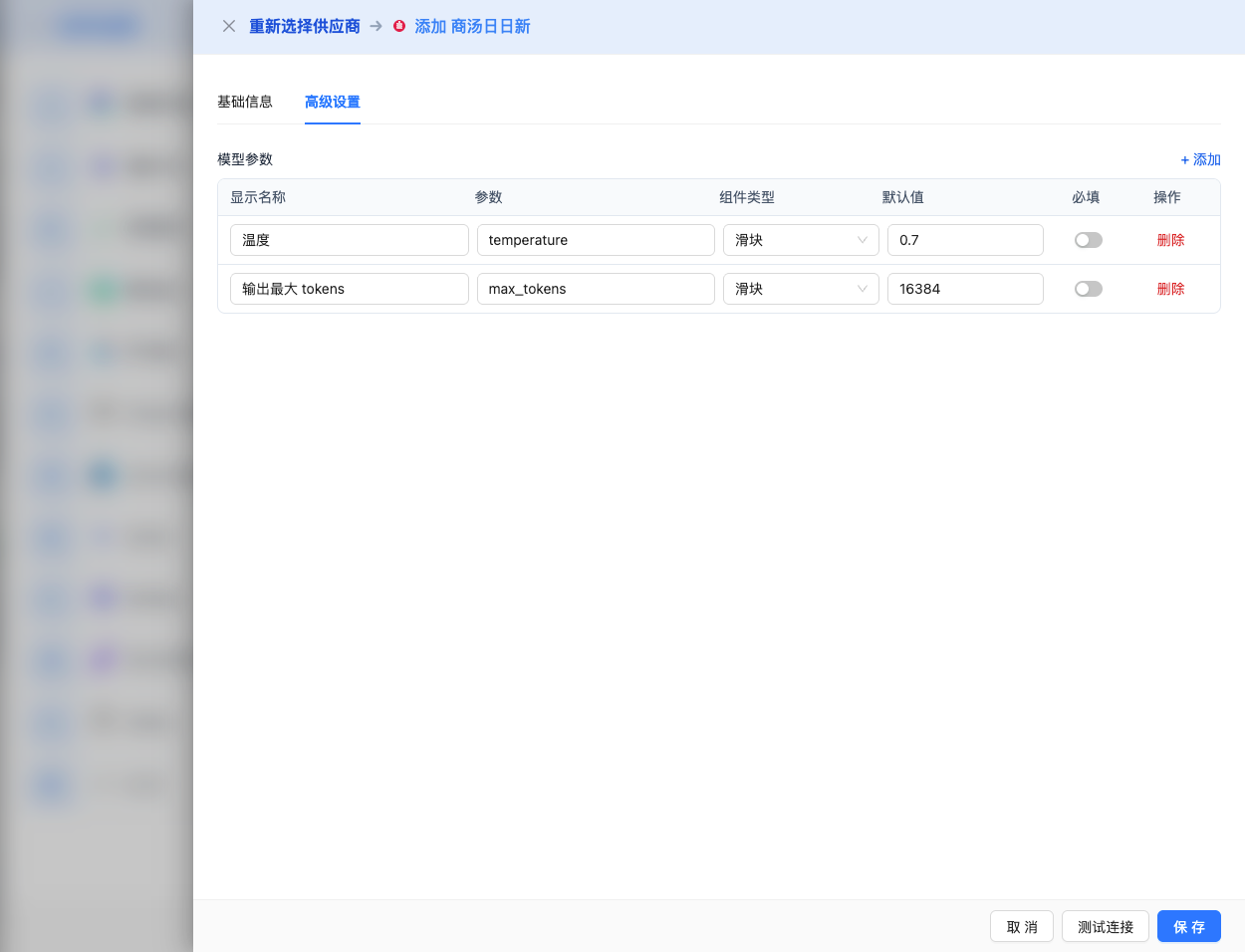
Expand the Advanced Configuration panel to adjust the following parameters:
CueMate Interface Adjustable Parameters:
Temperature: Controls output randomness
- Range: 0-1
- Recommended Value: 0.7
- Function: Higher values produce more random and creative output, lower values produce more stable and conservative output
- Usage Suggestions:
- Creative writing/brainstorming: 0.8-1.0
- Regular conversation/Q&A: 0.6-0.8
- Code generation/precise tasks: 0.3-0.5
Max Tokens: Limits single output length
- Range: 256 - 16384
- Recommended Value: 4096
- Function: Controls the maximum word count of model's single response
- Model Limits:
- SenseNova-V6.5-Pro: max 16K tokens
- SenseNova-V6.5-Turbo: max 16K tokens
- Usage Suggestions:
- Short Q&A: 1024-2048
- Regular conversation: 4096-8192
- Long text generation: 8192-16384
Other Advanced Parameters Supported by SenseNova API:
Although CueMate's interface only provides temperature and max_tokens adjustments, if you call SenseNova directly through the API, you can also use the following advanced parameters (SenseNova uses OpenAI-compatible API format):
top_p (nucleus sampling)
- Range: 0-1
- Default Value: 0.95
- Function: Samples from the smallest candidate set with cumulative probability reaching p
- Relationship with temperature: Usually only adjust one of them
- Usage Suggestions:
- Maintain diversity but avoid absurdity: 0.9-0.95
- More conservative output: 0.7-0.8
repetition_penalty
- Range: 1.0-2.0
- Default Value: 1.0
- Function: Penalizes generated tokens to reduce repetition
- Usage Suggestions:
- Reduce repetition: 1.1-1.3
- Allow repetition: 1.0 (default)
stream
- Type: Boolean
- Default Value: false
- Function: Enables SSE streaming return, returning as it generates
- In CueMate: Handled automatically, no manual setting required
| No. | Scenario | temperature | max_tokens | top_p | repetition_penalty |
|---|---|---|---|---|---|
| 1 | Creative writing | 0.8-1.0 | 4096-8192 | 0.95 | 1.1 |
| 2 | Code generation | 0.2-0.5 | 2048-4096 | 0.9 | 1.0 |
| 3 | Q&A system | 0.7 | 1024-2048 | 0.9 | 1.0 |
| 4 | Long text generation | 0.6-0.8 | 8192-16384 | 0.9 | 1.1 |
2.5 Test Connection
After filling in the configuration, click the Test Connection button to verify if the configuration is correct.
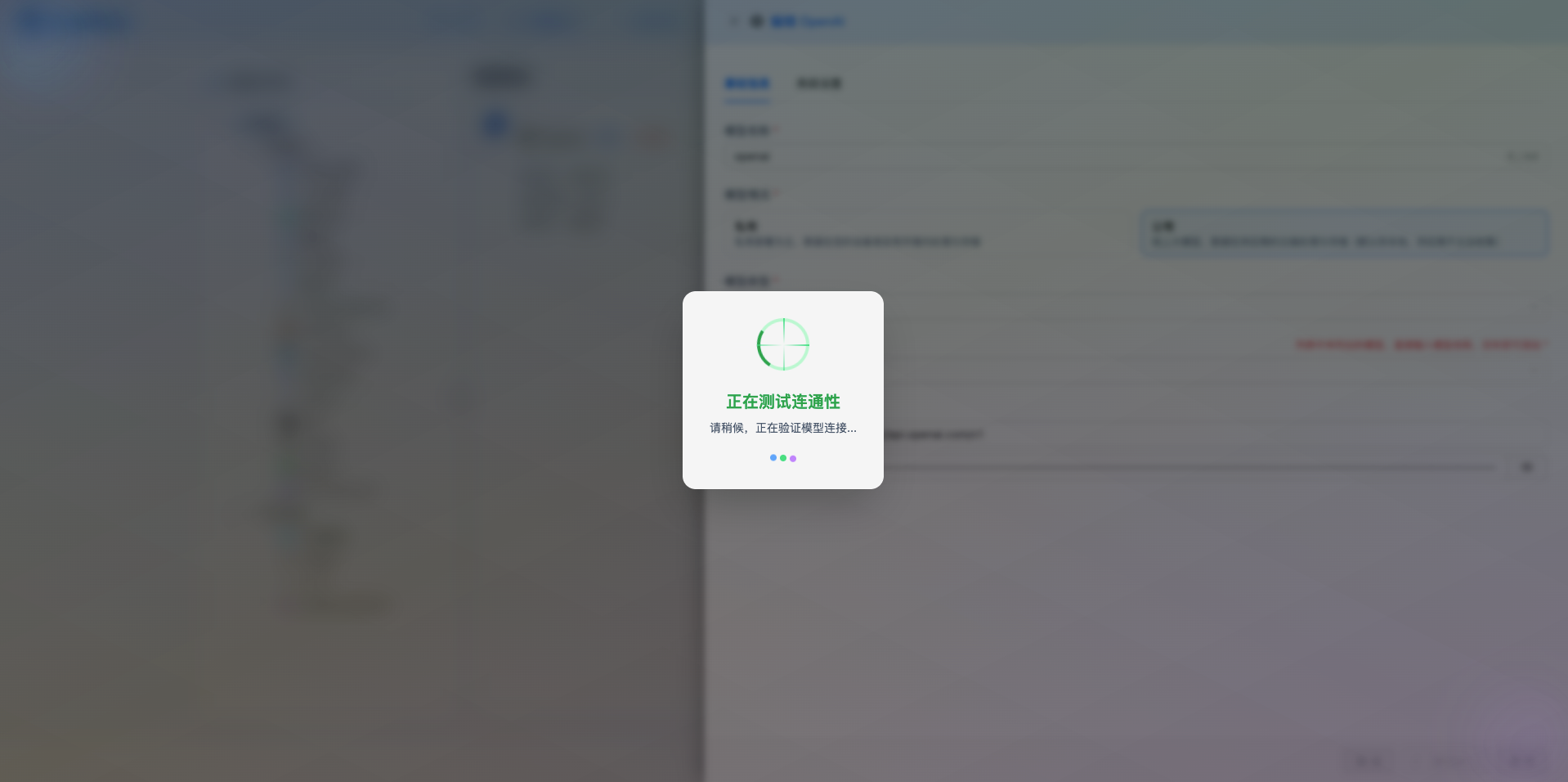
If the configuration is correct, it will display a success message and return a model response example.
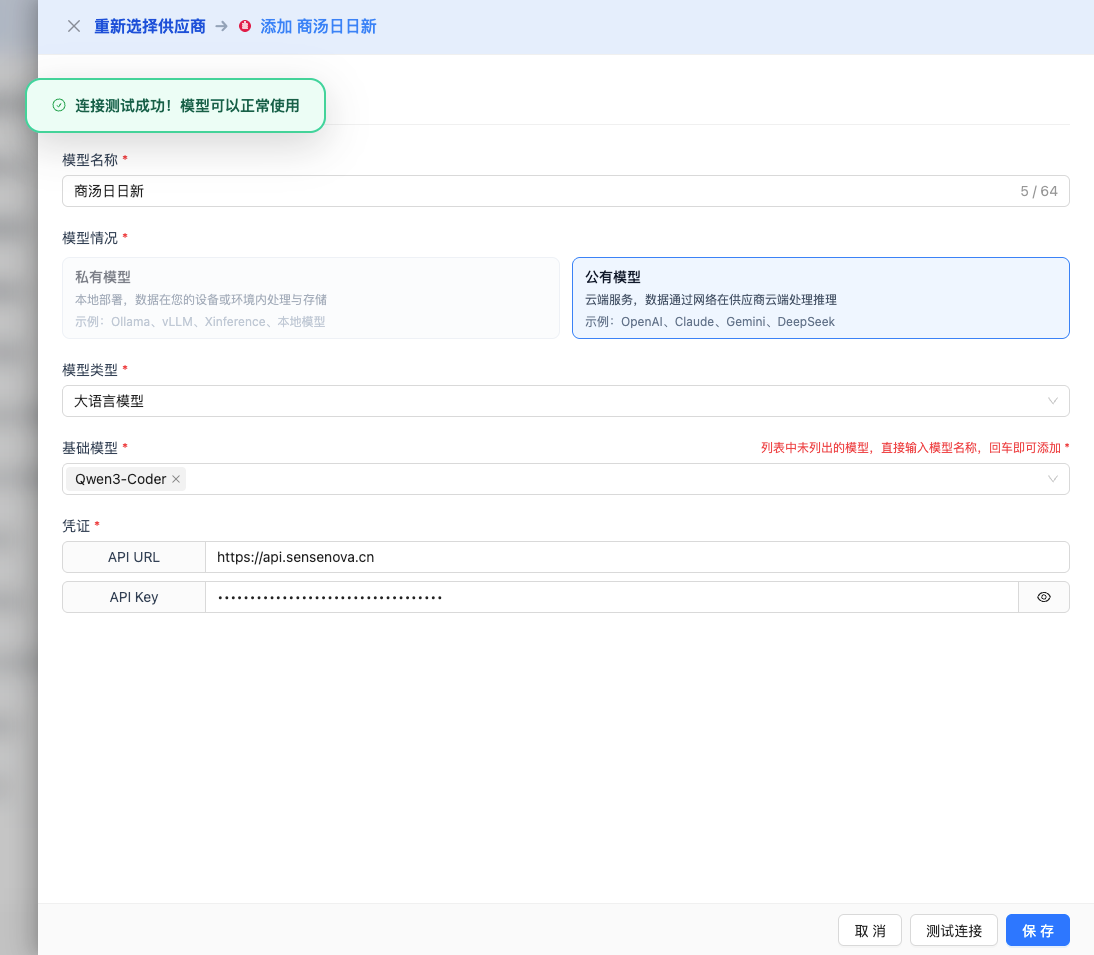
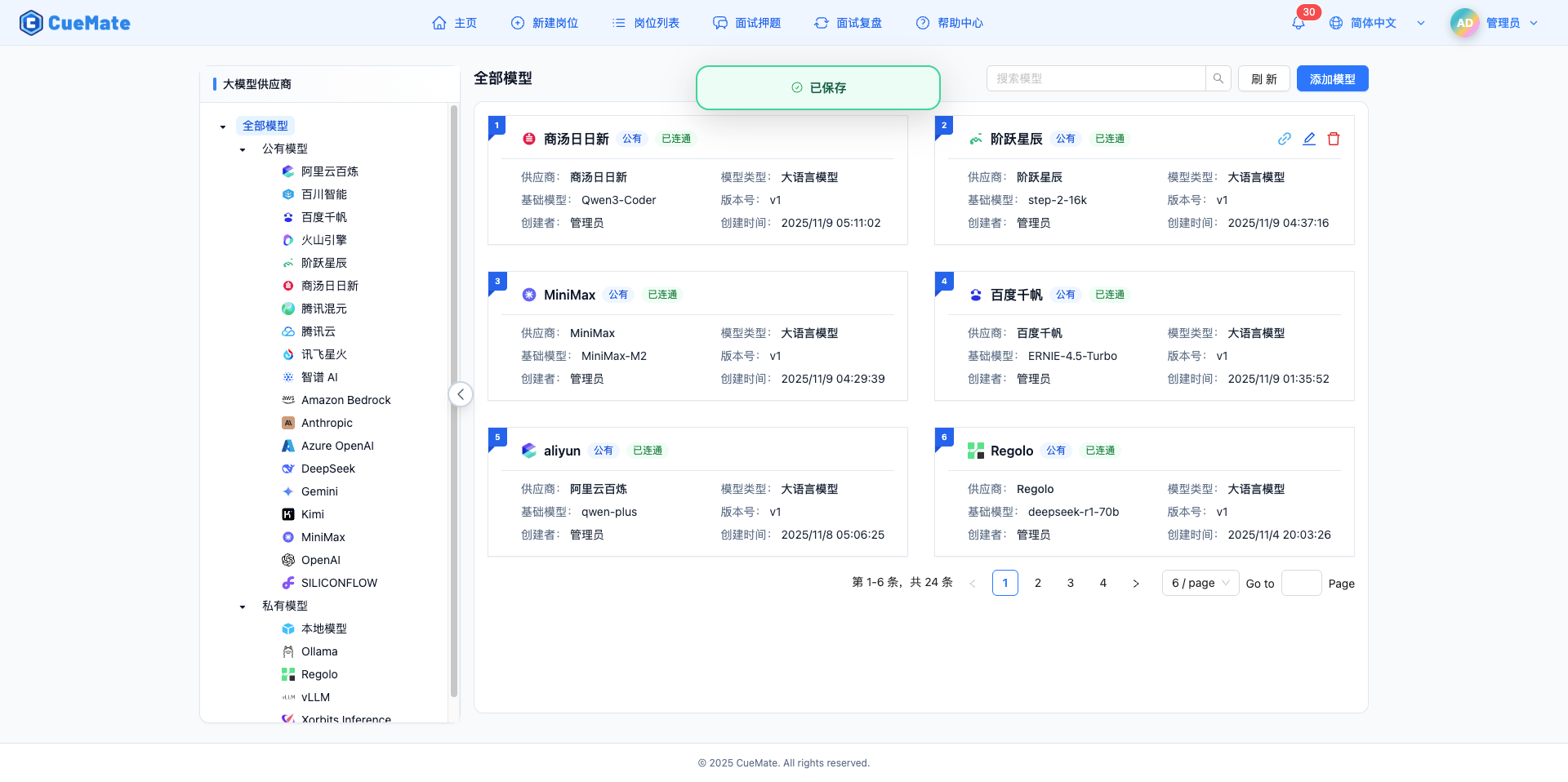
2.6 Save Configuration
After a successful test, click the Save button to complete the model configuration.
3. Use Model
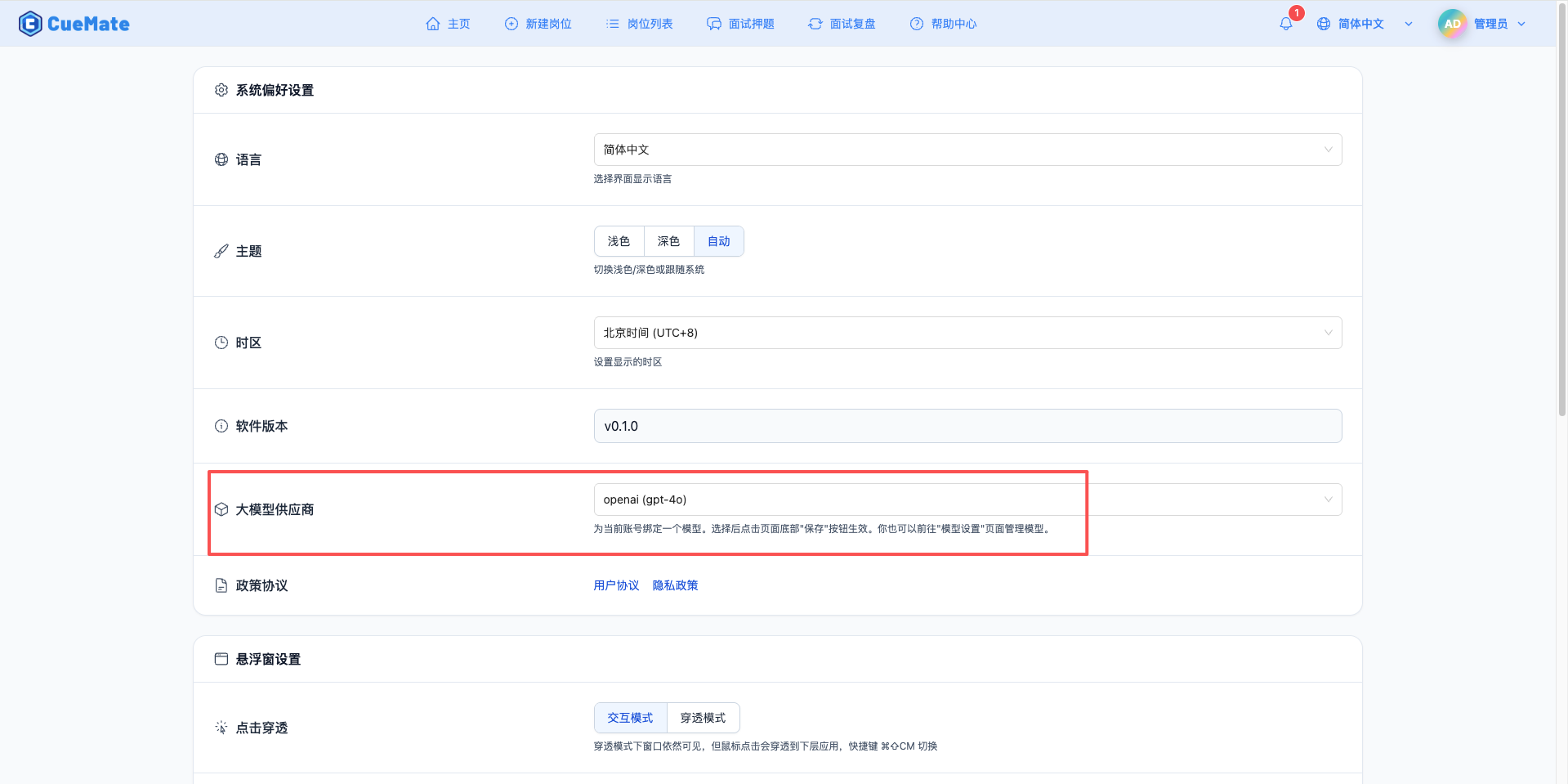
Through the dropdown menu in the upper right corner, enter the system settings interface and select the model configuration you want to use in the Large Model Provider section.
After configuration, you can select to use this model in functions such as interview training and question generation, or you can individually select the model configuration for a specific interview in the interview options.
4. Supported Model List
Description: The SenseNova platform provides a rich selection of models, including self-developed SenseNova and SenseChat series, as well as third-party models such as Qwen, Kimi, DeepSeek, etc.
4.1 SenseNova V6 Series (Recommended)
| No. | Model Name | Model ID | Max Output | Use Case |
|---|---|---|---|---|
| 1 | SenseNova-V6-5-Omni | SenseNova-V6-5-Omni | 8K tokens | Full-modal interaction, real-time dialogue, multimodal understanding |
| 2 | SenseNova-V6-5-Pro | SenseNova-V6-5-Pro | 16K tokens | Latest flagship model, complex tasks, deep understanding |
| 3 | SenseNova-V6-5-Turbo | SenseNova-V6-5-Turbo | 16K tokens | High-performance fast model, cost-performance priority |
| 4 | SenseNova-V6-Reasoner | SenseNova-V6-Reasoner | 8K tokens | Reasoning tasks, logical analysis, deep thinking |
| 5 | SenseNova-V6-Turbo | SenseNova-V6-Turbo | 8K tokens | V6 fast version, daily conversations |
4.2 SenseChat Series
| No. | Model Name | Model ID | Max Output | Use Case |
|---|---|---|---|---|
| 1 | SenseChat-5 | SenseChat-5 | 8K tokens | SenseChat 5.0 flagship, complex tasks |
| 2 | SenseChat-5-Cantonese | SenseChat-5-Cantonese | 8K tokens | Cantonese conversation, dialect understanding |
| 3 | SenseChat-128K | SenseChat-128K | 8K tokens | Ultra-long context, long text processing |
| 4 | SenseChat-32K | SenseChat-32K | 8K tokens | Long context conversations |
| 5 | SenseChat-Turbo | SenseChat-Turbo | 4K tokens | Fast response, high cost-performance |
| 6 | SenseChat | SenseChat | 4K tokens | Basic conversation model |
| 7 | SenseChat-Vision | SenseChat-Vision | 4K tokens | Visual understanding, image-text dialogue |
| 8 | SenseChat-Character | SenseChat-Character | 4K tokens | Role-playing, personalized conversations |
| 9 | SenseChat-Character-Pro | SenseChat-Character-Pro | 4K tokens | Advanced role-playing |
4.3 Third-Party Models
| No. | Model Name | Model ID | Max Output | Use Case |
|---|---|---|---|---|
| 1 | Qwen3-Coder | Qwen3-Coder | 8K tokens | Code generation, programming assistance |
| 2 | Qwen2-5-Coder | Qwen2-5-Coder | 8K tokens | Qwen code model 2.5 |
| 3 | Qwen3-235B | Qwen3-235B | 8K tokens | Qwen 3 ultra-large model |
| 4 | Qwen3-32B | Qwen3-32B | 8K tokens | Qwen 3 standard model |
| 5 | Qwen2-72B | Qwen2-72B | 8K tokens | Qwen 2 large model |
| 6 | Qwen2-7B | Qwen2-7B | 8K tokens | Qwen 2 lightweight model |
| 7 | DeepSeek-V3-1 | DeepSeek-V3-1 | 8K tokens | DeepSeek third generation model |
| 8 | Kimi-K2 | Kimi-K2 | 8K tokens | Moonshot AI Kimi model |
5. Common Issues
5.1 Invalid API Key
Symptom: API Key error prompt during test connection
Solution:
- Check if the API Key format is correct
- Confirm that identity verification has been approved
- Check if the account has available quota
5.2 Request Timeout
Symptom: No response for a long time during test connection or usage
Solution:
- Check if network connection is normal
- Confirm API URL address is correct:
https://api.sensenova.cn - Check firewall settings
5.3 Insufficient Quota
Symptom: Prompt that quota is exhausted or insufficient balance
Solution:
- Log in to SenseNova platform to check account balance
- Recharge or apply for more quota
- Optimize usage frequency